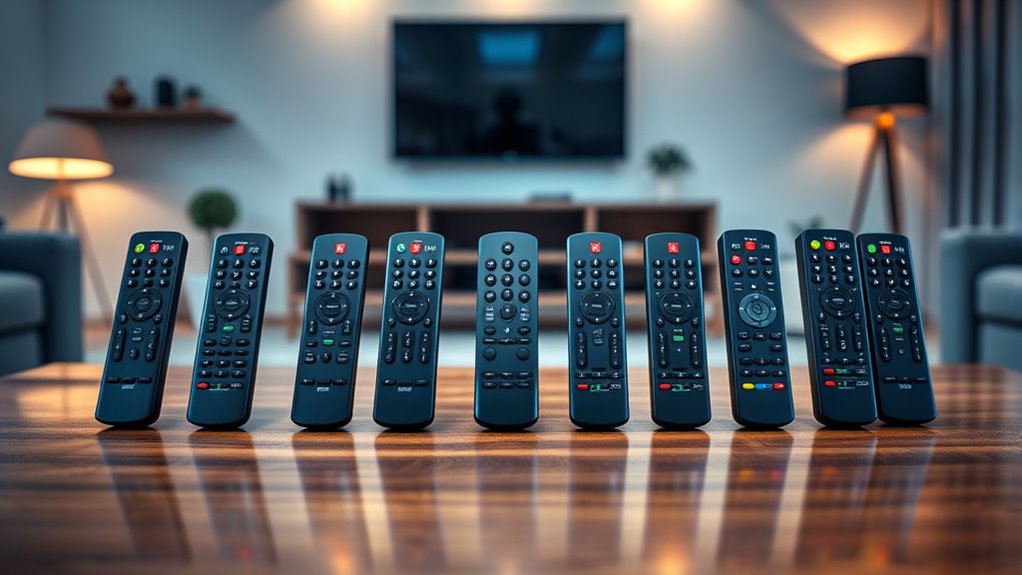

A universal smart remote with an IR blaster can bring TVs, air conditioners, and other infrared devices into one control setup, but the right choice depends on how you want to use it. I rank the SofaBaton X1S as the best overall for buyers who want a dedicated remote and hub, while the BroadLink RM4 Mini stands out as a compact hub option and the LinknLink eRemote HA as a pick for smart home focused setups. The main tradeoff is between app and voice control from a hub, a physical handheld remote, and phone based adapters that need to be connected to your device. Device compatibility, placement, and whether you need Bluetooth control also affect the choice. Read on for the full comparison and recommendations by buyer type.
Complete the kit


Key Takeaways
- The SofaBaton X1S is the strongest fit when you want a handheld controller paired with a hub; a hub only model may be simpler if you rarely reach for a physical remote.
- The BroadLink RM4 Mini offers a compact route to app based IR control, while its hub format means it does not replace the feel of a traditional handheld remote.
- LinknLink eRemote HA is a more targeted choice for buyers who value smart home integration; check the required ecosystem and setup before choosing it over a simpler hub.
- USB-C IR adapters such as the OCRUSTAR and USB-C Smartphone Infrared Remote Control Adapter make a phone the controller, but they depend on a compatible port and an attached accessory.
- The lineup includes many hub style choices, so the deciding factors are often control method, smart home fit, and device coverage rather than the word “universal” on the box.
| Frankever Wi-Fi Smart IR Remote Hub |  | Best for Flexible Smart Home Routines | Connectivity: 2.4 GHz Wi-Fi | Control type: 38 kHz infrared | Device compatibility: More than 50,000 IR-controlled devices | VIEW ON AMAZON | See Our Full Breakdown |
| LinknLink eRemote HA Smart Wi-Fi IR Universal Remote Hub |  | Best for Home Assistant Users | Connectivity: Infrared and 2.4 GHz Wi-Fi | Maximum IR range: 12 meters | Supported brands and models: More than 2,000 brands and 500,000 models | VIEW ON AMAZON | See Our Full Breakdown |
| Wi-Fi IR Universal Remote Control for TV, Air Conditioner, and Other Devices |  | Best Value for Tuya and Smart Life Setups | Connectivity: 2.4 GHz Wi-Fi | Control methods: Smart Life or Tuya Smart app, Alexa, Google Home, DIY IR learning | Compatible devices: TVs, air conditioners, fans, DVD players, set-top boxes, and other IR devices | VIEW ON AMAZON | See Our Full Breakdown |
| USB-C Smartphone Infrared Remote Control Adapter |  | Best Compact Android Adapter | Brand: Accessonico | Connector: USB-C | Connectivity: Infrared | VIEW ON AMAZON | See Our Full Breakdown |
| OCRUSTAR USB-C IR Blaster Universal Remote Controller for iOS and Android |  | Best Compact Pick for Cross-Platform Phones | Model: EKX5 | Connector: USB Type-C | Compatible systems: iOS and Android | VIEW ON AMAZON | See Our Full Breakdown |
| Smart IR Remote Control, Universal Infrared Remote for TV, DVD, Air Conditioner, and More, Compatible with Alexa and Google Assistant, No Hub Required |  | Best for Broad Device Coverage | Device compatibility: Over 50,000 IR-controlled devices | Connectivity: 2.4GHz Wi-Fi and infrared | Voice assistants: Alexa, Google Assistant, and Siri | VIEW ON AMAZON | See Our Full Breakdown |
| BroadLink RM4 Mini IR Universal Remote Control |  | Best for Learning Commands | Model: RM4 Mini | Connectivity: 2.4GHz Wi-Fi (802.11b/g/n) | Control technology: Infrared, 38 kHz | VIEW ON AMAZON | See Our Full Breakdown |
| MOES WiFi Smart IR Universal Remote Controller |  | Best for Smart Life Households | Connectivity: 2.4GHz Wi-Fi | Supported signal: 38 kHz infrared; RF not supported | Compatible apps: Smart Life and Tuya for Android and iOS | VIEW ON AMAZON | See Our Full Breakdown |
| SofaBaton X1S Smart Universal Remote with Hub |  | Best for Mixed-Protocol Home Theaters | Connectivity: Infrared, Bluetooth, and Wi-Fi | Supported brands and models: Over 6,000 brands and 500,000 device models | Maximum range: 40 feet | VIEW ON AMAZON | See Our Full Breakdown |
| SofaBaton U3 Universal Remote Control with Air Mouse and Bluetooth |  | Best for Air Mouse Control | Connectivity: Infrared and Bluetooth | Bluetooth device switching: Up to 3 devices | Display: 2.4-inch LCD | VIEW ON AMAZON | See Our Full Breakdown |
| Wi-Fi Universal Infrared Remote Controller |  | Best for Broad Appliance Coverage | Supported devices: TVs, air conditioners, set-top boxes, fans, DVD players, and other IR devices | Device database: Over 50,000 devices | Infrared frequency: 38 kHz | VIEW ON AMAZON | See Our Full Breakdown |
| universal smart remote with ir blaster | Connectivity |
|---|---|
| Frankever Wi-Fi Smart IR Remot | 2.4 GHz Wi-Fi |
| LinknLink eRemote HA Smart Wi- | Infrared and 2.4 GHz Wi-Fi |
| Wi-Fi IR Universal Remote Cont | 2.4 GHz Wi-Fi |
| USB-C Smartphone Infrared Remo | Infrared |
| OCRUSTAR USB-C IR Blaster Univ | — |
| Smart IR Remote Control | 2.4GHz Wi-Fi and infrared |
| BroadLink RM4 Mini IR Universa | 2.4GHz Wi-Fi (802.11b/g/n) |
| MOES WiFi Smart IR Universal R | 2.4GHz Wi-Fi |
| SofaBaton X1S Smart Universal | Infrared, Bluetooth, and Wi-Fi |
| SofaBaton U3 Universal Remote | Infrared and Bluetooth |
| Wi-Fi Universal Infrared Remot | 2.4 GHz Wi-Fi |
More Details on Our Top Picks
Frankever Wi-Fi Smart IR Remote Hub
The Frankever makes the most sense for buyers who want a Wi-Fi hub for several IR appliances and plan to control them through Smart Life. Its device learning can fill gaps when a remote is missing from the cloud database, while timers and custom scenes let you combine everyday commands into routines. Compared with the LinknLink eRemote HA, Frankever lists Siri support alongside Alexa and Google Assistant, but LinknLink has a stated 12-meter range and Home Assistant integration. Frankever’s description gives no control range, so placement may take some trial and error. Its main boundary is clear: it sends 38 kHz infrared only, so RF devices are outside its reach, and setup requires a secured 2.4 GHz Wi-Fi network.
Pros:- Supports more than 50,000 IR-controlled devices
- Can learn commands missing from the cloud database
- Works with Alexa, Google Assistant, and Siri
- Offers timers and custom scenes through Smart Life
Cons:- Does not control RF devices
- Requires a secured 2.4 GHz Wi-Fi network
- No control range is specified
Best for: Smart Life users who want to automate a TV, air conditioner, or sound system and may need to teach the hub missing IR commands
Not ideal for: Households with RF-controlled equipment or buyers who need a published control range
- Connectivity:2.4 GHz Wi-Fi
- Control type:38 kHz infrared
- Device compatibility:More than 50,000 IR-controlled devices
- App:Smart Life for iOS and Android
- Voice assistants:Alexa, Google Assistant, Siri
- Learning:Learns commands for devices missing from the cloud database
- Automation:Timers and custom scenes
Our verdict“Choose Frankever if Smart Life routines and broad voice assistant support matter more to you than Home Assistant integration or a stated IR range.”
LinknLink eRemote HA Smart Wi-Fi IR Universal Remote Hub
For a buyer building around Home Assistant, the eRemote HA has a more specific advantage than general-purpose app hubs: it connects through IR2MQTT. Its stated support for 2,000-plus brands and 500,000 models gives it broad listed coverage, and it can learn or accept programmed IR codes when a device needs a custom command. Against the Frankever Wi-Fi Smart IR Remote Hub, LinknLink offers a published range of up to 12 meters and Home Assistant support; Frankever, in turn, names Siri compatibility and Smart Life scenes. This hub still covers infrared devices only, and it uses 2.4 GHz Wi-Fi. The separate 5V/1A adapter requirement also means buyers should check what power supplies they already have before setting it up.
Pros:- Connects with Home Assistant through IR2MQTT
- Lists support for more than 2,000 brands and 500,000 models
- Stated IR range reaches up to 12 meters
- Supports Alexa, Google Home, and custom IR codes
Cons:- Controls infrared devices only
- Requires 2.4 GHz Wi-Fi
- A 5V/1A power adapter is required separately
Best for: Home Assistant users who want to add TVs, air conditioners, or set-top boxes to their existing automations
Not ideal for: Buyers with RF equipment, no 2.4 GHz Wi-Fi, or no suitable 5V/1A power adapter
- Connectivity:Infrared and 2.4 GHz Wi-Fi
- Maximum IR range:12 meters
- Supported brands and models:More than 2,000 brands and 500,000 models
- Maximum supported devices:50
- Smart home compatibility:Home Assistant through IR2MQTT, Alexa, Google Home
- IR code options:Learning or programming
- Power requirement:5V/1A adapter
- Weight:82 g
Our verdict“Pick the eRemote HA if Home Assistant integration and a specified 12-meter IR range are priorities in your setup.”
Wi-Fi IR Universal Remote Control for TV, Air Conditioner, and Other Devices
This Wi-Fi IR controller covers the basics for buyers already using Smart Life or Tuya Smart: app control, Alexa and Google Home commands, DIY learning, and routines. Its stated database covers more than 50,000 IR devices, and the included USB cable makes it straightforward to power from a compatible USB source, though the adapter itself is not included. Compared with the Frankever Wi-Fi Smart IR Remote Hub, this model specifies a 10-meter recommended range and a two-year warranty; Frankever lists Siri support, which this product does not. The range is shorter than the LinknLink eRemote HA’s stated 12 meters. That makes this a practical app-and-routine option for a room-sized setup, with the tradeoff that it still depends on 2.4 GHz Wi-Fi and direct IR reach.
Pros:- Works with Smart Life and Tuya Smart apps
- Supports Alexa and Google Home voice control
- DIY learning can copy commands from original remotes
- Includes a USB cable and has a two-year warranty
Cons:- USB power adapter is not included
- Requires 2.4 GHz Wi-Fi
- Recommended range is limited to 10 meters
Best for: Tuya or Smart Life users who want DIY IR learning and app routines for devices in the same room
Not ideal for: Buyers who need Siri support, a supplied USB power adapter, or longer specified IR reach
- Connectivity:2.4 GHz Wi-Fi
- Control methods:Smart Life or Tuya Smart app, Alexa, Google Home, DIY IR learning
- Compatible devices:TVs, air conditioners, fans, DVD players, set-top boxes, and other IR devices
- Device database:More than 50,000 IR-controlled devices
- Recommended range:Up to 10 meters
- Included accessory:USB 2.0 cable
- USB power adapter:Not included
- Warranty:2 years
Our verdict“Choose this model for a Tuya or Smart Life room setup where learning and routines matter more than Siri or a longer IR range.”
USB-C Smartphone Infrared Remote Control Adapter
The Accessonico takes a different approach from the Wi-Fi hubs in this roundup: it plugs straight into an Android phone’s USB-C port and turns the phone into an IR remote through the uniTV Remote app. That makes it easy to carry for occasional control of a compatible TV or air conditioner, without setting up a hub on home Wi-Fi. The tradeoff is scale: it supports one device, depends on the phone and app, and does not work with Apple devices. Compared with the OCRUSTAR USB-C IR Blaster, Accessonico is explicitly Android-only and lists just TVs and air conditioners, while OCRUSTAR supports iOS and Android and names more device types. Its stated range is up to 10 meters, but it offers no whole-room hub functionality.
Pros:- Compact USB-C adapter with key chain and silicone case
- Stated transmission range of up to 10 meters
- Works with compatible TV and air conditioner brands
- Plug-and-play operation through the companion app
Cons:- Not compatible with Apple devices
- Supports only one device
- Requires a smartphone app to operate
Best for: Android phone owners who want a pocketable IR controller for one compatible TV or air conditioner
Not ideal for: iPhone users, multi-device households, or anyone seeking a Wi-Fi hub for shared home control
- Brand:Accessonico
- Connector:USB-C
- Connectivity:Infrared
- Maximum range:10 meters
- Compatible devices:Air conditioners and televisions
- Maximum supported devices:1
- App:uniTV Remote
- Included items:IR controller, key chain, silicone case
Our verdict“Pick the Accessonico for portable, single-device IR control from an Android USB-C phone.”
OCRUSTAR USB-C IR Blaster Universal Remote Controller for iOS and Android
OCRUSTAR is the more flexible phone adapter for buyers who want an IR blaster that works across iOS and Android. Its listed device range includes TVs, projectors, air conditioners, fans, and robot vacuums, giving it broader stated coverage than the Accessonico USB-C adapter, which is limited to Android phones and TVs or air conditioners. The tradeoff is that OCRUSTAR still relies on a compatible USB-C phone and its dedicated app; it is not a Wi-Fi hub that can serve multiple household users independently. The compact matte adapter comes with a silicone case and key ring, useful for carrying it between rooms or away from home. Buyers should confirm their phone’s connector and app compatibility, since the listing does not give an IR range or a device capacity.
Pros:- Compatible with iOS and Android systems
- Lists TVs, projectors, air conditioners, fans, robot vacuums, and more
- Portable adapter includes a silicone case and key ring
- Two-year warranty
Cons:- Requires a compatible phone and the Ocrustar Remote App
- Controls infrared devices only
- No IR range or maximum device count is specified
Best for: iOS or Android phone owners with a compatible USB-C port who want portable control of several kinds of IR appliances
Not ideal for: Households seeking a shared Wi-Fi hub, explicit range information, or control that does not depend on a phone
- Model:EKX5
- Connector:USB Type-C
- Compatible systems:iOS and Android
- Compatible devices:TVs, set-top boxes, air conditioners, projectors, DVD players, amplifiers, fans, robot vacuums, and more
- Ports:1
- Weight:0.01 kg
- Included items:IR remote adapter, user guide, key ring, silicone case
- Warranty:2 years
Our verdict“Choose OCRUSTAR if cross-platform phone compatibility and a wider stated mix of IR appliances matter more than hub-style household control.”
Smart IR Remote Control, Universal Infrared Remote for TV, DVD, Air Conditioner, and More, Compatible with Alexa and Google Assistant, No Hub Required
This pick suits buyers who want one app based controller for a mix of IR televisions, air conditioners, and DVD players. Its stated library of over 50,000 devices gives it a broad starting point, while Smart Life scenes and timers can group routine commands without adding a separate hub. Compared with the BroadLink RM4 Mini, it lists Siri alongside Alexa and Google Assistant, which may fit households using Apple voice control. The tradeoff is that both options depend on 2.4GHz Wi-Fi and line of sight infrared; this remote cannot reach RF equipment or devices in another room. The product data also does not specify its power source, so buyers should check that detail before choosing it for a fixed setup.
Pros:- Stated compatibility with over 50,000 IR-controlled devices
- Supports Alexa, Google Assistant, and Siri
- Smart Life app control and customizable scenes and timers
- Can control compatible devices remotely through the app
Cons:- Requires a 2.4GHz Wi-Fi network
- Infrared cannot control RF devices or pass through walls
- Product data does not specify its power source
Best for: Smart Life users who want app and voice control for several IR devices in one room, including air conditioners.
Not ideal for: Buyers controlling RF or Bluetooth equipment, or anyone who needs confirmed power and placement details before purchase.
- Device compatibility:Over 50,000 IR-controlled devices
- Connectivity:2.4GHz Wi-Fi and infrared
- Voice assistants:Alexa, Google Assistant, and Siri
- App:Smart Life for iOS and Android
- Infrared frequency:38 kHz
- Power:Not specified
Our verdict“Choose this if broad IR coverage and Siri support matter more than controlling devices beyond infrared.”
BroadLink RM4 Mini IR Universal Remote Control
The BroadLink RM4 Mini is a practical fit when a device is missing from the built in library: it can learn commands from an original remote, giving the buyer a way to add compatible IR controls. Its stated support for up to 12 devices and 8 meter range make its intended scope clearer than the general-purpose Smart IR Remote Control in this lineup. Alexa, Google Assistant, and IFTTT support also gives it options for linking commands with a smart home setup. That flexibility still depends on 2.4GHz Wi-Fi and direct IR line of sight, and the RM4 Mini cannot replace Bluetooth, Zigbee, or RF remotes. Choose it for a room with several IR devices; skip it if you need a handheld remote or cross-room control.
Pros:- Can learn commands from original remotes
- Lists over 50,000 IR-controlled devices
- Works with Alexa, Google Assistant, and IFTTT
- Specifies support for up to 12 devices and an 8 meter range
Cons:- Infrared requires line of sight
- Does not support Bluetooth, Zigbee, or RF devices
- Requires a 2.4GHz Wi-Fi network
Best for: Smart home owners with several IR devices, including one with commands they need to copy from its original remote.
Not ideal for: People who need Bluetooth, Zigbee, RF control, or a handheld remote for point-and-click use.
- Model:RM4 Mini
- Connectivity:2.4GHz Wi-Fi (802.11b/g/n)
- Control technology:Infrared, 38 kHz
- Supported devices:Over 50,000 IR-controlled devices
- Maximum supported devices:12
- Maximum range:8 meters
- Compatible assistants:Amazon Alexa, Google Assistant, and IFTTT
- Dimensions:1.89 × 1.89 × 1.69 inches
Our verdict“Pick the RM4 Mini if learning missing IR commands and connecting them to smart home routines are priorities.”
MOES WiFi Smart IR Universal Remote Controller
The MOES WiFi Smart IR makes the most sense for buyers already using Smart Life or Tuya, since compatible TVs, fans, air conditioners, and set-top boxes can be managed in the same app. Its DIY learning function helps cover a device whose commands are absent from the app, much like the BroadLink RM4 Mini. MOES spells out a useful placement limit: it recommends one controller per room because IR signals do not pass through walls. That makes room-by-room coverage a clearer planning choice, though it may mean additional controllers for a whole home. Like the Smart IR Remote Control in this lineup, it is limited to 2.4GHz Wi-Fi and infrared, with no RF support. Pick MOES for an app ecosystem fit, not for mixed-protocol control.
Pros:- Works with Smart Life and Tuya apps
- DIY learning can copy commands from original remotes
- Supports Alexa and Google Assistant
- Includes a UL-certified adapter and USB 2.0 cable
Cons:- Supports only 2.4GHz Wi-Fi
- Does not support RF devices
- Room boundaries limit infrared coverage
Best for: Households already using Smart Life or Tuya who want voice and app control of IR appliances in a single room.
Not ideal for: Buyers with RF devices or a multi-room setup who expect one IR controller to reach through walls.
- Connectivity:2.4GHz Wi-Fi
- Supported signal:38 kHz infrared; RF not supported
- Compatible apps:Smart Life and Tuya for Android and iOS
- Voice assistants:Amazon Alexa and Google Assistant
- Learning function:DIY command learning from original remotes
- Power accessories:UL-certified adapter and USB 2.0 cable
- Recommended coverage:One device per room
Our verdict“Choose MOES if Smart Life or Tuya is already central to your home and your target devices are in one room.”
SofaBaton X1S Smart Universal Remote with Hub
For a home theater that mixes older IR equipment with Bluetooth streaming devices, the SofaBaton X1S covers more ground than the RM4 Mini or MOES controller. Its hub, IR blasters, and activity controls let one button coordinate multiple compatible devices, while Bluetooth and Wi-Fi broaden the setup beyond infrared alone. The handheld remote adds backlit buttons, a raise-to-wake screen, and a find-my-remote feature, so it suits sofa use better than app-only hubs. That wider control system brings setup choices: the catalog lists over 6,000 brands and 500,000 models, yet smart home automations may require API setup. It also runs on two AAA batteries. Choose it when coordinated entertainment control matters; a single-room IR hub is simpler for basic appliance commands.
Pros:- Controls compatible devices over IR, Bluetooth, and Wi-Fi
- Hub and IR blasters support 360-degree control
- One-touch activities can coordinate multiple devices
- Backlit buttons, raise-to-wake screen, and remote-finding feature
Cons:- Requires two AAA batteries
- Smart home automations may require API setup
- Larger and more involved than an app-only IR hub
Best for: Home theater owners combining IR televisions or sound systems with Bluetooth streaming devices who want one-touch activities.
Not ideal for: Buyers seeking a compact app-only IR controller or those unwilling to configure macros and smart home integrations.
- Connectivity:Infrared, Bluetooth, and Wi-Fi
- Supported brands and models:Over 6,000 brands and 500,000 device models
- Maximum range:40 feet
- Buttons:12
- Battery:Two AAA batteries
- Dimensions:8.5 × 6 × 2.5 inches
- Weight:12 ounces
- Display and features:Raise-to-wake LCD, backlit buttons, find-my-remote, and one-touch activities
Our verdict“Choose the X1S for a mixed-protocol home theater where coordinated activities are worth the added setup.”
SofaBaton U3 Universal Remote Control with Air Mouse and Bluetooth
The SofaBaton U3 is aimed at buyers who use a television or media box like a computer: its air mouse adds pointer control alongside IR and Bluetooth commands. Bluetooth switching for up to three devices, programmable macros, and customizable buttons make it more adaptable than the BroadLink RM4 Mini, which is a hub focused on IR commands rather than handheld navigation. A 2.4-inch screen and backlit buttons help when selecting devices in a dim room, and USB-C recharging avoids disposable batteries. The tradeoff is that Google Assistant voice control depends on a compatible Bluetooth device, while IR repeater support requires a separately sold R1. This is a specialized handheld remote, not the simplest choice for buyers who only need app-based IR control.
Pros:- Combines infrared and Bluetooth control
- Air mouse supports pointer navigation
- Customizable buttons and programmable macros
- USB-C rechargeable with backlit buttons and a 2.4-inch display
Cons:- Google Assistant voice control needs a compatible Bluetooth device
- R1 IR repeater is sold separately
- Bluetooth switching is limited to up to three devices
Best for: Media box and smart TV users who want pointer navigation, Bluetooth switching, and programmable controls in a handheld remote.
Not ideal for: People who only need a low-complexity IR hub, or buyers who require included IR repeaters for hidden equipment.
- Connectivity:Infrared and Bluetooth
- Bluetooth device switching:Up to 3 devices
- Display:2.4-inch LCD
- Voice control:Google Assistant on compatible Bluetooth devices
- Charging:USB-C rechargeable
- Additional features:Air mouse, customizable buttons, macros, backlit buttons, and three brightness settings
- IR repeater compatibility:R1 repeater sold separately
Our verdict“Pick the U3 if pointer control and Bluetooth navigation matter as much as infrared commands.”
Wi-Fi Universal Infrared Remote Controller
This controller suits households that want one app-based hub for several kinds of infrared appliances. Its database supports over 50,000 devices, and the DIY function can add compatible remotes when a model is missing. Compared with the BroadLink RM4 Mini, this pick is distinguished by its stated Tuya and Smart Life app support and IFTTT compatibility, which may fit a home already using those services. Alexa and Google Home support also adds voice control, while remote app access lets you operate devices away from home. The tradeoffs are practical: it needs 2.4 GHz Wi-Fi, infrared commands need a clear path to the appliance, and the included USB cable has no power adapter. It is an appliance-control hub, not a replacement for a tactile handheld remote.
Pros:- Controls compatible TVs, air conditioners, set-top boxes, fans, and DVD players
- Device database supports over 50,000 devices, with a DIY option for compatible remotes
- Tuya and Smart Life apps support control at home or remotely
- Works with Alexa, Google Home, and IFTTT
Cons:- Requires a 2.4 GHz Wi-Fi connection
- Infrared commands need an unobstructed path to the appliance
- Power adapter is not included
Best for: Households with several compatible IR appliances that already use Tuya or Smart Life and want app, voice, or remote control.
Not ideal for: Buyers who need a handheld remote, have only 5 GHz Wi-Fi, or cannot place the controller where its infrared signal reaches their appliances.
- Supported devices:TVs, air conditioners, set-top boxes, fans, DVD players, and other IR devices
- Device database:Over 50,000 devices
- Infrared frequency:38 kHz
- Connectivity:2.4 GHz Wi-Fi
- Compatible apps:Tuya, Smart Life
- Voice assistants:Amazon Alexa, Google Home
- Other compatibility:IFTTT
- System requirements:Android 4.4 or later; iOS 8.0 or later
- Included accessory and warranty:USB charging cable included; power adapter not included; 24-month warranty
Our verdict“Choose this hub if you want broad IR appliance coverage through Tuya or Smart Life and can provide 2.4 GHz Wi-Fi and a clear signal path.”

How We Picked
I compared these 11 options by how well their control format fits common home setups: dedicated handheld remotes, standalone Wi-Fi hubs, and phone connected USB-C adapters. I gave more weight to the ability to cover varied IR devices, practical app or button control, and clear support for voice assistants or other smart home connections. A model that claims broad compatibility still needs the right line of sight and device code support, so I treated those as real limits rather than assuming every appliance will work.
The ranking favors flexibility for the widest range of buyers, then separates products by the needs they serve best. The SofaBaton X1S leads for combining a physical remote with a hub, while BroadLink RM4 Mini is a compact hub alternative and LinknLink suits more integration focused setups. Lower ranked options can still make sense for a narrower use, such as controlling devices directly from a phone or replacing a lost basic remote, but they offer fewer reasons to choose them as an all purpose system. I considered drawbacks alongside features, including adapter dependence, hub placement, and the lack of physical controls on hub only designs.
Factors to Consider When Choosing Universal Smart Remote With Ir Blaster
Before choosing a universal IR remote, I would start with the devices and routines it needs to handle. A product can be called universal yet still depend on device code support, app setup, room layout, or a separate control path for Bluetooth equipment. These broader checks help avoid buying a remote that fits the category but not the way you use your home.
Check Which Devices Use Infrared
Make a list of the devices you want to control and check how each one receives commands. Many TVs and air conditioners use IR, but some newer devices rely on Bluetooth, radio frequency, or network control. An IR hub cannot send commands through a closed cabinet or around a wall, so room layout matters as much as the compatibility list. Look for a way to add or learn commands if a device is missing from the built in library. For an air conditioner, check that the remote can handle the unit’s broader operating state rather than only simple power toggles. This quick inventory can reveal when one hub is enough and when a mixed control setup is needed.
Choose Between a Handheld Remote, Hub, and Phone Adapter
A hub controlled by an app works well when you want automation or voice commands, but it may feel inconvenient when someone just wants to press a button. A dedicated remote keeps everyday control within reach, which can matter in shared living rooms where not everyone wants to use an app. A USB-C adapter is a more personal option: it makes a compatible phone the controller, but the accessory must be attached and pointed at the device. Think about who will use the setup and how often, rather than choosing by the number of control methods listed. If you expect guests or family members to operate the TV, physical buttons can reduce setup friction. If your main goal is scheduled or voice activated commands, a hub may better match that routine.
Plan Hub Placement and Line of Sight
IR commands usually travel in a straight line, so a hub tucked behind a television may not reach every device. Before buying, consider whether the hub can sit in an open position with a clear path to the equipment. One hub may cover several devices in a small room, but a large room or separate cabinet can create dead zones. Avoid assuming Wi-Fi control means infrared signals pass through walls; Wi-Fi connects the app to the hub, while the final command still travels by IR. A centrally placed hub can work better than a more feature rich one hidden out of sight. This placement check can save time spent troubleshooting commands that the hub is sending correctly but the device never receives.
Treat Smart Home Compatibility as a Setup Requirement
Voice assistant support and smart home integrations can make an IR hub useful for routines, but the details determine whether those features fit your system. Check whether your chosen assistant is supported directly, whether setup requires a particular app, and whether your planned commands can be exposed to routines. A device may offer voice control for power or temperature without supporting every remote function. If your household already relies on a specific automation platform, prioritize confirmed integration over broad compatibility claims. Also consider what happens when Wi-Fi or the service connection is unavailable; app and voice features may stop working even if a traditional remote would still operate. Pay extra attention to the setup flow if multiple people need access.
Decide When a Premium Remote Is Worth It
A more capable remote can be worthwhile when it replaces several controllers and makes frequent switching between devices easier. It is harder to justify if you only need occasional power or temperature changes from one room. Compare what the complete setup includes, such as a hub, charging method, buttons, and support for devices that use Bluetooth as well as IR. A low cost hub can be a sensible starting point, but it may leave you reaching for the original remote for functions it cannot reproduce. The common mistake is paying for smart routines when the real problem is simply too many physical remotes. Match the added capability to a repeated task you actually want to simplify.
Check Phone and Port Compatibility for USB-C Adapters
Phone based IR adapters are compact, but they introduce a compatibility check that hub based products avoid. Confirm that the adapter works with your phone’s USB-C port, operating system, and intended control app before relying on it. An adapter also needs to remain attached while you use it, which can be awkward if your phone case blocks the port or you want to charge the phone at the same time. Think about who owns the phone and whether it will be available whenever the device needs control. This format suits personal, occasional control better than a shared household remote. If several people need access, a hub or dedicated controller is usually easier to keep available.
Frequently Asked Questions
Can one IR hub control devices in more than one room?
Usually, a single hub works best when the devices are in the same room and within its IR line of sight. Wi-Fi lets you reach the hub from elsewhere, but it does not make the infrared command travel through walls. For separate rooms, you may need another hub or a product designed for broader IR coverage. Check placement and room layout before assuming one device will cover the whole home. If the hub supports routines, test each device’s response from its intended position before building automations around it.
Will a universal IR remote control every function on my TV or air conditioner?
No universal label guarantees every command for every model. A code library may support common actions while missing less frequent functions, and some devices use Bluetooth or network control for commands IR cannot reach. Air conditioners can be especially sensitive because remotes may send a full setting, including mode and temperature, with each press. Check whether the product supports command learning or lists your device family. Keep the original remote until you have confirmed that the replacement covers the functions you rely on.
Should I get a Wi-Fi hub or a dedicated handheld remote?
Choose a Wi-Fi hub when app control, voice commands, and routines are your main goals. A handheld remote makes more sense when people want immediate button control without opening an app or sharing phone access. Some setups combine both, which gives a convenient everyday controller alongside automation. Consider who uses the room and what happens when the network is down. The best format is the one that remains easy for everyone in the household to operate.
Can an IR blaster replace remotes for Bluetooth devices?
An IR blaster cannot directly send Bluetooth commands, so it will not replace a Bluetooth remote by itself. Some all in one products pair a separate handheld remote with Bluetooth while using a hub for IR equipment, but the exact device support varies. Check the specifications for the control method of each device you own, rather than assuming a universal remote covers every wireless standard. If most of your equipment uses Bluetooth, a hub focused on IR may add little value. Keep a separate controller or choose a model that explicitly supports the relevant connection type.
Is a USB-C IR adapter a good choice for a shared living room?
It can work if one person’s compatible phone is always available and the adapter is easy to attach. For shared use, the phone dependency can become a hassle: another person may not have the right port, app, or accessory. A hub offers room based control, while a dedicated remote avoids requiring a phone for routine button presses. Check whether the adapter works with a phone case and whether using it interferes with charging. For a household, choose the format that remains accessible to everyone who needs it.
Conclusion
I would choose the SofaBaton X1S as the best overall for buyers who want a dedicated remote and hub in one setup. The BroadLink RM4 Mini is my best value style pick for compact app based IR control, while the LinknLink eRemote HA makes more sense for buyers whose priority is smart home integration. For beginners, I would favor a straightforward Wi-Fi hub such as the MOES WiFi Smart IR Universal Remote Controller or the Frankever Wi-Fi Smart IR Remote Hub, after confirming device support and setup needs. The USB-C adapters are best for someone who wants phone based control of nearby IR devices, and the SofaBaton U3 suits buyers who need a handheld controller with air mouse and Bluetooth features. Choose based on how you’ll control devices day to day, then confirm compatibility and line of sight before settling on a model.