
For most data science and AI workflows, I’d choose the 16-inch MacBook Pro with M5 Pro, 48GB memory, and 1TB SSD as the best overall balance of capacity and everyday usability. The M5 Max with 128GB memory is the standout for larger local models and GPU-heavy work, while the 14-inch M5 Pro with 24GB suits learners and mobile developers whose datasets stay modest. The main tradeoff is between memory and graphics capacity for local workloads, portability, and whether your projects can run in the cloud. Older Intel and M1 Pro models may suit basic coding, but they offer less headroom for demanding AI tasks and need closer scrutiny as refurbished purchases. Read on for the full breakdown and guidance on choosing the right configuration for your workload.

Get garden gear delivered free with Prime
- Fast, free delivery on millions of items
- Prime Video, Amazon Music and more included
- Member-only deals all year
Complete the kit


Key Takeaways
- The 16-inch M5 Pro with 48GB memory is the most balanced pick here: it offers substantially more working memory than the 14-inch M5 Pro while avoiding the cost and capacity excess of the 128GB M5 Max configurations.
- The two 128GB M5 Max models are the local-compute leaders; the 4TB version makes more sense when datasets, model files, and project archives need to stay on the laptop, while the 2TB version leaves more storage management to the buyer.
- The 14-inch M5 Pro with 24GB memory is the most approachable current-generation option for coursework, notebooks, and cloud-assisted AI, but its smaller memory capacity puts a ceiling on concurrent tools and local models.
- The M1 Pro 14-inch with 16GB memory is a more credible refurbished choice than either Intel 13-inch model for modern development, yet it still trails the M5 systems in memory headroom and platform generation.
- The two Intel refurbished 13-inch models are best treated as low-demand coding machines, not serious local AI workstations; the 2017 non-Touch Bar configuration and the older Touch Bar configuration both carry age-related performance and support tradeoffs.
| Apple MacBook Pro Laptop with M5 Max, 18-core CPU, 40-core GPU, 16.2-inch Display, 128GB Memory, 2TB SSD, Space Black |  | Best Overall for Local AI Work | Processor: M5 Max, 18-core CPU, 40-core GPU | Display: 16.2-inch Liquid Retina XDR | Memory: 128GB unified memory | VIEW ON AMAZON | See Our Full Breakdown |
| Apple MacBook Pro 13.3-inch with Touch Bar, Intel Core i5 3.1GHz, 16GB RAM, 256GB SSD, Space Gray (Renewed) |  | Best for Legacy macOS Workflows | Processor: 3.1GHz dual-core Intel Core i5, Turbo Boost up to 3.5GHz | Memory: Listing is inconsistent: 16GB in title and pros, 8GB in raw specifications | Storage: 256GB SSD | VIEW ON AMAZON | See Our Full Breakdown |
| Apple MacBook Pro 13-inch (2017, Non-Touch Bar), Intel Core i5 2.3GHz, 16GB RAM, 256GB SSD, Silver (Renewed) | 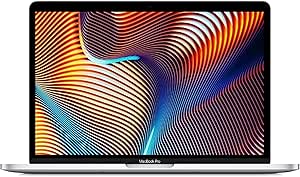 | Best Compact Legacy Mac | Model: MPXQ2LL/A | Processor: 2.3GHz dual-core Intel Core i5 | Memory: 16GB DDR3 SDRAM | VIEW ON AMAZON | See Our Full Breakdown |
| Apple 2026 MacBook Pro Laptop with M5 Pro Chip, 16.2-inch Liquid Retina XDR Display, 48GB RAM, 1TB SSD, Wi-Fi 7, Space Black |  | Best for Balanced Professional Work | Processor: Apple M5 Pro, 18-core CPU, 20-core GPU | Display: 16.2-inch Liquid Retina XDR | Memory: 48GB unified memory | VIEW ON AMAZON | See Our Full Breakdown |
| Apple MacBook Pro 16.2-inch with M5 Max, 128GB RAM, 4TB SSD, Space Black | | Best for Large Local Datasets | Processor: M5 Max, 18-core CPU, 40-core GPU | Display: 16.2-inch Liquid Retina XDR | Memory: 128GB unified memory | VIEW ON AMAZON | See Our Full Breakdown |
| Apple 2026 MacBook Pro Laptop with M5 Pro Chip, 14.2-inch Liquid Retina XDR Display, 24GB RAM, 1TB SSD, Space Black |  | Best Compact M5 Pro Pick | Processor: Apple M5 Pro, 15-core CPU | GPU: 16-core GPU | Display: 14.2-inch Liquid Retina XDR | VIEW ON AMAZON | See Our Full Breakdown |
| Apple MacBook Pro 14-inch (2021, M1 Pro, 16GB RAM, 1TB SSD, Space Gray) |  | Best Legacy Mac for Budget-Conscious Learners | Model year: 2021 | Chip: Apple M1 Pro | CPU: 10-core | VIEW ON AMAZON | See Our Full Breakdown |
| macbook pro for data science and ai | Display | Memory | Storage | Processor |
|---|---|---|---|---|
| Apple MacBook Pro Laptop with | 16.2-inch Liquid Retina XDR | 128GB unified memory | 2TB SSD | M5 Max, 18-core CPU, 40-core GPU |
| Apple MacBook Pro 13.3-inch wi | 13.3-inch Retina LED, 2560 × 1600 | Listing is inconsistent: 16GB in title and pros, 8GB in raw specifications | 256GB SSD | 3.1GHz dual-core Intel Core i5, Turbo Boost up to 3.5GHz |
| Apple MacBook Pro 13-inch | 13.3-inch Retina, 2560 × 1600 | 16GB DDR3 SDRAM | 256GB SSD | 2.3GHz dual-core Intel Core i5 |
| Apple 2026 MacBook Pro Laptop | 16.2-inch Liquid Retina XDR | 48GB unified memory | 1TB SSD | Apple M5 Pro, 18-core CPU, 20-core GPU |
| Apple MacBook Pro 16.2-inch wi | 16.2-inch Liquid Retina XDR | 128GB unified memory | 4TB SSD | M5 Max, 18-core CPU, 40-core GPU |
| Apple 2026 MacBook Pro Laptop | 14.2-inch Liquid Retina XDR | 24GB unified memory | 1TB SSD | Apple M5 Pro, 15-core CPU |
| Apple MacBook Pro 14-inch | 14-inch Liquid Retina XDR | 16GB unified memory | 1TB SSD | — |
More Details on Our Top Picks
Apple MacBook Pro Laptop with M5 Max, 18-core CPU, 40-core GPU, 16.2-inch Display, 128GB Memory, 2TB SSD, Space Black
I rank this M5 Max configuration first for data science and AI because its 128GB unified memory and 40-core GPU give demanding local workloads more room to run than the M5 Pro model’s 48GB. That extra memory can help with large datasets and models that would otherwise need to be split or moved to another machine. The 2TB SSD is a practical middle ground: more working space than a base-capacity setup, without the 4TB premium-storage configuration. Its 16.2-inch XDR display and broad port selection also suit a desk-based workflow with external drives and monitors. The tradeoff is size and cost, and the 4TB M5 Max offers more room for local datasets. I would choose that alternative only if storage matters more than keeping the configuration focused.
Pros:- 128GB unified memory supports larger local workloads than the M5 Pro configuration
- 40-core GPU is suited to GPU-accelerated development and AI tasks
- 2TB SSD offers useful workspace for datasets and project files
- Thunderbolt 5, HDMI, SDXC, and MagSafe 3 support a flexible desk setup
Cons:- Large 16.2-inch chassis is less convenient to carry than a smaller MacBook Pro
- 2TB may be limiting for users keeping extensive datasets and model libraries locally
- Apple silicon and macOS may not fit workflows that depend on specific non-Apple tooling
Best for: Data scientists and ML practitioners who want substantial memory for local experiments, large datasets, and GPU-accelerated work on one Mac.
Not ideal for: Researchers who need maximum onboard storage for large model and dataset libraries, or travelers who prioritize a lighter laptop.
- Processor:M5 Max, 18-core CPU, 40-core GPU
- Display:16.2-inch Liquid Retina XDR
- Memory:128GB unified memory
- Storage:2TB SSD
- Battery life:All-day (manufacturer description)
- Ports:Three Thunderbolt 5, MagSafe 3, SDXC, HDMI, headphone jack
- Wireless:Wi-Fi 7, Bluetooth 6
- Color:Space Black
Our verdict“Choose this M5 Max model for a strong balance of local AI capacity, memory, and storage, unless your work specifically calls for the 4TB version.”
Apple MacBook Pro 13.3-inch with Touch Bar, Intel Core i5 3.1GHz, 16GB RAM, 256GB SSD, Space Gray (Renewed)
This renewed Intel MacBook Pro makes the list as a narrowly targeted option for buyers who need an older Intel Mac, not as a serious machine for modern AI workloads. Its dual-core Core i5, 16GB listed memory, and integrated graphics fall far behind the M5 Pro and M5 Max models for parallel compute, large datasets, and local model work. The benefit is compatibility: some older software or development setups may require Intel hardware, and four Thunderbolt 3 ports offer useful connectivity for a compact laptop. The listing also gives conflicting memory information, and its stated macOS 10.12 Sierra is dated for current development tools. Compared with the 2017 non-Touch Bar model, this one has more ports and Touch ID, but neither is a sensible pick for compute-heavy AI development.
Pros:- Intel processor may suit legacy software that does not run well on Apple silicon
- Four Thunderbolt 3 ports provide more connection options than the 2017 non-Touch Bar model
- Touch ID is integrated into the Touch Bar
- Compact 13.3-inch form is easier to carry than the 16.2-inch M5 models
Cons:- Dual-core CPU and integrated graphics are a poor fit for demanding data science or AI compute
- Memory is inconsistently listed as 16GB and 8GB
- Renewed condition, generic accessories, and dated stated operating system add uncertainty
Best for: Developers who specifically need an inexpensive-to-acquire renewed Intel Mac for legacy software, testing, or light coding.
Not ideal for: Data scientists planning to train or run sizable models locally; its dual-core processor, integrated graphics, limited storage, and unclear memory listing constrain that work.
- Processor:3.1GHz dual-core Intel Core i5, Turbo Boost up to 3.5GHz
- Memory:Listing is inconsistent: 16GB in title and pros, 8GB in raw specifications
- Storage:256GB SSD
- Display:13.3-inch Retina LED, 2560 × 1600
- Graphics:Intel Iris Plus Graphics 640
- Ports:Four Thunderbolt 3 ports
- Operating system:macOS 10.12 Sierra (listed)
- Condition:Renewed; minimum 90-day supplier-backed guarantee
Our verdict“Buy this only when Intel compatibility is the priority and your work is light; for current local AI projects, the M5 Pro or M5 Max models are far better suited.”
Apple MacBook Pro 13-inch (2017, Non-Touch Bar), Intel Core i5 2.3GHz, 16GB RAM, 256GB SSD, Silver (Renewed)
Among these five options, this is the most compact way into a renewed MacBook Pro, but its appeal is portability and basic legacy work—not AI performance. The 3-pound body and 13.3-inch Retina display are easier to carry than either 16.2-inch M5 machine. Its 16GB memory can handle routine coding and modest multitasking, yet the dual-core processor and integrated graphics leave little headroom for large data workflows or local model experiments. Compared with the renewed Touch Bar Intel model, this one has two Thunderbolt 3 ports rather than four and lacks the Touch Bar, so connectivity is more limited. It does avoid that model’s listed memory conflict, though its 256GB SSD and older macOS version still make it a restricted choice for a current data science setup.
Pros:- Light 3-pound design is more portable than the 16.2-inch M5 models
- 16GB memory is specified clearly in the listing
- Retina display provides 2560 × 1600 resolution
- 256GB SSD offers faster access than a traditional hard drive
Cons:- Dual-core processor and integrated graphics limit compute-heavy work
- Two Thunderbolt 3 ports provide fewer direct connections than the other renewed Intel option
- 256GB storage and listed macOS 10.14 Mojave restrict its usefulness for current workflows
Best for: Students or developers who need a light renewed Mac for coding basics, remote notebooks, and older macOS-compatible applications.
Not ideal for: Buyers who expect to run modern AI models locally, connect multiple peripherals without a hub, or keep sizeable datasets on the internal drive.
- Model:MPXQ2LL/A
- Processor:2.3GHz dual-core Intel Core i5
- Memory:16GB DDR3 SDRAM
- Storage:256GB SSD
- Display:13.3-inch Retina, 2560 × 1600
- Graphics:Integrated Intel Iris Plus Graphics 640
- Ports:Two Thunderbolt 3 (USB-C) ports
- Weight:3 pounds
- Condition:Renewed
Our verdict“Choose this renewed model for portable, basic coding on a legacy Mac, not for local machine-learning workloads.”
Apple 2026 MacBook Pro Laptop with M5 Pro Chip, 16.2-inch Liquid Retina XDR Display, 48GB RAM, 1TB SSD, Wi-Fi 7, Space Black
The 16-inch M5 Pro is my balanced-workload pick: it pairs a current-generation chip with 48GB unified memory and a 1TB SSD, without moving up to the M5 Max configuration’s 128GB memory and 40-core GPU. That makes it a better fit for data analysis, software development, and moderate AI experiments than either renewed dual-core Intel model, while avoiding capacity that some users may not need. The 20-core GPU and XDR display support demanding creative and technical work, and Thunderbolt 5 plus HDMI simplify a multi-device setup. Its main limitation is the memory ceiling relative to the M5 Max: buyers working with larger local models or datasets may benefit from that model’s extra headroom. This 16.2-inch chassis is also still a sizable carry.
Pros:- M5 Pro chip is a major step up from the dual-core Intel renewed options for demanding workflows
- 48GB unified memory supports substantial multitasking and moderate local workloads
- 1TB SSD provides more working space than the renewed models’ 256GB drives
- Thunderbolt 5, HDMI, SDXC, and MagSafe 3 support a capable workstation setup
Cons:- Less memory and GPU capacity than either M5 Max option for larger local AI workloads
- 16.2-inch size is less portable than a 13-inch laptop
- The listing does not give a specific battery runtime beyond all-day wording
Best for: Professional analysts, developers, and researchers who want a current Mac for coding, data work, and moderate local AI tasks without needing 128GB of memory.
Not ideal for: People running very large local models or keeping extensive datasets in memory; the M5 Max’s 128GB configuration offers substantially more capacity.
- Processor:Apple M5 Pro, 18-core CPU, 20-core GPU
- Display:16.2-inch Liquid Retina XDR
- Memory:48GB unified memory
- Storage:1TB SSD
- Battery life:All-day (manufacturer description)
- Ports:Three Thunderbolt 5, MagSafe 3, SDXC, HDMI, headphone jack
- Wireless:Wi-Fi 7, Bluetooth 6
- Color:Space Black
Our verdict“Choose the M5 Pro for current professional data work and moderate AI use; step up to an M5 Max if large local workloads need more memory or GPU capacity.”
Apple MacBook Pro 16.2-inch with M5 Max, 128GB RAM, 4TB SSD, Space Black
This M5 Max configuration earns a distinct place for researchers and engineers who need 4TB of internal storage alongside 128GB unified memory. Its 18-core CPU and 40-core GPU match the 2TB M5 Max option, so the difference is not more compute; it is the ability to keep more datasets, checkpoints, and project files onboard. Compared with that 2TB model, this one suits a local-library workflow better, while the 48GB M5 Pro is a more restrained choice for moderate workloads that do not need the same memory or GPU capacity. The large XDR screen and Thunderbolt 5, HDMI, and SDXC ports help it serve as a workstation replacement. The tradeoff is a heavy 16.2-inch format and a configuration whose substantial storage may go unused by cloud-first users.
Pros:- 4TB SSD provides twice the internal storage of the other listed M5 Max configuration
- 128GB unified memory is suited to large local datasets and demanding workflows
- 40-core GPU supports GPU-intensive development and AI tasks
- Thunderbolt 5, HDMI, and SDXC offer useful workstation connectivity
Cons:- Large, heavy chassis is less practical for frequent travel
- Same listed CPU and GPU core counts as the 2TB M5 Max, so storage is the main distinction
- 4TB capacity may be unnecessary for users who keep datasets and models in external or cloud storage
Best for: ML researchers and data professionals who keep large datasets, model checkpoints, and active projects on the laptop and need high memory for local work.
Not ideal for: Cloud-first users, frequent travelers, or buyers whose workloads fit comfortably within the M5 Pro’s 48GB memory and 1TB SSD.
- Processor:M5 Max, 18-core CPU, 40-core GPU
- Display:16.2-inch Liquid Retina XDR
- Memory:128GB unified memory
- Storage:4TB SSD
- Battery life:All-day (manufacturer description)
- Ports:Three Thunderbolt 5, MagSafe 3, SDXC, HDMI, headphone jack
- Wireless:Wi-Fi 7, Bluetooth 6
- Color:Space Black
Our verdict“Pick this M5 Max when large local storage libraries matter as much as high memory; otherwise, the 2TB M5 Max delivers the same listed compute with less onboard capacity.”
Apple 2026 MacBook Pro Laptop with M5 Pro Chip, 14.2-inch Liquid Retina XDR Display, 24GB RAM, 1TB SSD, Space Black
For data scientists who want current-generation Pro performance in a smaller workspace, this 14.2-inch M5 Pro is the more portable choice than the 16.2-inch M5 Pro with 48GB of memory. Its 15-core CPU and 16-core GPU are suited to coding, data preparation, and supported on-device AI tasks, while 24GB unified memory gives everyday notebooks and multitasking more room than the older M1 Pro option below. The 1TB SSD also leaves space for datasets and project files. The tradeoff is memory headroom: buyers running large models locally or keeping many datasets active may benefit more from the 48GB 16-inch model. Its smaller display can also feel cramped when comparing code, charts, and output side by side. I’d choose this for mobile work, not maximum-scale local AI.
Pros:- M5 Pro chip pairs a 15-core CPU with a 16-core GPU for demanding professional workloads
- 24GB unified memory is a step up from the 16GB M1 Pro model
- 1TB SSD provides useful room for datasets, environments, and project files
- Thunderbolt 5, HDMI, and SDXC provide varied connections for desks and field work
Cons:- 24GB memory can constrain large local models and memory-intensive analysis
- The 14.2-inch screen gives less room for code and visualizations than the 16.2-inch alternatives
- Apple ecosystem dependence may complicate workflows built around non-Apple tools or devices
Best for: Data science students and working analysts who need a portable Mac for coding, moderate datasets, and supported AI workloads without carrying a 16-inch machine.
Not ideal for: Researchers running large models locally or routinely working with memory-heavy datasets; the 24GB configuration offers less headroom than the 48GB 16-inch M5 Pro.
- Processor:Apple M5 Pro, 15-core CPU
- GPU:16-core GPU
- Display:14.2-inch Liquid Retina XDR
- Memory:24GB unified memory
- Storage:1TB SSD
- Connectivity:Wi-Fi 7, Bluetooth 6, Thunderbolt 5, MagSafe 3, SDXC, HDMI, headphone jack
- Camera:12MP Center Stage
- Audio:Six speakers with Spatial Audio and Dolby Atmos
Our verdict“Choose this 14-inch M5 Pro for portable, current-generation data science work, but pick the 48GB 16-inch model for heavier local AI workloads.”
Apple MacBook Pro 14-inch (2021, M1 Pro, 16GB RAM, 1TB SSD, Space Gray)
This 2021 MacBook Pro is the lineup’s sensible legacy option for learners who want a capable coding machine and can accept an older chip generation. Its 10-core M1 Pro CPU and 16-core GPU still provide a foundation for programming, data exploration, and lighter model experiments, while the 1TB SSD offers generous local project space. Compared with the 2026 14-inch M5 Pro, it has 16GB rather than 24GB of unified memory and lacks the newer platform’s listed connectivity, so it is a weaker fit for expanding AI workloads and heavier multitasking. The 14-inch XDR display and up-to-17-hour battery life remain useful for coursework away from a desk. I’d treat it as a learning and coding pick, not a long-term workstation for large local models.
Pros:- M1 Pro 10-core CPU and 16-core GPU remain suited to coding and moderate data analysis
- 1TB SSD gives ample capacity for course materials, environments, and project files
- 14-inch Liquid Retina XDR display supports detailed code and visualization work
- Up to 17 hours of stated battery life supports mobile study sessions
Cons:- 16GB unified memory provides less room for large datasets and local AI models
- Older 2021 platform has less headroom for future demanding workloads than the M5 Pro models
- The supplied specifications do not list newer connectivity such as Wi-Fi 7 or Thunderbolt 5
Best for: Students and Python learners who mainly run notebooks, work with modest datasets, and want a 14-inch MacBook Pro with 1TB of storage.
Not ideal for: AI practitioners who need substantial memory for local models, large datasets, or intensive parallel workloads; its 16GB RAM and older M1 Pro platform are more limiting than the M5 Pro choices.
- Model year:2021
- Chip:Apple M1 Pro
- CPU:10-core
- GPU:16-core
- Display:14-inch Liquid Retina XDR
- Memory:16GB unified memory
- Storage:1TB SSD
- Battery life:Up to 17 hours
- Camera:1080p FaceTime HD
Our verdict“Choose this older 14-inch M1 Pro for coding, coursework, and modest analysis, but favor an M5 Pro configuration for sustained or memory-heavy AI work.”

How We Picked
I ranked these MacBook Pro configurations by how well their stated chips, memory, storage, and screen size fit real data science tasks: running notebooks, working with sizable datasets, keeping development tools open, and experimenting with models locally. For AI work, I gave extra weight to unified memory and GPU capability, since those affect which workloads can run on the machine rather than being sent to a remote service. I also weighed portability, storage capacity, and the practical limits of older refurbished hardware.
The ranking favors a strong balance for sustained everyday work over peak specifications alone. That places the 16-inch M5 Pro with 48GB ahead of smaller-memory options for broad use, while the 128GB M5 Max models lead for buyers who specifically need substantial local compute and memory. The 14-inch M5 Pro and M1 Pro serve more restrained budgets and workloads; the Intel models rank lower because their older platforms and 16GB ceilings leave less room for current AI experimentation. I treat the two M5 Max listings as distinct choices mainly by SSD capacity, since their listed memory and chip class are similar.
| macbook pro for data science and ai | Battery life | Ports |
|---|---|---|
| Apple MacBook Pro Laptop with | All-day (manufacturer description) | Three Thunderbolt 5, MagSafe 3, SDXC, HDMI, headphone jack |
| Apple MacBook Pro 13.3-inch wi | — | Four Thunderbolt 3 ports |
| Apple MacBook Pro 13-inch | — | Two Thunderbolt 3 (USB-C) ports |
| Apple 2026 MacBook Pro Laptop | All-day (manufacturer description) | Three Thunderbolt 5, MagSafe 3, SDXC, HDMI, headphone jack |
| Apple MacBook Pro 16.2-inch wi | All-day (manufacturer description) | Three Thunderbolt 5, MagSafe 3, SDXC, HDMI, headphone jack |
| Apple 2026 MacBook Pro Laptop | — | — |
| Apple MacBook Pro 14-inch | Up to 17 hours | — |
Factors to Consider When Choosing Macbook Pro For Data Science And Ai
Choosing a MacBook Pro for data science and AI starts with matching the machine to where computation happens: on your laptop, on a lab server, or in the cloud. I’d decide that before paying for more graphics power or storage, then check whether the configuration can support the tools and datasets you expect to keep open together.
Match Memory to Your Local Workload
Unified memory is shared by the CPU and GPU, so a laptop’s listed capacity has to serve your notebooks, data, applications, and any model running locally. A notebook-heavy workflow with small datasets can work comfortably with less memory than a project that loads large tables and a language model at the same time. Don’t assume cloud storage or an external drive solves a memory shortage: neither gives a local model more working memory. If your projects are unpredictable, buying more capacity upfront can keep the machine useful longer, but it may be wasted if nearly all training and inference happen remotely. Estimate the largest dataset and model you expect to run together, not just the average task.
Decide Which AI Work Must Run Locally
Apple silicon can be useful for local development and inference, but it does not make every machine-learning workflow interchangeable with a dedicated CUDA workstation or a cloud GPU. Check whether your framework, libraries, and model tools support the hardware acceleration you intend to use before selecting a configuration. For coursework, prototyping, and smaller inference jobs, portability and sufficient memory may matter more than the highest GPU tier. For larger model experiments, confirm the memory footprint and software compatibility rather than relying on a chip name alone. A remote compute budget may be a better complement to a balanced laptop than paying for maximum local graphics capacity that your software cannot use.
Choose Screen Size Around Your Workday
A larger display can make side-by-side notebooks, documentation, terminals, and charts easier to manage without an external monitor. That benefit matters most if you work from changing locations and want a self-contained workstation. A 14-inch model is easier to carry and still pairs well with a desk monitor, but long sessions may involve more window switching. Don’t pick the larger model solely for its screen if you typically dock at a fixed desk. Think about the places where you actually code and whether external display access is reliable.
Budget for Storage Beyond the Operating System
Datasets, checkpoints, virtual environments, and cached files can consume storage faster than a typical office workload. A 1TB drive gives many developers room to work, but repeated local experiments can fill it, especially when multiple model versions are retained. External SSDs can hold archives and source datasets, though active work may be less convenient when files are spread across drives. Avoid buying a smaller internal drive on the assumption that every project will remain tidy; data work often produces intermediate files that are easy to overlook. If you need offline access to several projects, internal capacity can save time and reduce dependence on accessories.
Treat Refurbished Intel Models as a Different Class
An older refurbished MacBook Pro can handle programming fundamentals, web-based notebooks, and lightweight analysis, but it should not be judged as a lower-cost version of a current AI workstation. Check the seller’s return terms, battery condition, keyboard and display condition, and the exact macOS support status before buying. Confirm that your required Python packages and development tools still support the operating system available to that machine. Refurbished age can also mean shorter remaining support and less predictable battery life than a current model. If the laptop is for a course that expects local model work, a newer Apple-silicon system is a safer fit than either Intel option in this group.
Spend More Only for Capacity You Will Use
The premium configurations earn their place when you routinely need large local models, high-memory workloads, or substantial project files available without a network connection. They are harder to justify for students who mainly use hosted notebooks or remote servers. A larger SSD and more memory solve different problems: storage holds files, while memory supports active computation, so don’t treat one as a substitute for the other. Start with the bottleneck you encounter most often and pay for capacity there. For many buyers, a balanced M5 Pro configuration plus occasional cloud compute is more practical than maxing out every specification.
Frequently Asked Questions
Is 24GB of memory enough for data science and AI on a MacBook Pro?
It can be enough for learning, Python development, notebooks, moderate datasets, and AI tasks that run on cloud services. The limit appears when you keep large datasets, several tools, and a local model active together, since they all draw from unified memory. If local model experimentation is central to your work, a higher-memory configuration offers more flexibility. If you mostly use hosted notebooks or remote GPUs, 24GB can be a sensible portable setup. Choose based on the heaviest workload you expect to run locally, not on occasional simple scripts.
Should I choose the M5 Max or M5 Pro for machine-learning work?
I’d choose M5 Pro when most development is coding, data preparation, and cloud-based training, especially if you want a capable general-purpose machine. M5 Max is more appropriate when local GPU work and large-memory workloads are routine rather than occasional. The listed 128GB M5 Max systems have far more memory headroom than either M5 Pro option in this roundup, which can affect whether a model fits locally at all. Still, check framework support and the actual model’s memory needs before paying for the higher tier. A powerful chip cannot compensate for software that does not use its acceleration effectively.
Is a refurbished Intel MacBook Pro suitable for an AI course?
It may work for introductory programming and coursework that uses remote notebooks, but it is a poor choice if the course expects local training or current machine-learning tooling. The two Intel listings here have 16GB memory and older hardware, leaving less room for demanding workloads than the Apple-silicon models. Before buying, check the course’s operating-system and software requirements, along with the laptop’s battery and return terms. If the machine must last through several years of evolving coursework, a newer Apple-silicon model is a safer choice. The Intel options make more sense as basic coding devices than as AI workstations.
Do I need the 4TB SSD for data science projects?
Not automatically: SSD capacity determines how many datasets, checkpoints, and project files you can keep locally, not how quickly a model can process them. A 1TB or 2TB drive may be adequate if you archive completed work to external storage or use remote datasets. The 4TB configuration is more useful when you need multiple large projects available offline or retain many model artifacts. Remember that external drives can add carrying weight and workflow friction, even if they reduce pressure on internal storage. Choose the larger drive for a clear file-retention need, not as a substitute for more memory.
Which MacBook Pro in this roundup makes the most sense for a student?
For a student using cloud notebooks and learning core data science tools, the 14-inch M5 Pro with 24GB memory is the most portable current-generation fit here. If coursework involves larger local datasets or you expect to keep many tools open, the 16-inch M5 Pro with 48GB gives more working room and a larger screen. The M1 Pro refurbished model can be a capable entry point for lighter tasks, but its 16GB limit and older platform make it less forward-looking. I would avoid choosing an Intel model for a program that requires local AI experiments. Review course software requirements before deciding between portability and extra capacity.
Conclusion
For the broadest mix of data science work, my best overall is the 16-inch M5 Pro with 48GB memory and 1TB SSD: it balances screen space and working capacity without going straight to the most specialized tier. The best premium choice is the 128GB M5 Max with 4TB SSD for buyers who want extensive local memory and storage; choose the 2TB M5 Max instead if compute headroom matters more than keeping a large archive onboard. My best for beginners is the 14-inch M5 Pro with 24GB, particularly for students and cloud-assisted work. For a tighter refurbished route, the M1 Pro 14-inch is the more suitable option for coding and modest analysis, while I’d reserve the Intel models for basic programming rather than AI workloads. Match the memory to what you run locally, then select screen size and storage around how and where you work.