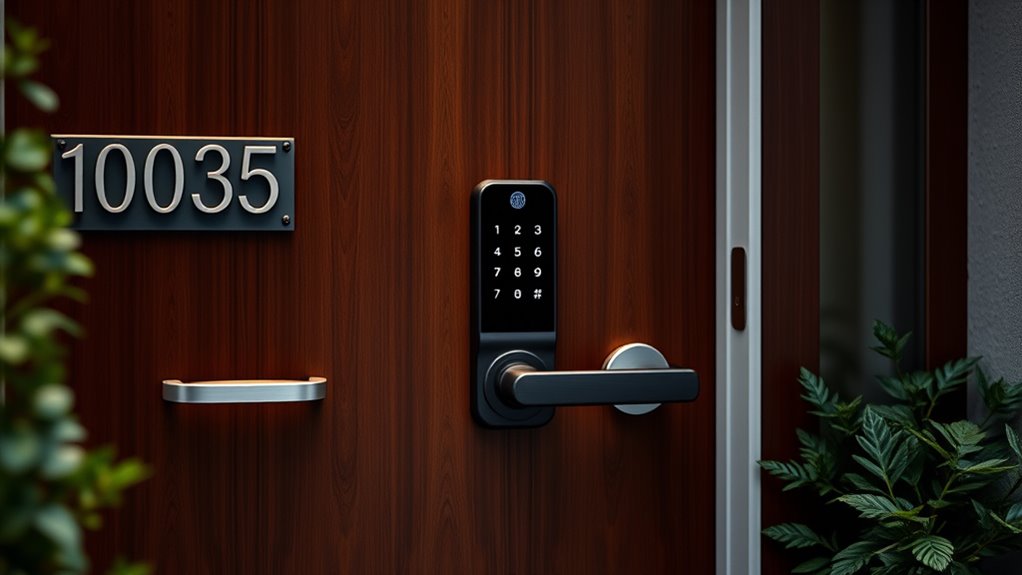

Choosing a highend smart door lock involves balancing advanced security features, seamless integration, and premium build quality. The Philips Wi-Fi Front Lock Set stands out for its comprehensive smart keypad and stylish design, making it a top overall choice. The Lockly Visage Zeno offers cutting-edge facial recognition, ideal for those wanting the latest in biometric security. Meanwhile, the Google Nest x Yale Lock provides tight Google Home integration for smart home enthusiasts. However, these premium options often come with higher price tags and complex setups, which can be a tradeoff for some buyers. Continue reading for a detailed breakdown of these options and what to consider before investing in highend smart locks.

Get garden gear delivered free with Prime
- Fast, free delivery on millions of items
- Prime Video, Amazon Music and more included
- Member-only deals all year
Complete the kit


Key Takeaways
- Premium security features like facial recognition and UWB technology set top-tier locks apart from standard models.
- Ease of use and integration with existing smart home ecosystems are critical for a seamless experience.
- Build quality and design are paramount, but high-end locks often have higher prices and more complex installation requirements.
- Multiple access methods, including fingerprint, keypad, and app control, provide versatile convenience but may introduce potential security vulnerabilities if not properly managed.
- Choosing the right lock depends heavily on your specific needs—security, smart home compatibility, or luxury aesthetics—each influencing the best pick.
| Philips Wi-Fi Front Lock Set with Smart Keypad Deadbolt and Handles |  | Best Overall Smart Lock for Versatility and Ease of Use | Brand: PHILIPS | Model Number: DDL240X-1HW-H2 | Recommended Uses: Home | VIEW ON AMAZON | See Our Full Breakdown |
| Aqara UWB Smart Lock U400, Apple Home Key, Fingerprint Deadbolt, Black |  | Best for Hands-Free, UWB-Enabled Convenience | Model Number: DL-D06E | UPC: 192784002131 | Recommended Uses: Smart home access | VIEW ON AMAZON | See Our Full Breakdown |
| Lockly Visage Zeno Smart Lock – Facial Recognition & Fingerprint Deadbolt |  | Best for Facial Recognition and Quick Biometric Access | Facial Recognition: Yes | Fingerprint Recognition: Yes, up to 99 prints | Connectivity: Built-in Wi-Fi | VIEW ON AMAZON | See Our Full Breakdown |
| eufy Security Smart Lock C220, Fingerprint Keyless Entry Door Lock |  | Best for Long-Lasting, Self-Learning Fingerprint Security | Unlock Methods: Fingerprint, app, keypad, physical key, voice control | Battery Life: 8 months | Batteries: 8 AA batteries | VIEW ON AMAZON | See Our Full Breakdown |
| Schlage Encode Smart WiFi Deadbolt Lock with Camelot Trim, Satin Nickel |  | Best for Remote Control and High Security Standards | Material: Satin Nickel | Connectivity: WiFi | Battery: 4 AA batteries (included) | VIEW ON AMAZON | See Our Full Breakdown |
| Veise VE017 Fingerprint Smart Door Lock with App Control, Matte Black |  | Best Overall High-End Smart Lock with Versatile Access | Material: All-zinc alloy, scratch-resistant | Color: Matte Black | Battery Life: ≥12 months | VIEW ON AMAZON | See Our Full Breakdown |
| Philips Wi-Fi Smart Deadbolt with Handles and Gateway |  | Best for Users Who Want Reliable Wi-Fi Connectivity and Multiple Access Methods | Connectivity: Wi-Fi (2.4 GHz only) | Unlocking Methods: App, Fingerprint, PIN, Keys, Voice | Fingerprint Recognition Speed: 0.3 seconds | VIEW ON AMAZON | See Our Full Breakdown |
| eufy Security Smart Lock C33, Keypad Door Lock with Handle, Built-in Wi-Fi |  | Best for Quick, Reliable Biometric and Wi-Fi Access | Biometric Recognition: Fingerprint | Connectivity: Wi-Fi | Power: 8 AA Batteries | VIEW ON AMAZON | See Our Full Breakdown |
| Google Nest x Yale Lock – Tamper-Proof Smart Lock for Keyless Entry – Satin Nickel |  | Best for Google Ecosystem Users Seeking Reliable Keyless Security | Type: Smart Lock | Material: Satin Nickel | Features: Keyless Entry, Auto-Lock, Tamper Alerts, Remote Access | VIEW ON AMAZON | See Our Full Breakdown |
| LOCKSTAR® Smart Door Lock – Keyless Entry Deadbolt with Multiple Access Methods |  | Best for Versatile Access and DIY Enthusiasts | Access Methods: APP, Fingerprint, Keypad, Card FOB, Traditional Key | Auto Lock: Yes | Event Notifications: Yes | VIEW ON AMAZON | See Our Full Breakdown |
| Philips Wi-Fi Smart Deadbolt Lock, Keyless Entry Door Lock |  | Best Overall for Versatile Access and Security | Connectivity: Wi-Fi (2.4GHz only) | Power: AA alkaline batteries (LR6) | Compatibility: Doors 1-3/8″ to 2″ thick | VIEW ON AMAZON | See Our Full Breakdown |
| Philips WiFi Keypad Door Lock with Handle, Built-in WiFi, APP Remote Control, Voice & Fingerprint Unlock, Satin Nickel |  | Best for Fast, Convenient Access without Extra Devices | WiFi Compatibility: 2.4GHz WiFi, no hub needed | Fingerprint Speed: 0.3 seconds | Supported PIN Codes: permanent, one-time, periodic, recurring | VIEW ON AMAZON | See Our Full Breakdown |
| highend smart door lock | Connectivity |
|---|---|
| Philips Wi-Fi Front Lock Set w | — |
| Aqara UWB Smart Lock U400 | — |
| Lockly Visage Zeno Smart Lock | Built-in Wi-Fi |
| eufy Security Smart Lock C220 | — |
| Schlage Encode Smart WiFi Dead | WiFi |
| Veise VE017 Fingerprint Smart | Wi-Fi via Veise G1 Gateway (sold separately) |
| Philips Wi-Fi Smart Deadbolt w | Wi-Fi (2.4 GHz only) |
| eufy Security Smart Lock C33 | Wi-Fi |
| Google Nest x Yale Lock | — |
| LOCKSTAR® Smart Door Lock | — |
| Philips Wi-Fi Smart Deadbolt L | Wi-Fi (2.4GHz only) |
| Philips WiFi Keypad Door Lock | — |
More Details on Our Top Picks
Philips Wi-Fi Front Lock Set with Smart Keypad Deadbolt and Handles
This Philips Wi-Fi lock set stands out for its multiple unlocking methods—app, fingerprint, PIN, keys, and voice commands—making it highly adaptable for busy households. Its remote management and real-time notifications give it an edge over locks like the Schlage Encode, which lacks integrated voice control. However, the reliance on Wi-Fi for remote features can introduce connectivity issues, and its higher cost might deter budget-conscious buyers. Compared to the Lockly Visage Zeno, it doesn’t feature facial recognition, but it offers broader compatibility with existing home systems. This lock makes the most sense for homeowners seeking a flexible, easy-to-install smart lock with comprehensive access options.
Pros:- Multiple unlocking methods including app, fingerprint, PIN, keys, and voice commands
- Remote access and real-time notifications via Wi-Fi
- Auto-lock feature enhances security
- Easy to install on most standard doors
Cons:- Wi-Fi dependency can cause connectivity issues
- Higher price point compared to traditional locks
Best for: Homeowners who want a highly versatile, easy-to-use smart lock with multiple entry options and remote management.
Not ideal for: Renters or those with non-standard door sizes, as compatibility details are limited and installation may be more involved.
- Brand:PHILIPS
- Model Number:DDL240X-1HW-H2
- Recommended Uses:Home
- Number of Pieces:1
- Included Components:1 x door lock, 1 x handle set, 4 x batteries
- Door Thickness Compatibility:35–50mm
Our verdict“This lock suits users seeking a flexible, feature-rich solution for home security and convenience.”
Aqara UWB Smart Lock U400, Apple Home Key, Fingerprint Deadbolt, Black
The Aqara UWB U400 is designed for those who prioritize hands-free access, leveraging Ultra-Wideband technology for automatic unlocking as you approach. Its support for multiple access methods, including Apple Home Key, fingerprint, passcode, NFC, and physical key, makes it highly flexible. Compared to the Lockly Visage Zeno, which focuses on facial recognition, the U400 emphasizes automatic entry with UWB, but it requires a Thread-enabled Apple hub for full UWB functionality, which could be limiting. While its robust IP65 outdoor rating ensures durability, the need for frequent recharging—due to battery life of around six months—may be inconvenient. This lock is ideal for tech-savvy users seeking seamless, contactless entry integrated into their Apple ecosystem.
Pros:- Hands-free unlocking with UWB technology for convenience and security
- Supports multiple access options including Apple Home Key and fingerprint
- Outdoor durability with IP65 rating and BHMA certification
- Supports multi-ecosystem connectivity via Matter over Thread
Cons:- Requires Thread-enabled Apple hub for UWB unlocking
- NFC card support sold separately
- Battery life may require frequent recharging with heavy use
Best for: Tech enthusiasts with Apple devices who want effortless, keyless access through UWB technology.
Not ideal for: Users without compatible Apple ecosystem devices or those who prefer simpler, non-UWB solutions, as full functionality depends on specific hubs.
- Model Number:DL-D06E
- UPC:192784002131
- Recommended Uses:Smart home access
- Number of Pieces:1
- Included Components:outer panel, inner panel, deadbolt, installation diagram, user manual, strike plate kit, mounting plate, adapter ring, mechanical key, mounting plate screwkit
- Battery Life:up to 6 months per charge
Our verdict“This lock is best for Apple-centric users seeking seamless, contactless entry with advanced UWB features.”
Lockly Visage Zeno Smart Lock – Facial Recognition & Fingerprint Deadbolt
The Lockly Visage Zeno excels for users who want fast, secure biometric entry—thanks to its facial recognition and fingerprint technology. Its seamless integration with Apple Home Key and voice assistants offers versatile control, similar to the Aqara U400 but with a focus on biometric speed. The DIY-friendly installation makes it accessible for most homeowners, but the lack of detailed battery life data and higher price may be drawbacks for budget-conscious buyers. Unlike the eufy C220, which combines multiple entry methods but lacks facial recognition, Zeno’s biometric features prioritize speed and security. This pick is ideal for those who value cutting-edge security features and quick biometric access over broader ecosystem integration.
Pros:- Advanced facial recognition and fingerprint technology for rapid, secure access
- Seamless integration with Apple Home Key and voice assistants
- Easy DIY installation for most doors
- Supports multiple unlocking methods
Cons:- No specified price or battery life info
- Requires Wi-Fi for remote control
- Potentially higher cost due to advanced features
Best for: Homeowners seeking advanced biometric security with easy DIY installation and Apple ecosystem compatibility.
Not ideal for: Budget buyers or those needing detailed battery life info, as the premium features come with higher costs and unspecified operational longevity.
- Facial Recognition:Yes
- Fingerprint Recognition:Yes, up to 99 prints
- Connectivity:Built-in Wi-Fi
- Compatibility:Apple Home Key, Alexa, Google Assistant
- Installation:Fits doors 1 3/8” to 3 1/8” thick, easy DIY setup
- Power:Battery operated (not specified)
Our verdict“This is a top choice for users prioritizing biometric security and seamless Apple ecosystem integration.”
eufy Security Smart Lock C220, Fingerprint Keyless Entry Door Lock
The eufy Security C220 is designed for users who want reliable, long-lasting keyless entry with a focus on biometric accuracy. Its self-learning AI enhances fingerprint recognition, reducing false rejections over time. Compared to the Lockly Visage Zeno, which relies on facial recognition, C220 emphasizes robust fingerprint security, while its 8-month battery life surpasses many competitors. Its easy installation—requiring only about 15 minutes—makes it suitable for most standard deadbolts, but the security level is BHMA Grade 3, which is lower than premium Grade 1 or 2 options. This lock suits those who want dependable biometric security with minimal maintenance.
Pros:- Self-learning AI improves fingerprint recognition over time
- Long battery life of approximately 8 months
- Easy 15-minute installation without drilling
- Weather-resistant, BHMA Grade 3 security
Cons:- Battery replacement every 8 months may be inconvenient
- Limited to Grade 3 security level
- Requires compatible deadbolt for installation
Best for: Homeowners seeking a durable, AI-enhanced fingerprint lock with long battery life and quick DIY setup.
Not ideal for: Users requiring the highest security grades or advanced remote management features, as it offers limited connectivity options and lower security rating.
- Unlock Methods:Fingerprint, app, keypad, physical key, voice control
- Battery Life:8 months
- Batteries:8 AA batteries
- AI Recognition:Self-learning fingerprint recognition
- Wi-Fi:Built-in, no bridge required
- Certification:BHMA Grade 3
Our verdict“Ideal for users prioritizing reliable biometric security and long battery life with straightforward DIY installation.”
Schlage Encode Smart WiFi Deadbolt Lock with Camelot Trim, Satin Nickel
The Schlage Encode stands out for its robust security features and easy Wi-Fi connectivity, enabling remote control via app and compatibility with Alexa and Google Home. Its large capacity for up to 100 access codes makes it suitable for multi-occupant households or rentals. Compared to the Philips Wi-Fi Front Lock, the Schlage offers a more straightforward setup with advanced security ratings and a tried-and-true hardware design. However, its battery life of about six months means frequent replacements with heavy use, and it’s limited to standard door sizes, which could be restrictive for some. This lock is best for users seeking a high-security, remotely manageable lock with reliable Wi-Fi performance.
Pros:- Remote access and control via Wi-Fi and mobile app
- Works seamlessly with Alexa and Google Home for voice commands
- Easy installation without hardwiring
- High security rating with BHMA certification
Cons:- Battery life may require frequent replacements with heavy use
- Limited to standard door sizes
- No biometric access options
Best for: Families or rental properties needing high security, remote management, and multiple user access codes.
Not ideal for: Those with non-standard doors or looking for a lock with biometric or voice control features, as it relies solely on keyless code and app control.
- Material:Satin Nickel
- Connectivity:WiFi
- Battery:4 AA batteries (included)
- Battery Life:Up to 6 months
- Backset:2-3/8 in or 2-3/4 in
- Door Thickness:1-3/8 in to 1-3/4 in
Our verdict“This lock is perfect for users who prioritize remote management, security, and multiple user codes over biometric features.”
Veise VE017 Fingerprint Smart Door Lock with App Control, Matte Black
The Veise VE017 stands out for its combination of advanced AI fingerprint verification and multiple unlocking methods, including RFID and keypad, making it highly flexible for diverse users. Compared to the Philips Wi-Fi Smart Deadbolt, it offers a broader range of local access options without relying solely on Wi-Fi, prioritizing privacy. Its encrypted local data storage enhances security, though it requires a separate purchase of the Veise G1 Gateway for remote management, which could be inconvenient for some. The easy DIY installation is a plus, but the need for new batteries and limited US support hours are potential drawbacks. This pick is ideal for homeowners seeking strong biometric security and local control without immediate reliance on internet connectivity.
Pros:- Advanced AI fingerprint recognition with quick verification
- Multiple unlocking options including app, fingerprint, RFID, keypad, and mechanical key
- Local encrypted data storage enhances security and privacy
- Easy DIY installation with no wiring required
Cons:- Requires separate purchase of Veise G1 Gateway for remote control
- Batteries not included and may need frequent replacement
- Limited to US customer support hours
Best for: Homeowners who prioritize biometric security and local control, especially in multi-tenant settings
Not ideal for: Users seeking seamless remote management without extra purchases or those in regions with limited US support
- Material:All-zinc alloy, scratch-resistant
- Color:Matte Black
- Battery Life:≥12 months
- Batteries:4 AA/LR6 alkaline batteries (not included)
- Waterproof Rating:IP55
- Connectivity:Wi-Fi via Veise G1 Gateway (sold separately)
Our verdict“This lock suits tech-savvy homeowners who want flexible, secure access with local data storage and aren’t dependent on immediate remote connectivity.”
Philips Wi-Fi Smart Deadbolt with Handles and Gateway
The Philips Wi-Fi Smart Deadbolt offers a familiar handle design combined with keyless entry, making it a practical choice for those who want easy integration with existing smart home systems. Its support for app, fingerprint, PIN, keys, and voice commands via Alexa or Google Assistant provides flexible access options, similar to the LOCKSTAR but with a more streamlined aesthetic. However, it supports only 2.4 GHz Wi-Fi networks, which could lead to connectivity issues in some homes, and installation might require precise measurements. Voice control depends on the gateway, adding a layer of complexity. This lock is best suited for users who prioritize reliable Wi-Fi connectivity and a familiar handle design.
Pros:- Multiple unlocking options including biometric and digital PIN
- Remote control and real-time notifications via app
- Auto-lock feature for added security
- Handles add familiarity and ease of use
Cons:- Supports only 2.4 GHz Wi-Fi networks
- Installation may require precise measurements
- Voice control requires a gateway connection
Best for: Homeowners with stable 2.4 GHz Wi-Fi who want a reliable, multi-modal smart lock with handle access
Not ideal for: Those with complex or poorly supported Wi-Fi networks or who prefer simpler installation without gateway dependencies
- Connectivity:Wi-Fi (2.4 GHz only)
- Unlocking Methods:App, Fingerprint, PIN, Keys, Voice
- Fingerprint Recognition Speed:0.3 seconds
- Fingerprint Accuracy:99.99%
- PIN Code Capacity:Unlimited one-time and up to 100 user codes
- Auto-Lock Timer:30 to 180 seconds
Our verdict“Ideal for users seeking a familiar handle design combined with flexible access options and reliable Wi-Fi connectivity in a stable network environment.”
eufy Security Smart Lock C33, Keypad Door Lock with Handle, Built-in Wi-Fi
The eufy Security Smart Lock C33 provides fast fingerprint unlocking and built-in Wi-Fi for remote access, making it a straightforward choice for those who want quick, reliable entry. Its broad compatibility with various door types and simple 15-minute installation is appealing, especially compared to more complicated setups like the Philips Wi-Fi Deadbolt. However, it relies on 8 AA batteries, which could be a concern for long-term maintenance, and its keypad’s durability is not explicitly confirmed, potentially limiting its value for heavy use. This lock makes sense for users who value speed and simplicity in biometric and remote access.
Pros:- Fast and seamless fingerprint unlocking
- Remote access via Wi-Fi app
- Easy and quick installation
- Compatible with both left- and right-hand doors
Cons:- Requires 8 AA batteries for operation
- Limited to electronic lock features without additional access modes
- No explicit info on keypad durability
Best for: Homeowners wanting fast fingerprint access and easy installation without complex wiring
Not ideal for: Those seeking extensive keypad durability or long-term battery life with minimal maintenance
- Biometric Recognition:Fingerprint
- Connectivity:Wi-Fi
- Power:8 AA Batteries
- Installation:No drilling, 15 minutes
- Compatibility:Left- and right-hand doors
Our verdict“Best suited for users who need quick, reliable biometric entry with minimal installation effort.”
Google Nest x Yale Lock – Tamper-Proof Smart Lock for Keyless Entry – Satin Nickel
The Google Nest x Yale Lock excels for users deeply integrated into the Google ecosystem, offering remote control via the Nest app, auto-lock features, and tamper alerts. Its keypad allows customizable codes, making it suitable for families or rental hosts. Compared to the Lockly Visage Zeno, it emphasizes simplicity and security but lacks facial recognition capabilities. Its installation may require professional help to ensure proper fit, and it depends heavily on Wi-Fi, which could be a concern if your network is unstable. This lock is ideal for Google-centric households wanting a straightforward, tamper-proof, and remotely manageable front door lock.
Pros:- Keyless entry with keypad and remote access
- Customizable passcodes and scheduling
- Auto-lock feature for added security
- Tamper alerts for peace of mind
Cons:- Requires proper door measurement for fit
- Installation may need professional assistance
- Dependent on Wi-Fi stability for remote features
Best for: Google ecosystem users seeking a tamper-proof, keyless lock with remote management and auto-locking
Not ideal for: Users outside the Google ecosystem or those seeking facial recognition or advanced biometric features
- Type:Smart Lock
- Material:Satin Nickel
- Features:Keyless Entry, Auto-Lock, Tamper Alerts, Remote Access
- Compatibility:Standard Deadbolt
Our verdict“Perfect for Google-centric users who want a secure, tamper-resistant, keyless front door solution with remote capabilities.”
LOCKSTAR® Smart Door Lock – Keyless Entry Deadbolt with Multiple Access Methods
The LOCKSTAR® offers an impressive variety of access options—app control, fingerprint Touch ID, keypad code, card FOB, traditional key, and smart home integration—making it a versatile choice for busy households or rental properties. Its real-time event notifications and auto-lock feature enhance security, while the straightforward DIY installation with included tools reduces setup hassle. Compared to the eufy C33, it provides more access methods, though the need for a Wi-Fi gateway or bridge can add complexity for less tech-savvy users. This lock is best suited for those wanting maximum flexibility and easy installation with comprehensive access options.
Pros:- Multiple secure access options including app, fingerprint, keypad, card, and key
- Real-time notifications for activity monitoring
- Auto-locking for convenience
- DIY installation with included tools
Cons:- Requires Wi-Fi gateway/bridge for app control
- Potentially complex setup for non-tech users
- Dependence on Wi-Fi stability for full features
Best for: Renters, busy households, or smart home users needing multiple access methods and easy DIY setup
Not ideal for: Less tech-savvy users who dislike managing Wi-Fi gateways or complex configurations
- Access Methods:APP, Fingerprint, Keypad, Card FOB, Traditional Key
- Auto Lock:Yes
- Event Notifications:Yes
- Installation:DIY, includes screwdriver and drill bit
Our verdict“Ideal for users who prioritize maximum access flexibility and straightforward DIY installation with smart home integration.”
Philips Wi-Fi Smart Deadbolt Lock, Keyless Entry Door Lock
This smart deadbolt stands out for its comprehensive range of unlocking options, combining app control, fingerprint, passcodes, physical key, and voice commands. Compared with the Philips WiFi Keypad Door Lock with Handle, it offers more flexible access methods, making it ideal for households with diverse user preferences. Its remote access and real-time alerts enhance security, though it relies solely on 2.4GHz Wi-Fi, which can limit connectivity stability in some environments. The absence of a door sensor means you won’t automatically know if the door is locked or unlocked without checking the app. Installation is straightforward for most standard doors, but batteries are sold separately, adding some inconvenience. This pick makes the most sense for users seeking a high-end lock with multiple access options and remote security features.
Pros:- Multiple unlocking options including app, fingerprint, passcode, physical key, and voice control
- Remote access and real-time notifications boost home security
- Easy DIY installation compatible with standard doors
Cons:- Requires 2.4GHz Wi-Fi network, not compatible with 5GHz
- No integrated door sensor for automatic status updates
- Batteries are not included, requiring additional purchase
Best for: Homeowners who prioritize flexible unlocking methods and remote security monitoring
Not ideal for: Users with existing 5GHz Wi-Fi networks or those who prefer built-in sensors without extra setup
- Connectivity:Wi-Fi (2.4GHz only)
- Power:AA alkaline batteries (LR6)
- Compatibility:Doors 1-3/8″ to 2″ thick
- Remote Range:up to 65 ft
- Auto-Lock Timer:10-180 seconds
- Voice Control:Alexa, Google Assistant
Our verdict“This deadbolt is best suited for tech-savvy homeowners who want a versatile, remotely manageable lock with comprehensive access options.”
Philips WiFi Keypad Door Lock with Handle, Built-in WiFi, APP Remote Control, Voice & Fingerprint Unlock, Satin Nickel
This lock makes a strong impression with its quick fingerprint unlock at just 0.3 seconds and versatile PIN code options, including temporary and recurring codes, which are ideal for households with frequent visitors or service providers. Unlike the Philips Wi-Fi Smart Deadbolt, which emphasizes multi-modal access, this product shines in speed and ease of use, especially with its built-in handle and simple installation. Its reliance on 2.4GHz Wi-Fi limits connectivity in some setups, and the need for 8 AA batteries means ongoing maintenance. Compatibility with doors of 1-3/8″ to 1-3/4″ thickness is generally fine, but checking your door size is recommended before purchasing. Overall, this lock is best for users wanting rapid, smartphone-controlled access combined with quick biometric entry, without complex setup.
Pros:- Fast fingerprint unlocking in just 0.3 seconds
- Supports multiple user PIN codes, including temporary options
- Remote control and monitoring via smartphone app
- Easy DIY installation with a built-in handle
Cons:- Requires 8 AA batteries, which are not included
- Limited to 2.4GHz Wi-Fi, no dual-band support
- Door thickness compatibility is specific; check before installation
Best for: Busy households seeking fast biometric and PIN access with remote management
Not ideal for: Homeowners with limited Wi-Fi bandwidth or very thick doors outside the specified range
- WiFi Compatibility:2.4GHz WiFi, no hub needed
- Fingerprint Speed:0.3 seconds
- Supported PIN Codes:permanent, one-time, periodic, recurring
- Auto Lock Timer:0-180 seconds
- Door Thickness Compatibility:1-3/8″ to 1-3/4″
- Batteries:8 AA alkaline batteries (not included)
Our verdict“This lock is ideal for users who prioritize speed and convenience, combining biometric and app control for everyday ease.”

How We Picked
The products featured in this roundup were evaluated based on several key criteria: security performance, ease of installation and use, build quality, integration with smart home ecosystems, and overall value for the premium price. We prioritized locks with advanced security features—such as biometric access and UWB technology—while also considering user convenience, app reliability, and compatibility with popular platforms like Apple HomeKit, Google Home, and Alexa. The ranking reflects a balance between innovation, usability, and durability, aiming to highlight options suited for different high-end home security needs. Products with complex setup or limited ecosystem support were rated lower, as ease of use is crucial in this category.| highend smart door lock | Connectivity |
|---|---|
| Philips Wi-Fi Front Lock Set w | — |
| Aqara UWB Smart Lock U400 | — |
| Lockly Visage Zeno Smart Lock | Built-in Wi-Fi |
| eufy Security Smart Lock C220 | — |
| Schlage Encode Smart WiFi Dead | WiFi |
| Veise VE017 Fingerprint Smart | Wi-Fi via Veise G1 Gateway (sold separately) |
| Philips Wi-Fi Smart Deadbolt w | Wi-Fi (2.4 GHz only) |
| eufy Security Smart Lock C33 | Wi-Fi |
| Google Nest x Yale Lock | — |
| LOCKSTAR® Smart Door Lock | — |
| Philips Wi-Fi Smart Deadbolt L | Wi-Fi (2.4GHz only) |
| Philips WiFi Keypad Door Lock | — |
Factors to Consider When Choosing Highend Smart Door Locks
When selecting a highend smart door lock, it’s essential to consider more than just features. A well-chosen lock should enhance your home security while fitting seamlessly into your daily routines and existing smart ecosystem. The right lock balances advanced technology with ease of use, durability, and style. Keep in mind that higher-priced options often provide the latest innovations but may require more complex installation or maintenance. Understanding these factors will help you make a confident purchase that aligns with your security priorities and tech preferences.Security Features and Technology
Highend smart locks often include biometric options like fingerprint scanners or facial recognition, which can significantly boost security. UWB (Ultra-Wideband) technology offers precise access control and anti-theft features, setting these locks apart from more basic models. However, advanced tech can also introduce vulnerabilities if not properly secured or updated, so look for models with strong encryption and regular firmware updates. Consider what access methods you need—biometric, keypad, or app-based—and how they complement your home security strategy.Smart Home Ecosystem Compatibility
Matching your lock with your existing smart home platform ensures smooth operation and integration. For instance, locks compatible with Apple HomeKit, Google Home, or Amazon Alexa simplify control and automation. Some highend models work best within specific ecosystems, so verifying compatibility before purchasing prevents frustration. Also, consider whether the lock supports remote access, voice commands, or automation routines, which add convenience but may require additional hubs or bridges.Build Quality and Design
Highend locks should combine durability with aesthetics—materials like stainless steel, zinc alloy, or premium finishes like satin nickel or matte black provide both strength and style. A well-built lock resists tampering and weathering, especially if installed on exterior doors. However, a premium look can sometimes mean more complex maintenance or repair, so weigh the material quality against practicality. Also, consider the lock’s size and appearance to match your door’s style for cohesive curb appeal.Ease of Installation and Use
While many highend locks are designed for DIY installation, some models may require professional setup, especially those with advanced features like facial recognition or UWB technology. User interfaces should be intuitive, with clear instructions or app controls. Beware of models with overly complicated setups or unreliable connectivity, as these can diminish the user experience. Prioritize locks with straightforward installation processes and reliable app performance, especially if you plan to manage multiple locks or integrate with other smart devices.Price and Long-Term Value
Highend smart locks come with premium prices, but evaluating their long-term value is essential. Consider not only the initial investment but also ongoing costs like subscriptions, firmware updates, or maintenance. A more expensive lock with superior security tech and better ecosystem integration may justify the higher price, especially if it reduces future replacement or repair costs. Conversely, overspending on features you won’t use can also be a mistake—focus on what aligns with your security goals and budget.Frequently Asked Questions
Can I install a highend smart lock myself, or will I need a professional?
Many highend smart locks are designed for DIY installation, often including detailed instructions and standard tools. However, models with advanced features like facial recognition or UWB technology may require professional setup to ensure optimal performance and security. If you’re unsure about your technical skills or have a complex door setup, hiring a professional can prevent installation errors and ensure the lock functions correctly. Investing in professional installation might be worthwhile for the most secure and seamless experience, especially with premium models.Are highend smart locks more secure than standard locks?
In many cases, highend smart locks offer enhanced security features like biometric access, encryption, and anti-tampering alerts, making them more secure than basic mechanical locks. However, they also rely on electronic components, which can be vulnerable if not properly secured or updated. It’s important to choose models with strong encryption, regular firmware updates, and multi-factor authentication options. Additionally, pairing a smart lock with a comprehensive security system provides better overall protection than relying on a lock alone.Will a highend smart lock work with my existing smart home system?
Most premium smart locks are designed to integrate with popular platforms like Apple HomeKit, Google Home, or Amazon Alexa. Compatibility varies between models, so verifying this before purchase is essential. Some locks also support multiple ecosystems, offering greater flexibility. Integration allows for remote control, automation, and voice commands, which can significantly improve convenience. If you have a specific smart home ecosystem, choose a lock that explicitly supports it to avoid compatibility issues.What happens if the smart lock’s battery dies or loses power?
Highend smart locks typically include backup power options, such as physical keys or external battery ports, to ensure continued access during power failures. Many also send alerts when batteries are running low, prompting timely replacement. Relying solely on batteries without backup features can risk lockouts, so always verify a lock’s emergency access options. Regular maintenance and battery replacement are crucial to prevent unexpected lockouts and ensure ongoing security.Are facial recognition locks safe from hacking?
Facial recognition technology has improved significantly, but no biometric system is completely immune to hacking or spoofing. High-end models use sophisticated sensors and encryption to protect biometric data, but vulnerabilities can still exist if software updates are missed or if the device is physically compromised. To mitigate risks, choose locks with multi-layer security features and ensure firmware is kept up to date. Combining biometric access with other security methods, like PIN codes or app control, offers a more resilient approach.Conclusion
For homeowners seeking the best overall security and ease of use, the Philips Wi-Fi Front Lock Set stands out as a reliable, feature-rich choice. Those interested in cutting-edge biometric technology will find the Lockly Visage Zeno offers impressive facial recognition capabilities, ideal for tech enthusiasts. Budget-conscious buyers who still want high-end features might prefer the eufy Security Smart Lock C220 for its balance of quality and value. Beginners or those integrating with specific ecosystems should consider models like the Google Nest x Yale Lock, known for straightforward setup and compatibility. Ultimately, your choice depends on your prioritized features—security, convenience, or design—and your existing smart home setup.
As an affiliate, we earn on qualifying purchases.Halloween Picks

9 ft Halloween Inflatable Haunted Castle with Dragon and Ghost

Panefright Halloween Window Projector – Scary Projector for Spooky Decor

Jenaai 5.3-Foot Motion-Activated Halloween Animatronic Skeleton