

For most homes, I’d start with the Kasa Smart Wi-Fi Motion Sensor Switch KS200MP2: it combines built-in motion sensing with app control and avoids a separate hub. The Leviton Decora Smart Motion Sensing Dimmer stands out if you want connected dimming, while the Enbrighten Z-Wave Motion Sensing Switch suits homes already using a Z-Wave hub. The key tradeoffs are wiring compatibility, how each switch detects occupancy, and whether you need dimming or smart-home integration. A wall switch with motion sensing may not detect a person sitting still as reliably as a dedicated presence sensor. Read on for my comparison of all 13 options and guidance on choosing the right one for your rooms.

Get garden gear delivered free with Prime
- Fast, free delivery on millions of items
- Prime Video, Amazon Music and more included
- Member-only deals all year
Complete the kit


Key Takeaways
- Kasa KS200MP2 is the clearest all-around choice for buyers who want Wi-Fi app control and built-in motion sensing without adding a hub.
- Enbrighten’s Z-Wave switch makes more sense for an existing Z-Wave setup; its hub requirement is a drawback for buyers seeking a standalone installation.
- Leviton’s Decora Smart dimmer adds connected dimming, while several other picks are better suited to straightforward on/off lighting.
- Leviton’s no-neutral motion switch may fit older wiring, but its stated 2A switching limit narrows the loads it can control.
- The Lutron Maestro and Caseta options show that a dedicated motion sensor can suit automatic lighting well, but sensor placement and the distinction between motion and presence still matter.
| Enbrighten Z-Wave Motion Sensing Light Switch, 2 Pack |  | Best for Hub-Based Multi-Room Setups | Power source: Hardwired | Mounting: Wall mount | Detection range: 45 ft | VIEW LATEST PRICE | See Our Full Breakdown |
| Kasa Smart Wi-Fi Motion Sensor Switch KS200MP2, Single Pole | 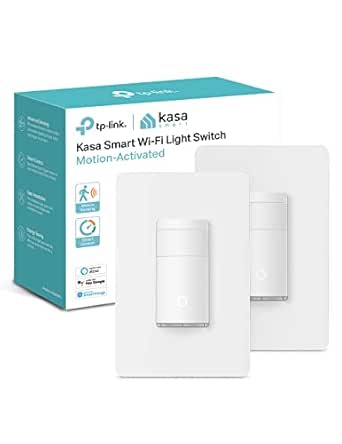 | Best for App-Controlled Wi-Fi Convenience | Circuit type: 1-way (single-pole) | Operating voltage: 110 V | Power supply: AC 100–125 V, 50/60 Hz | VIEW LATEST PRICE | See Our Full Breakdown |
| Leviton Motion Sensor Light Switch, Auto-On/Off, No Neutral, 2A, Single Pole, White | 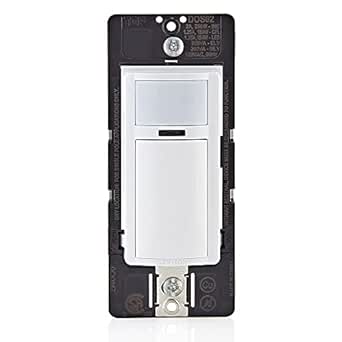 | Best for No-Neutral Retrofits | Model: DOS02-LW | Operating voltage: 120 volts | Circuit type: Single pole | VIEW LATEST PRICE | See Our Full Breakdown |
| Leviton Smart Sensor PIR 15A Switching 120VAC App Configurable Wallbox White |  | Best for App-Configurable Occupancy and Vacancy | Model: ODS15-I1W | Operating voltage: 120 volts AC | Switching description: 15A switching | VIEW LATEST PRICE | See Our Full Breakdown |
| Smart Dimmer Light Switch with Matter, Door, Motion, MyBright |  | Best for Matter-First Smart Homes | Operating voltage: 125 volts | Circuit type: 1-way, single pole | Connectivity: 2.4 GHz Wi-Fi and Matter | VIEW LATEST PRICE | See Our Full Breakdown |
| Leviton Decora Smart Motion Sensing Dimmer, Wi-Fi 2nd Gen, D2MSD-1RW, White |  | Best for Smart-Home Platform Flexibility | Connectivity: Wi-Fi | Operating voltage: 120 volts | Maximum wattage: 600 watts | VIEW LATEST PRICE | See Our Full Breakdown |
| Lutron Caseta Smart Lighting Auto On/Off Wireless Occupancy Motion Sensor |  | Best for Flexible Sensor Placement | Power source: CR123A battery, included | Maximum range: 50 feet | Field of view: 180 degrees | VIEW LATEST PRICE | See Our Full Breakdown |
| ELEGRP Smart Motion Sensor Switch, 2.4 GHz Wi-Fi, 3-Way Light Switch Compatible with Alexa & Google Assistant, App Remote Control, Neutral Wire Required, UL Certified, No Hub Needed | 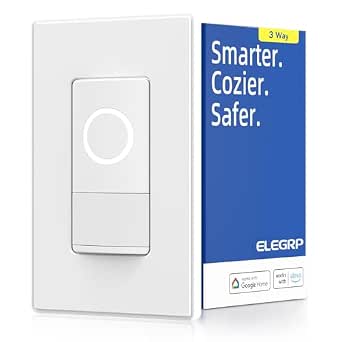 | Best for Multi-Sensor Detection | Connectivity: 2.4 GHz Wi-Fi | Operating voltage: 120 volts | Maximum wattage: 450 watts | VIEW LATEST PRICE | See Our Full Breakdown |
| GE CYNC Smart Dimmer Light Switch & Motion Sensor, White, 1 Pack |  | Best for No-Neutral Dimming Retrofits | Connectivity: Wi-Fi | Operating voltage: 120 volts | Maximum wattage: 450 watts | VIEW LATEST PRICE | See Our Full Breakdown |
| Smart Radar Motion Sensor Light Switch 1 Gang 2.4GHz WiFi for Any Bulb |  | Best for Radar-Based Sensing | Connectivity: Bluetooth and Wi-Fi | Operating voltage: 110 volts | Maximum wattage: 1200 watts | VIEW LATEST PRICE | See Our Full Breakdown |
| Lutron Maestro Motion Sensor Light Switch, 2 Amp, Single Pole, White |  | Best for Straightforward Automatic On/Off | Operating voltage: 120 volts | Circuit type: 1-way, single pole | Operation mode: Automatic on and off | VIEW LATEST PRICE | See Our Full Breakdown |
| Lutron Maestro LED+ Motion Sensor/Dimmer Switch with Wallplate, White |  | Best for Motion-Based Dimming | Operating voltage: 120 volts | Circuit type: 3-way | Control functions: Dimming, motion, and ambient-light control | VIEW LATEST PRICE | See Our Full Breakdown |
| Lutron Maestro Motion Sensor and LED Dimmer Switch, Single Pole/3-Way |  | Best for Multi-Location Dimming | Operating voltage: 120 volts | Circuit type: Single pole/3-way | Operation mode: On/off | VIEW LATEST PRICE | See Our Full Breakdown |
| smart switches with presence sensing | Operating voltage | Circuit type | Mounting | Maximum wattage |
|---|---|---|---|---|
| Enbrighten Z-Wave Motion Sensi | — | — | Wall mount | — |
| Kasa Smart Wi-Fi Motion Sensor | 110 V | 1-way (single-pole) | Wall mount | — |
| Leviton Motion Sensor Light Sw | 120 volts | Single pole | — | — |
| Leviton Smart Sensor PIR 15A S | 120 volts AC | 1-way | — | — |
| Smart Dimmer Light Switch with | 125 volts | 1-way, single pole | Wall mount | — |
| Leviton Decora Smart Motion Se | 120 volts | — | Wall mount | 600 watts |
| Lutron Caseta Smart Lighting A | — | — | Wall mount | — |
| ELEGRP Smart Motion Sensor Swi | 120 volts | 3-way | — | 450 watts |
| GE CYNC Smart Dimmer Light Swi | 120 volts | 3-way | — | 450 watts |
| Smart Radar Motion Sensor Ligh | 110 volts | 1-way, single-pole | — | 1200 watts |
| Lutron Maestro Motion Sensor L | 120 volts | 1-way, single pole | Wall mount; hard wired | 240 watts |
| Lutron Maestro LED+ Motion Sen | 120 volts | 3-way | Pole mounting | 150 watts |
| Lutron Maestro Motion Sensor a | 120 volts | Single pole/3-way | Wall mount | 600 watts |
More Details on Our Top Picks
Enbrighten Z-Wave Motion Sensing Light Switch, 2 Pack
The Enbrighten earns its place for buyers who want two motion-sensing switches that can join an existing Z-Wave smart-home system. Its occupancy and vacancy modes, adjustable sensitivity, and 45-foot detection range give more control over when a room’s lights respond than the simpler local-only Leviton DOS02-LW. The hub requirement is the main dividing line: it lets the Enbrighten participate in broader automations, but adds setup and equipment that the Kasa KS200MP2 avoids by connecting over Wi-Fi.
I’d shortlist this pair for hallways or other rooms where matching behavior across multiple locations matters. The changeable white and light-almond buttons help the switches blend into different decor, while the hardwired installation requires a neutral wire. Skip it if you lack a compatible hub or want the fastest stand-alone installation; this is a flexible system component, not the simplest route to automatic lights.
Pros:- Includes two switches for outfitting multiple rooms.
- Offers occupancy and vacancy modes with adjustable motion sensitivity.
- Works with listed hubs and smart-home platforms, including SmartThings, HomeSeer, Vera, Alexa, and Google Home.
- Changeable buttons in white and light almond make it easier to coordinate with decor.
Cons:- Requires a compatible hub for full smart-home functionality.
- Installation requires a neutral wire and hardwiring.
- The 45-foot detection range may be excessive for small spaces and calls for careful sensitivity setup.
Best for: Homeowners with a compatible Z-Wave hub who want motion-controlled lighting in two rooms and plan to use occupancy or vacancy automations.
Not ideal for: Renters or buyers without a Z-Wave hub, and anyone whose switch box lacks a neutral wire.
- Power source:Hardwired
- Mounting:Wall mount
- Detection range:45 ft
- Detection zone:180 degrees
- Temperature range:32 °F to 40 °C
- Compatibility:Wink, SmartThings, HomeSeer, Vera, Alexa, Google Home
- Included:2 switches
- Button colors:White and light almond
Our verdict“Choose this two-pack if you already use a compatible Z-Wave hub and want configurable motion control in more than one room.”
Kasa Smart Wi-Fi Motion Sensor Switch KS200MP2, Single Pole
The Kasa KS200MP2 is a strong fit for buyers who want motion and ambient-light sensing without adding a dedicated smart-home hub. It can turn lights on when motion appears and use daylight detection to avoid switching them on when a room is already bright. That gives it a more adaptive approach than the Leviton DOS02-LW, while the Kasa app and voice-assistant support add remote control and automation beyond a basic sensor switch.
The tradeoff is a narrower installation and network fit: it needs a neutral wire, single-pole wiring, and 2.4 GHz Wi-Fi. Its listed maximum load is 600W for incandescent or 300W for CFL, so it is not a general-purpose switch for high-load equipment. Compared with the Enbrighten Z-Wave two-pack, Kasa is easier to slot into a Wi-Fi household but doesn’t offer that product’s two-switch bundle or hub-based Z-Wave setup.
Pros:- Combines motion sensing with ambient-light detection to reduce unnecessary daytime activation.
- Connects over Wi-Fi without requiring a separate hub.
- Works with Alexa, Google Assistant, and Samsung SmartThings.
- Supports app-guided setup and automation with other Kasa devices.
Cons:- Requires a neutral wire and a single-pole circuit.
- Operates on 2.4 GHz Wi-Fi rather than 5 GHz.
- Listed load limits may rule it out for higher-wattage fixtures or equipment.
Best for: Households already using Kasa devices or Alexa, Google Assistant, or SmartThings that want automatic lights and app control on a single-pole circuit.
Not ideal for: Buyers with no neutral wire, a 5 GHz-only network, three-way wiring, or lighting loads above the listed limits.
- Circuit type:1-way (single-pole)
- Operating voltage:110 V
- Power supply:AC 100–125 V, 50/60 Hz
- Connectivity:Wi-Fi
- Compatible devices:Lights, fans, Kasa devices, Amazon Alexa, Google Assistant, Samsung SmartThings
- Maximum load:600W incandescent; 300W CFL
- Wattage:1.5 watts
- Mounting:Wall mount
Our verdict“Pick the Kasa if you want app-based motion lighting that connects directly to a compatible 2.4 GHz Wi-Fi network.”
Leviton Motion Sensor Light Switch, Auto-On/Off, No Neutral, 2A, Single Pole, White
For an older home or a switch box without a neutral wire, the Leviton DOS02-LW addresses a common barrier: it can be installed with or without a neutral. Its 180-degree field of view and stated coverage of up to 900 square feet suit utility spaces such as closets, pantries, and basements, where a straightforward auto-on/auto-off switch may be all that is needed. Unlike the Wi-Fi-connected Kasa KS200MP2, this model does not depend on an app, network, or hub for its motion response.
That simplicity also defines its limits. It is a 2A, 250W sensor switch, not a smart-home platform device with the listed voice-assistant and automation integrations found on Kasa or the Enbrighten Z-Wave model. Some buyers may also need to tune placement around room layout, since the product information notes possible sensitivity issues in certain environments. Choose it for a practical wiring retrofit, not for connected presence routines.
Pros:- Can be installed with or without a neutral wire.
- Provides a wide 180-degree motion field and stated coverage up to 900 square feet.
- Offers auto or manual operation for different lighting routines.
- Suitable for listed bulb types and straightforward single-pole applications.
Cons:- The 2A and 250W limits restrict the loads it can control.
- Does not list Wi-Fi, hub, app, or voice-assistant integration.
- Motion sensitivity may not suit every room layout or environment.
Best for: Homeowners updating a closet, pantry, or basement switch box that may lack a neutral wire and who want automatic lighting without app or hub setup.
Not ideal for: Buyers seeking voice control, Wi-Fi or hub-based automations, or a switch for loads above its 2A and 250W limits.
- Model:DOS02-LW
- Operating voltage:120 volts
- Circuit type:Single pole
- Neutral wire:Installation supported with or without neutral
- Detection field:180 degrees
- Stated coverage:900 sq. ft.
- Wattage:250 watts
- Warranty:5-year limited
Our verdict“Choose the Leviton DOS02-LW for basic automatic lighting where neutral-wire availability or avoiding smart-home setup matters most.”
Leviton Smart Sensor PIR 15A Switching 120VAC App Configurable Wallbox White
The Leviton ODS15-I1W is the pick for buyers who want occupancy and vacancy modes plus app-configurable settings in a wallbox sensor. It pairs auto-on and auto-off operation with daylighting hold-off, which can keep lights from switching on when natural light is sufficient. Compared with the no-neutral Leviton DOS02-LW, this model puts more emphasis on configuration and listed switching capacity; compared with the Wi-Fi Kasa KS200MP2, its description focuses on sensor setup rather than voice assistants or a broad connected-device ecosystem.
There is some spec uncertainty to resolve before buying: the supplied data lists a 15A switching description but also a 60W wattage figure, and does not state the sensor’s detection range or sensitivity adjustment range. I would verify load compatibility and wiring details against the manufacturer’s instructions. Its value is in configurable sensing, but the incomplete published details make it a less straightforward choice than Kasa for buyers prioritizing clear smart-home integration.
Pros:- Provides both occupancy and vacancy operating modes.
- Offers app configuration alongside pushbutton programming.
- Includes auto-on, auto-off, timeout settings, and daylighting hold-off.
- Lists a 5-year limited warranty.
Cons:- Product data lists both 15A switching and a 60W wattage figure, so load compatibility needs verification.
- Detection range and sensitivity adjustment details are not provided.
- The supplied description does not establish Wi-Fi or voice-assistant compatibility.
Best for: Homeowners who want configurable occupancy or vacancy behavior and daylight hold-off in a fixed, single-pole lighting setup.
Not ideal for: Buyers who need clearly documented load limits, specified detection range, or broad voice-assistant and Wi-Fi integration.
- Model:ODS15-I1W
- Operating voltage:120 volts AC
- Switching description:15A switching
- Operation mode:Occupancy/vacancy
- Circuit type:1-way
- Control:App configurable and pushbutton
- Listed wattage:60 watts
- Warranty:5-year limited
Our verdict“Consider the ODS15-I1W if configurable occupancy and vacancy sensing matter more than a clearly specified connected ecosystem.”
Smart Dimmer Light Switch with Matter, Door, Motion, MyBright
This listing stands out for buyers who want Matter and Wi-Fi compatibility in a wall switch and plan to connect lighting with a broader smart-home setup. Its app, voice, and push-button controls, plus scheduling and countdown functions described in the product information, offer more remote-control flexibility than the Leviton DOS02-LW’s local motion operation. The listed 1875W capacity is also higher than the Kasa KS200MP2’s specified incandescent and CFL limits, though buyers should confirm that the load type and wiring match the manufacturer’s guidance.
The main concern is that the title promises motion sensing, but the supplied description emphasizes an Enbrighten Pro Wi-Fi countdown switch and does not explain how its door or motion sensing works. I would not choose it solely for presence detection without confirming sensor behavior and included components. It also requires 2.4 GHz Wi-Fi, and its Matter support does not erase the need for suitable wiring or a compatible controller for the desired setup.
Pros:- Lists Matter and Wi-Fi connectivity with Alexa and Google Assistant support.
- Offers app, voice, touch, and push-button control.
- Includes scheduling, automation, and countdown functions in the product description.
- Lists a 1875W capacity and ETL and FCC certifications.
Cons:- The provided description does not explain the motion or door sensing referenced in the title.
- Requires a 2.4 GHz Wi-Fi network.
- Installation may be difficult for buyers without wiring experience, and IP20 is not suited to damp locations.
Best for: Matter-focused smart-home owners who want app, voice, and countdown control and can verify that the listed motion-sensing function matches their needs.
Not ideal for: Buyers whose main requirement is clearly documented presence detection, or those needing a switch for damp locations or a 5 GHz-only network.
- Operating voltage:125 volts
- Circuit type:1-way, single pole
- Connectivity:2.4 GHz Wi-Fi and Matter
- Controllers:Amazon Alexa, Enbrighten App, Google Assistant, Matter-certified controllers
- Control methods:App, push button, touch, voice
- Listed wattage:1875 watts
- Mounting:Wall mount
- Certifications:ETL, FCC, Matter
Our verdict“Choose this only if Matter-based control is a priority and you confirm its motion-sensing behavior before purchase.”
Leviton Decora Smart Motion Sensing Dimmer, Wi-Fi 2nd Gen, D2MSD-1RW, White
I’d choose the Leviton Decora Smart Motion Sensing Dimmer when motion-triggered lighting needs to fit into a broader smart-home setup. It combines hands-free sensing with full-range dimming, app adjustments, and voice control, while its stated compatibility includes Alexa, Google Assistant, and Apple Home. That gives it wider platform reach than the ELEGRP Smart Motion Sensor Switch, which lists Alexa and Google Assistant support. Leviton also supports single-pole, 3-way, and multi-way wiring, a useful advantage when the light is controlled from more than one location.
The tradeoff is installation: this dimmer requires a neutral wire and a 2.4 GHz Wi-Fi network, and its 600-watt rating may rule it out for larger lighting loads. Pick it for platform flexibility and dimming control, not for a no-neutral retrofit.
Pros:- Motion sensing can switch lights on without reaching for a control.
- Full-range dimming supports different brightness levels for different rooms and routines.
- Supports Alexa, Google Assistant, and Apple Home.
- Works with single-pole, 3-way, and multi-way wiring.
Cons:- Neutral wire is required, limiting older-wiring installations.
- Requires a 2.4 GHz Wi-Fi network.
- The 600-watt rating may not cover higher-load lighting circuits.
Best for: Homeowners with a neutral wire who want motion-activated dimming and compatibility across Alexa, Google Assistant, and Apple Home.
Not ideal for: Buyers without a neutral wire, those using a 5 GHz-only Wi-Fi network, or households with lighting loads above 600 watts.
- Connectivity:Wi-Fi
- Operating voltage:120 volts
- Maximum wattage:600 watts
- Switch type:Dimmer with motion sensor
- Circuit types:Single-pole, 3-way, and multi-way
- Control methods:App and voice
- Mounting:Wall mount
- Color:White
Our verdict“Choose the Leviton if you want a motion-sensing dimmer with broader platform support and your wiring includes a neutral.”
Lutron Caseta Smart Lighting Auto On/Off Wireless Occupancy Motion Sensor
The Lutron Caseta Wireless Occupancy Motion Sensor is the lineup’s placement-first option: it runs on a battery, so you can mount it where it can see activity instead of being tied to a switch box. Its 180-degree field of view and stated maximum range of 50 feet suit hallways and open areas where a wall switch sensor may miss movement. Unlike the ELEGRP Smart Motion Sensor Switch, it does not replace the wired wall control; it triggers compatible Caseta dimmers, switches, and fans.
That separation brings flexibility, but also a system requirement: full functionality depends on a Caseta Smart Hub, and it only controls compatible Caseta devices. The long stated battery life reduces maintenance, though the sensor is indoor-only and eventually needs a CR123A replacement. I’d pick it for an existing Caseta setup, not as a standalone smart switch.
Pros:- Battery-powered design allows placement without wiring.
- 180-degree field of view helps cover broad approaches and walkways.
- Stated battery life is up to 10 years.
- Can control compatible Caseta dimmers, switches, and fans.
Cons:- Full functionality requires a Caseta Smart Hub.
- Works with Caseta-compatible devices rather than serving as a universal switch.
- Indoor use only, with eventual CR123A battery replacement.
Best for: Caseta households that need to add occupancy sensing in a hallway, room, or other spot away from the existing switch box.
Not ideal for: Buyers who need a complete switch replacement, do not own a Caseta Smart Hub, or want a sensor for outdoor use.
- Power source:CR123A battery, included
- Maximum range:50 feet
- Field of view:180 degrees
- Stated battery life:Up to 10 years
- Compatible devices:Caseta dimmers, switches, and fans
- Mounting:Wall mount
- Dimensions:1.35 × 1.8 × 4.35 inches
- Temperature range:32–104 °F
Our verdict“Choose this sensor if you already use Caseta and want flexible, wire-free placement rather than a new wall switch.”
ELEGRP Smart Motion Sensor Switch, 2.4 GHz Wi-Fi, 3-Way Light Switch Compatible with Alexa & Google Assistant, App Remote Control, Neutral Wire Required, UL Certified, No Hub Needed
The ELEGRP Smart Motion Sensor Switch stands out for combining motion, sound, and ambient-light detection. That mix can make automatic lighting more responsive to a room’s activity and existing brightness than a motion-only approach. It also offers app management, scheduling, voice control through Alexa and Google Assistant, and Wi-Fi operation without a hub. Compared with the Leviton Decora Smart Motion Sensing Dimmer, ELEGRP adds sound and light sensing but gives up dimming: its operation is on/off.
Installation and load limits narrow its audience. It requires a neutral wire, uses 2.4 GHz Wi-Fi, and is rated at 450 watts with a stated 3.75 A current limit. Its 3-way circuit support helps where lights have multiple control points, but it is not an outdoor choice. I’d favor it when sensing variety matters more than adjustable brightness.
Pros:- Combines motion, sound, and ambient-light detection.
- Connects over Wi-Fi without a separate hub.
- Supports Alexa, Google Assistant, app control, and scheduling.
- Designed for 3-way circuit use.
Cons:- Requires a neutral wire and 2.4 GHz Wi-Fi.
- On/off operation does not provide dimming.
- 450-watt rating and stated 3.75 A limit restrict some lighting loads.
Best for: Alexa or Google Assistant households with a neutral wire that want motion, sound, and ambient-light sensing for a 3-way lighting circuit.
Not ideal for: Buyers who want dimming, lack a neutral wire, have a high-load fixture, or need an outdoor-rated control.
- Connectivity:2.4 GHz Wi-Fi
- Operating voltage:120 volts
- Maximum wattage:450 watts
- Circuit type:3-way
- Operation:On/off
- Detection:Motion, sound, and ambient light
- Control methods:App, remote, and voice
- Dimensions:3.35 × 2.36 × 5.16 inches
Our verdict“Choose ELEGRP if multiple sensing methods matter more than dimming and your circuit fits its wiring and load requirements.”
GE CYNC Smart Dimmer Light Switch & Motion Sensor, White, 1 Pack
The GE CYNC Smart Dimmer Light Switch & Motion Sensor earns its place for buyers who need motion-triggered dimming but do not have a neutral wire. That installation distinction separates it from both the Leviton Decora Smart Motion Sensing Dimmer and the ELEGRP switch, which require a neutral. GE CYNC also supports app scheduling and remote control, with Alexa and Google Home compatibility, so it can fit a voice-controlled routine as well as automatic occupancy lighting.
Its limits deserve attention: the listed load is 450 watts, it requires a ground wire and 2.4 GHz Wi-Fi, and the product data notes possible compatibility issues with older wiring. Though described as a dimmer, its listed operation mode is on/off, so check that its dimming behavior matches your fixture needs. Compared with Leviton, its wiring advantage comes with a lower stated wattage rating.
Pros:- No neutral wire required, unlike the Leviton and ELEGRP options.
- Combines motion sensing with dimmer-switch functionality.
- Supports Alexa and Google Home voice control.
- Offers app scheduling and remote control.
Cons:- Requires a ground wire and 2.4 GHz Wi-Fi.
- 450-watt rating is lower than the Leviton dimmer’s stated 600 watts.
- Older wiring may present compatibility issues; listed operation mode is on/off.
Best for: Homeowners seeking a motion-sensing smart dimmer retrofit where the switch box has no neutral wire but does have a ground.
Not ideal for: Buyers without a ground wire, those with older or uncertain wiring compatibility, or households needing a load above 450 watts.
- Connectivity:Wi-Fi
- Operating voltage:120 volts
- Maximum wattage:450 watts
- Circuit type:3-way
- Switch type:Dimmer switch with motion sensor
- Control method:App and voice
- Compatible assistants:Amazon Alexa and Google Home
- Warranty:2-year limited warranty
Our verdict“Choose GE CYNC for a no-neutral motion-sensing dimmer retrofit only after confirming your ground wire, fixture, and wiring are compatible.”
Smart Radar Motion Sensor Light Switch 1 Gang 2.4GHz WiFi for Any Bulb
This radar motion sensor switch offers a different sensing approach from the PIR-style occupancy controls represented by the Lutron Caseta Wireless Occupancy Motion Sensor. Its radar detection is specified for movement up to 5 meters, with adjustable sensitivity and automatic shut-off settings intended to tune how the light responds. App and voice control add remote adjustments, while the slim listed dimensions may suit buyers who want a less prominent switch body.
The product data does not specify a dimming function, multi-way support, or a detailed smart-home compatibility list beyond Alexa and Google Assistant, so I would treat it as a straightforward single-pole on/off choice. It requires a neutral wire and is limited to a 1-way circuit. Environmental placement may affect detection, and the 5-meter range is shorter than the Caseta sensor’s stated 50-foot maximum. Choose it for radar sensing, not broad system flexibility.
Pros:- Radar-based movement detection with adjustable sensitivity.
- Supports app, voice, and manual control.
- Automatic shut-off and scheduling can tailor light behavior.
- Slim listed dimensions may suit compact wall-control setups.
Cons:- Detection range is limited to 5 meters and may vary by environment.
- Requires a neutral wire and supports only a 1-way circuit.
- No dimming capability is specified in the supplied product data.
Best for: Buyers with a neutral-wire, single-pole circuit who want adjustable radar-based occupancy control with app or voice operation.
Not ideal for: Households needing 3-way wiring, dimming, a long sensing range, or clearly documented compatibility beyond Alexa and Google Assistant.
- Connectivity:Bluetooth and Wi-Fi
- Operating voltage:110 volts
- Maximum wattage:1200 watts
- Sensing range:Up to 5 meters
- Circuit type:1-way, single-pole
- Control methods:App, voice, manual, and radar detection
- Compatible assistants:Amazon Alexa and Google Assistant
- Dimensions:2.36 × 0.79 × 1.97 inches
Our verdict“Choose this switch if radar sensing and adjustable shut-off matter more than multi-way wiring, dimming, or a longer documented range.”
Lutron Maestro Motion Sensor Light Switch, 2 Amp, Single Pole, White
The Lutron Maestro Motion Sensor Light Switch is a practical fit for rooms where reliable automatic on/off matters more than app control or dimming. Its adjustable shutoff delay lets you tune how long lights stay on after motion stops, a useful touch in a laundry room or garage. It supports several bulb types, including LED, CFL, incandescent, and low-voltage lighting, giving it broader load flexibility than a basic sensor switch. Compared with the Lutron Maestro LED+ Motion Sensor/Dimmer, this model gives up dimming and ambient-light adjustments, but its simpler controls may suit buyers who only want lights to switch automatically. The main limitation is its single-pole wiring; it cannot control the same lights from multiple switch locations, and installation may require a neutral wire when no ground is available. The wall plate is sold separately.
Pros:- Automatically turns lights on with motion and off after an adjustable delay.
- Supports LED, CFL, incandescent, halogen, and several low-voltage bulb types.
- Manual and automatic control gives occupants flexibility.
- A focused feature set avoids the extra setup associated with dimmer programming.
Cons:- Single-pole operation limits it to one switch location.
- May require a neutral wire if no ground wire is available.
- Wall plate is sold separately.
Best for: Homeowners automating a single-location bathroom, closet, garage, or laundry-room light who want motion-based on/off control without dimming or app features.
Not ideal for: Buyers who need three-way control, dimming, or connected app features, or who cannot accommodate the wiring requirements.
- Operating voltage:120 volts
- Circuit type:1-way, single pole
- Operation mode:Automatic on and off
- Control:Automatic and manual; sensor-based
- Maximum wattage:240 watts
- Compatible loads:CFL, LED, incandescent, halogen, electronic and magnetic low-voltage, and 2-amp ballasts
- Mounting:Wall mount; hard wired
- Color:White
Our verdict“Choose this Maestro for uncomplicated motion-triggered lighting in a single-location room, but pick the LED+ model if dimming or ambient-light sensing matters.”
Lutron Maestro LED+ Motion Sensor/Dimmer Switch with Wallplate, White
For buyers who want more than an automatic on/off switch, the Lutron Maestro LED+ Motion Sensor/Dimmer combines occupancy response with dimming and ambient-light control. That combination can keep a room from switching on unnecessarily when daylight is already sufficient, while dimming offers more control over the room’s brightness than the standard Lutron Maestro Motion Sensor Light Switch. It is a stronger match for spaces where lighting comfort matters alongside hands-free operation. The tradeoff is a 150-watt limit, which may rule it out for larger lighting loads, and its programming can take more effort than a basic occupancy switch. The listing specifies three-way circuit support and Wi-Fi connectivity, but buyers should verify wiring and setup details for their installation rather than assume it behaves like a full app-controlled smart switch. The wallplate requirement also needs checking before purchase.
Pros:- Combines motion-triggered operation with dimming for more control over room brightness.
- Ambient-light detection can help avoid switching lights on when daylight is adequate.
- Supports compatible dimmable LEDs and CFLs as well as other listed bulb types.
- Three-way circuit specification makes it relevant to multi-location lighting setups.
Cons:- The 150-watt limit may not suit higher-load fixtures.
- Programming options can be more involved than basic automatic on/off control.
- Wallplate compatibility should be checked because the product information also describes the wallplate as sold separately.
Best for: Households with compatible dimmable LED or CFL lighting that want occupancy control, adjustable brightness, and lighting that responds to ambient light.
Not ideal for: Buyers with lighting loads above 150 watts, those seeking the simplest possible setup, or anyone who needs clear confirmation of app-based Wi-Fi control before buying.
- Operating voltage:120 volts
- Circuit type:3-way
- Control functions:Dimming, motion, and ambient-light control
- Maximum wattage:150 watts
- Connectivity protocol:Wi-Fi
- Compatible loads:Dimmable LEDs, CFLs, and other compatible bulb types
- Mounting:Pole mounting
- Color:White
Our verdict“Pick the LED+ dimmer when dimming and daylight-aware occupancy control matter more than a higher wattage limit or the simplest setup.”
Lutron Maestro Motion Sensor and LED Dimmer Switch, Single Pole/3-Way
The Lutron Maestro Motion Sensor and LED Dimmer stands apart from the other two picks by pairing motion-triggered lighting with a listed 600-watt capacity and single-pole/three-way installation flexibility. That makes it a better candidate for a larger lighting load or a room where lights are controlled from multiple locations than the 150-watt Maestro LED+ Motion Sensor/Dimmer. It also supports a broad mix of loads, including LED, CFL, incandescent, halogen, low-voltage lighting, and specified ballasts. The product information lists an ivory finish, so it will not match the white switches in this roundup without coordinating the rest of the wall hardware. It also lacks the LED+ model’s stated ambient-light control and Wi-Fi protocol, and wiring needs may vary; some installations require a neutral wire. The wallplate is sold separately.
Pros:- Listed 600-watt capacity exceeds the 150-watt LED+ dimmer’s limit.
- Single-pole and three-way suitability supports more wiring arrangements.
- Works with a broad range of listed LED, CFL, incandescent, halogen, low-voltage, and ballast loads.
- Automatic on/off operation and adjustable delay support hands-free lighting.
Cons:- Ivory color may not match white switches and wall hardware.
- Some installations require a neutral wire.
- Wallplate is sold separately, and ambient-light sensing or Wi-Fi connectivity is not listed.
Best for: Homeowners seeking motion-activated dimming for a larger compatible lighting load or a single-pole/three-way setup, especially where ivory controls suit the room.
Not ideal for: Buyers who need ambient-light sensing, app connectivity, a white finish, or a guaranteed installation without a neutral wire.
- Operating voltage:120 volts
- Circuit type:Single pole/3-way
- Operation mode:On/off
- Control:Motion sensor and dimmer
- Maximum wattage:600 watts
- Compatible loads:Incandescent, halogen, electronic and magnetic low-voltage, CFL/LED, 5-amp ballasts, and 3-amp fans
- Mounting:Wall mount
- Color:Ivory
Our verdict“Choose this model for higher-capacity, multi-location motion-controlled dimming, but favor the LED+ version for ambient-light control or the white Maestro for simpler on/off switching.”

How We Picked
I compared these switches by how well their sensing and switching features match everyday room use, then weighed installation fit, control options, and the kind of lighting they can operate. I gave weight to practical differences buyers can act on: neutral-wire needs, single-pole or three-way compatibility, dimming, hub or Wi-Fi requirements, and stated load limits. A motion sensor can automate a light, but it is not automatically a reliable presence detector for every activity or room layout.
The ranking favors products with a useful balance of sensing, smart control, and clear household fit. That puts the Kasa KS200MP2 ahead as a versatile Wi-Fi option, while the Leviton smart dimmer and Enbrighten Z-Wave switch rank strongly for buyers with specific dimming or hub needs. Dedicated Lutron sensor switches remain compelling for focused occupancy control, but their place depends on whether buyers prioritize standalone lighting automation over app-connected smart features. Models with narrower wiring, load, or connectivity requirements rank lower for general use, even when they may be the better match for a particular installation.
| smart switches with presence sensing | Mounting |
|---|---|
| Enbrighten Z-Wave Motion Sensi | Wall mount |
| Kasa Smart Wi-Fi Motion Sensor | Wall mount |
| Leviton Motion Sensor Light Sw | — |
| Leviton Smart Sensor PIR 15A S | — |
| Smart Dimmer Light Switch with | Wall mount |
| Leviton Decora Smart Motion Se | Wall mount |
| Lutron Caseta Smart Lighting A | Wall mount |
| ELEGRP Smart Motion Sensor Swi | — |
| GE CYNC Smart Dimmer Light Swi | — |
| Smart Radar Motion Sensor Ligh | — |
| Lutron Maestro Motion Sensor L | Wall mount; hard wired |
| Lutron Maestro LED+ Motion Sen | Pole mounting |
| Lutron Maestro Motion Sensor a | Wall mount |
Factors to Consider When Choosing Best Smart Switches With Presence Sensing
Before choosing a switch, match the sensing method and electrical setup to the room—not just the smart-home label. These factors can prevent a switch that looks suitable on paper from behaving poorly after installation.
Motion Sensing Is Not the Same as Reliable Presence Detection
Most wallbox motion switches react to movement within the sensor’s field of view, which works well when people cross a room or move around a kitchen. A person reading, watching television, or working at a desk may move too little to keep a motion-triggered light on. Placement, furniture, sensor angle, and room size all affect coverage. For areas where people sit still, check whether the product offers adjustable timeout and sensitivity settings, and consider whether a separate presence sensor better fits the task. Avoid buying on the word “presence” alone; confirm what the sensor actually detects and how its automation behaves.
Check the Wiring and Switching Layout Before You Order
Many smart switches require a neutral wire, which may be absent from older switch boxes. A no-neutral model can widen compatibility, but it may carry tighter load limits or fewer features than a typical smart switch. Also verify whether the circuit is single-pole or three-way: a switch that fits a one-location circuit may not replace the control arrangement for lights operated from two locations. Check the wiring diagram and the product’s supported configuration before removing the existing switch. If the box contains unfamiliar wiring, have a qualified electrician confirm compatibility rather than relying on wire color alone.
Choose Dimming Only If the Bulbs and Load Support It
A dimmer gives more control over ambience and can make motion-triggered lighting less disruptive at night. That benefit depends on compatible bulbs, the dimmer’s supported load, and a low-end setting that avoids flicker or buzzing. A standard on/off sensor switch may be the simpler fit for a utility room or hallway where brightness changes are unnecessary. Do not assume that a switch’s dimming label means it will work with every LED bulb. Check the bulb maker’s compatibility guidance and the switch’s load specifications before replacing a working setup.
Account for Wi-Fi, Hubs, and Your Existing Smart-Home Setup
Wi-Fi models can be appealing when you want app control without buying a separate hub, but they add another device to your home network. Z-Wave products depend on a compatible hub, so they make more sense when that infrastructure is already in place or part of a planned system. A dedicated motion switch may automate lights locally without offering the same app or ecosystem options as a connected model. Check which voice assistants and automation platforms are supported rather than assuming that “smart” means universal compatibility. Keeping the switch aligned with your existing setup can prevent fragmented controls and extra hardware.
Match the Sensor to the Room and the Way You Use It
Bathrooms, closets, and laundry rooms often benefit from automatic on/off control because people enter, move around, and leave within a predictable pattern. Bedrooms and living rooms can be harder: automatic shutoff may interrupt quiet activities, while automatic-on behavior may be unwanted at certain times. Look for controls that let you adjust timeout, sensitivity, or operating mode if the room has changing needs. A wall switch’s location can also leave blind spots behind doors or outside its direct sensing area. Think through where people sit and walk before deciding that one sensor can cover the whole space.
Pay for Features That Solve a Real Problem
App control, dimming, voice commands, and multi-way compatibility can make a switch more useful, but each adds requirements to check. A basic motion switch may be the better fit when the goal is simply to turn a light on at entry and off after the room empties. Spend more attention on installation fit and dependable behavior than on a long list of smart features you may not use. For a room with several control points, the right three-way support may matter more than app access. Choose the simplest switch that meets the room’s needs and works with its wiring.
Frequently Asked Questions
Will a motion-sensing switch keep lights on while I sit still?
Not reliably in every room. These products generally respond to movement, so small movements at a desk or while reading may not register often enough to prevent the timeout. Adjustable sensitivity and shutoff delay can help, but they do not change the sensor’s basic detection method. For a room where people remain still for long stretches, look for a dedicated presence-sensing solution designed to detect subtler occupancy. Test the placement and settings before relying on automatic shutoff in a work or relaxation space.
How can I tell whether my switch box has a neutral wire?
Turn off power at the breaker and inspect the wiring only if you can do so safely; a bundle of white wires in the box may indicate neutrals, but wire color alone is not proof. Some older installations do not bring a neutral into the switch box. Compare the wiring with the product’s installation diagram, and check whether the switch explicitly supports no-neutral installation. If the wiring is unclear or you are not trained to work with it, ask an electrician to identify the conductors. A wiring mismatch can rule out an otherwise suitable model.
Can I use one of these switches in a three-way circuit?
Only if the specific model supports the circuit arrangement and the installation method in its instructions. Some switches are designed for single-pole use, while others list three-way compatibility or require a particular companion switch. Do not assume a smart switch can replace either control point in a conventional three-way setup without changes. Confirm the model, wiring diagram, and any companion-device requirements before buying. If you are unsure how the existing circuit is wired, get professional help rather than trial-and-error installation.
Should I choose a Wi-Fi switch or a Z-Wave switch?
Choose Wi-Fi if you want a direct network connection and the product’s app and ecosystem meet your needs. A Z-Wave switch can be a better fit when you already have a compatible hub or want to build around that system, but the hub is an added requirement. Consider how you manage automations across your other devices, not just whether a switch connects to an app. Wi-Fi and Z-Wave options can differ in supported platforms and setup, so verify compatibility with your exact hub or voice assistant. The best match is the one that fits your current system without adding controls you will not use.
Is a motion switch a good choice for LED lights?
It can be, but compatibility depends on the switch type, the LED bulbs, and the electrical load. Dimming models need particular attention because some LED combinations may flicker, buzz, or fail to dim smoothly. Check the switch’s supported load and the bulb maker’s dimmer compatibility information before installation. For a simple on/off switch, confirm that the connected load falls within the product’s stated limits. If you are replacing a working dimmer, record the bulb model and current behavior so you can compare the specifications accurately.
Conclusion
For the broadest mix of app control and built-in sensing, I’d choose the Kasa KS200MP2 as the best overall. The Enbrighten Z-Wave switch is my best value for homes that already have a compatible hub, while the Leviton Decora Smart Motion Sensing Dimmer is the best premium-style fit for buyers who want connected dimming. Beginners who want a direct Wi-Fi setup should start with Kasa and confirm the wiring before ordering. For older wiring, investigate the Leviton no-neutral switch and its load limit; for a Z-Wave household, choose Enbrighten; and for focused occupancy lighting, compare the Lutron Maestro or Caseta options. Whichever model you choose, match its sensing behavior to how people use the room—motion detection alone may not keep lights on for someone sitting still.
Fall yard work Picks

Halloween Inflatable Haunted House Maze – 20×20 ft with Removable Roof and Blower
As an affiliate, we earn on qualifying purchases.