
Creating a safe home environment with parental controls helps protect your children online by setting clear boundaries for device use, establishing tech-free zones, and enforcing limits on screen time. Monitoring online activity with parental controls allows you to spot potential risks and intervene if needed. Teaching your kids about digital boundaries builds trust and responsible habits. By implementing consistent rules and routines, you promote your child’s safety and well-being at home—keep exploring for more tips to enhance your child’s safety.
Key Takeaways
- Implement parental controls to filter harmful content and monitor online activity effectively.
- Establish designated device-free zones like bedrooms and dining areas to promote safety.
- Set clear rules and routines for screen time to balance digital use with other activities.
- Educate children about online privacy, responsible behavior, and recognizing online risks.
- Regularly review activity logs and adjust controls to ensure ongoing safety and trust.
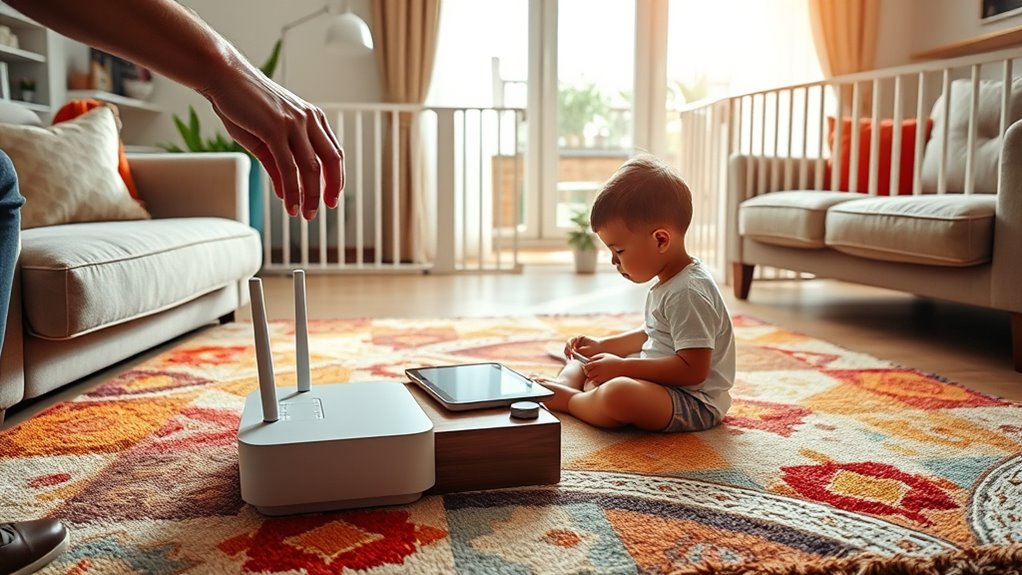
Creating a safe home environment for your children is vital in today’s digital age. With so much of their lives taking place online, it’s your responsibility to set boundaries that protect them from potential harm while allowing them to explore and learn. One of the most effective ways to do this is through screen time management. Setting clear limits on how much time your child spends on devices helps prevent excessive screen use, which can impact their physical health, sleep patterns, and overall well-being. You might establish specific hours for device use, such as after homework and chores are done, and enforce “tech-free” zones in certain parts of your home, like the dining room or bedrooms. This encourages healthier habits and guarantees your child isn’t glued to screens all day.
Set clear screen time limits and create tech-free zones to promote healthier habits and safety at home.
In addition to managing screen time, online activity monitoring plays an essential role in safeguarding your child. Monitoring tools and parental controls give you insight into what your child is doing online, who they’re interacting with, and what content they’re accessing. You don’t need to invade their privacy excessively, but having a clear understanding helps you intervene if they encounter inappropriate content or risky behavior. It’s important to have open conversations with your children about online safety, so they understand that monitoring isn’t about spying but about protecting them. Use parental control apps or built-in device features to filter out harmful websites, restrict access to certain apps, and set time limits. Regularly reviewing activity logs allows you to stay informed without being overly invasive.
You also want to educate your kids about the importance of digital boundaries. Teach them about the dangers of sharing personal information online and the importance of privacy. Encourage them to come to you if they see something upsetting or confusing. This builds trust and helps them develop responsible online habits. Remember, technology should be a tool for learning and entertainment, not a source of danger. By actively managing screen time and monitoring online activity, you create a safer digital environment where your children can grow, explore, and develop healthy habits.
Ultimately, establishing clear rules and consistent routines around device use shows your children that their safety is a priority. Be proactive, stay involved, and foster open communication. This way, you’re not only protecting them today but also teaching them lifelong skills to navigate the digital world responsibly. Creating this balanced approach isn’t always easy, but it’s vital for their safety, development, and peace of mind.

Raysfung 10 X 10ft Hardtop Gazebo, Galvanized Steel Double Roof Gazebo with Nettings and Curtain Outdoor Aluminum Frame Vertical Stripes Roof Permanent for Patio, Backyard, Lawns
DOUBLE VENTED HARDTOP DESIGN: (Please do not use in strong wind and clear the snow promptly.)The double-vented hardtop...
As an affiliate, we earn on qualifying purchases.
Frequently Asked Questions
How Do I Monitor My Child’s Online Activity Secretly?
You can use hidden monitoring tools or stealth tracking apps to keep an eye on your child’s online activity secretly. Install these apps discreetly on their devices, ensuring they run in the background without their knowledge. Regularly check the app’s logs or reports to see what your child is doing online. Just remember, balancing trust and supervision is key to maintaining a healthy relationship while keeping them safe.
What Are the Best Parental Control Apps for Teenagers?
Imagine having a superpower that keeps your teenager safe online—parental control apps like Bark, Qustodio, and Norton Family do just that. They excel at screen time management and social media monitoring, helping you set limits and spot potential dangers. These apps give you peace of mind, letting you guide your teen’s digital life without constant oversight, ensuring they stay safe while exploring the online world.
How Can I Prevent My Child From Uninstalling Parental Controls?
You can prevent your child from uninstalling parental controls by setting device restrictions and enabling password protection. Use a strong, unique password that your child doesn’t know, and keep it confidential. Activate restrictions on settings or app removal, making it difficult for them to access or modify. Regularly check the device to guarantee controls stay in place, and consider using apps that lock settings to maintain consistent protection.
Are There Parental Controls for Gaming Consoles?
Yes, gaming consoles offer parental controls to help you manage gaming restrictions and guarantee console safety. You can set restrictions on game ratings, limit playtime, and restrict online interactions. These controls help you monitor what your child accesses and prevent unapproved content. Most consoles, like PlayStation, Xbox, and Nintendo Switch, have customizable parental control settings accessible through their menus or companion apps, giving you peace of mind while your child plays.
How Do I Set Age-Appropriate Content Filters Effectively?
To set age-appropriate content filters effectively, start with content filter setup on your devices or online platforms. Adjust the settings to block mature content and enable safe browsing modes. Regularly review and update these filters to match your child’s age and maturity level. Encourage open conversations about online safety, and use parental control tools to restrict access to inappropriate sites, ensuring age-appropriate browsing at all times.

SURAIELEC WiFi Pool Timer, Outdoor Indoor Smart Switch, 40 AMP, 2HP, 120, 240, 277 VAC, Heavy Duty Pool Controller Light Timer Box for Pool Pump, Water Heater, Spa, Powerful Electrical Appliances
Heavy Duty 40 AMP Pool Timer Switch: 1HP, 120 VAC; 2HP, 240VAC; Control high-power devices like pool filter...
As an affiliate, we earn on qualifying purchases.
Conclusion
By setting gentle boundaries and using parental controls thoughtfully, you create a cozy space where your child can explore safely. Think of these measures as nurturing gardens, guiding their growth while allowing curiosity to blossom. With a caring touch, you help your little one develop healthy habits and confidence, knowing they’re protected. Remember, your attentive presence is the most comforting shield—making their journey into the digital world both safe and joyful.
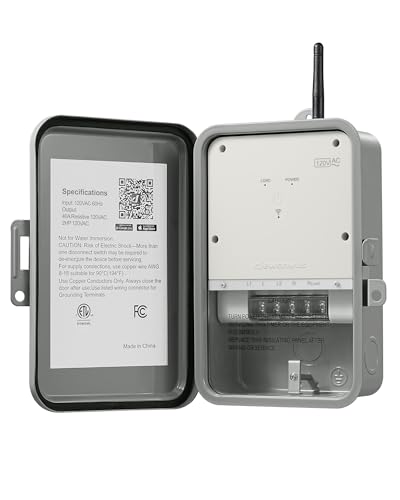
DEWENWILS Pool Pump Timer, Outdoor Smart WiFi Box, Heavy Duty 40A 120VAC 2HP Wireless Controller Timer for Pool, Water Heater, Compatible with Smart Phone, Alexa, Google Assistant, ETL Listed
[Versatile Timer Function] This WiFi pool pump timer can turn your devices on/off automatically at scheduled times with...
As an affiliate, we earn on qualifying purchases.
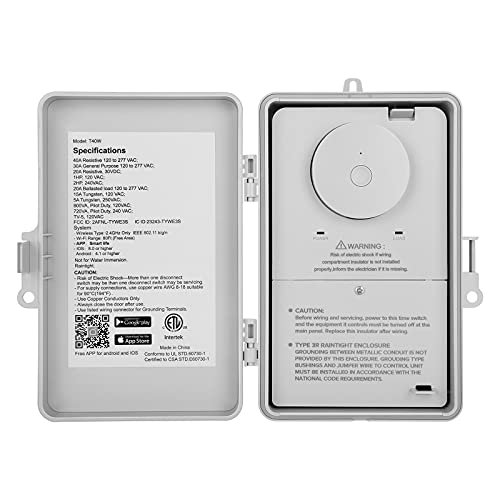
SURAIELEC WiFi Pool Timer, 40 AMP, 1HP 120V, 2HP 240V, Outdoor Indoor Smart Switch, Heavy Duty Pool Controller Light Timer Box for Pump, Water Heater, Spa, Powerful Electrical Appliances
Heavy Duty 40 AMP Pool Timer Switch: 1HP, 120 VAC; 2HP, 240VAC; Control high-power devices like pool filter...
As an affiliate, we earn on qualifying purchases.