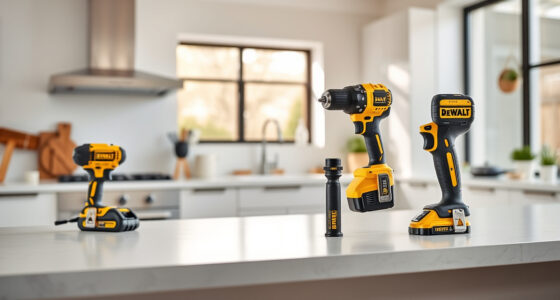
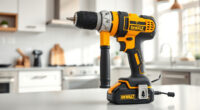
Getting started with your new DEWALT power tools can seem daunting, but with a clear setup process, you’ll be ready to tackle projects efficiently and safely. This guide walks you through the essential steps to set up your DEWALT 20V MAX Cordless Drill Driver Set, along with tips to ensure optimal performance and safety.

Get garden gear delivered free with Prime
- Fast, free delivery on millions of items
- Prime Video, Amazon Music and more included
- Member-only deals all year
Whether you’re a DIY enthusiast or a professional, proper setup guarantees safety, extends the lifespan of your tools, and improves your overall work experience. Let’s dive into the practical, step-by-step process to get your DEWALT tools ready for action.
Key Takeaways
| Safety first | Always wear safety gear and follow manufacturer instructions. |
| Battery preparation | Ensure batteries are fully charged and properly installed. |
| Chuck setup | Securely tighten the drill bit or accessory using the keyless chuck. |
| Tool inspection | Check for any damage or debris before use. |
| Testing | Test the drill in a safe environment before starting your project. |
Gather Your Tools and Accessories
Before beginning setup, gather all necessary items: your DEWALT 20V MAX Cordless Drill Driver Set, a compatible drill bit set, a fully charged battery, and your charger. Make sure your workspace is clean, well-lit, and free of obstructions. Wear safety glasses and gloves if recommended, especially if working with metal or wood.
Charge and Insert the Battery
- Remove the battery from the charger or packaging. If it’s new, it may be partially charged, but it’s best to fully charge it for optimal performance.
- Connect the battery to the DEWALT charger, and wait until the LED indicator signals a full charge (usually a green light).
- Once charged, insert the battery into the drill by aligning the contacts and pressing it firmly until it clicks into place. Ensure it is securely installed to prevent power loss during operation.
Install Your Drill Bit or Accessory
Choose an appropriate drill bit from your set, such as the DEWALT Drill Bit Set with a 135-degree split point tip, suitable for plastic, wood, and metal. Insert the shank into the drill’s keyless chuck:
- Turn the chuck counterclockwise to open it.
- Insert the shank of the drill bit fully into the chuck.
- Turn the chuck clockwise to tighten, ensuring the bit is held securely. Use the chuck’s sleeve to tighten more if needed, and make sure it’s firm to prevent slipping during use.
Perform a Safety Check and Test Run
Inspect the drill for any visible damage, loose parts, or debris. Confirm the battery is properly installed. Before starting your project, do a quick test:
- Hold the trigger and observe the LED light functionality.
- Test the drill on a scrap piece of material to ensure proper operation and that the bit is secure.
- Adjust the speed setting if necessary, especially for different materials or tasks.
Begin Your Project with Caution
Start drilling slowly to gauge the tool’s response. Keep your hands steady and maintain proper posture to control the drill. Remember to wear safety glasses, and avoid loose clothing or jewelry that could get caught. Always unplug or remove the battery when changing bits or performing maintenance.
The Products in This Guide

DEWALT 20V MAX Cordless Drill Driver Set
- ✔ Length: 7.6 inches
- ✔ Trigger Type: Variable speed
- ✔ Speed Range: 0-450/1500 RPM

DEWALT Drill Bit Set
- ✔ Length: Varies
- ✔ Tip Angle: 135°
- ✔ Shank: 3-Flats
DEWALT 20V MAX Cordless Drill Driver Set
The DEWALT 20V MAX Cordless Drill Driver Set offers a powerful, lightweight, and ergonomic solution for both professional and DIY projects. Its brushless motor delivers more run time, and the LED light enhances visibility in dim spaces. With a 2-speed transmission and 1/2 inch ratcheting chuck, it’s versatile enough for a wide range of applications.
Pros:
- Lightweight and compact design
- Long-lasting brushless motor
- LED work light for visibility
- 2-speed transmission for control
- Includes 2.0 Ah battery and charger
Cons:
- Limited to 1/2 inch chuck size
- Battery life varies with load
- No additional drill bits included
Best for: General-purpose drilling, fastening, and home improvement projects
Not ideal for: Heavy-duty industrial tasks or large hole drilling
Bottom line: A reliable, versatile drill that’s perfect for various general tasks.
DEWALT Drill Bit Set
This DEWALT Drill Bit Set complements your drill perfectly, offering durable, rust-resistant bits suitable for plastic, wood, and metal. The 135-degree split point reduces walking, making your drilling more precise and efficient.
Pros:
- Durable High-Speed Steel
- Resists Rust and Wear
- Easy size identification
- Includes a variety of sizes
Cons:
- No specialized bits for masonry
- Bits may be overkill for very light tasks
- Requires proper storage
Best for: General-purpose drilling into various materials
Not ideal for: Heavy-duty masonry or concrete drilling
Bottom line: A versatile and durable drill bit set ideal for most household and professional tasks.
Frequently Asked Questions
How do I properly charge my DEWALT battery?
Remove the battery from the tool, connect it to the DEWALT charger, and wait until the LED indicator shows a full charge, usually green. Always use the recommended charger for safety and optimal charging.
Can I use other brands of drill bits with my DEWALT drill?
Yes, as long as they fit the 1/2 inch chuck size. However, for best performance and durability, DEWALT bits are recommended.
How do I change the drill bit on my DEWALT drill?
Hold the chuck sleeve and turn counterclockwise to open it. Insert the new bit fully, then turn the sleeve clockwise to tighten securely. Ensure the bit is fixed before using.
What should I do if my drill isn’t turning on?
Check if the battery is properly installed and fully charged. Inspect for any damage or debris in the chuck. If issues persist, consult the troubleshooting section of the user manual or contact DEWALT support.
How do I maintain my DEWALT drill for longevity?
Keep it clean and free of dust, regularly check for loose parts, and store it in a dry place. Use the correct accessories and avoid overloading the tool.
Getting the Most from Your DEWALT Power Tools
Proper setup and maintenance are key to ensuring your DEWALT power tools perform reliably for years to come. By following the step-by-step setup process, using quality accessories, and adhering to safety guidelines, you’ll maximize your tools’ lifespan and get the best results on every project.
Remember, always prioritize safety and consult the user manual for specific instructions related to your model. With a little care and attention, your DEWALT tools will be your dependable partners in all your DIY and professional projects.
Affiliate disclosure: As an Amazon Associate we earn from qualifying purchases. Prices and availability are accurate as of the time of publishing.
Halloween Picks

Haunted Hill Farm 4.6‑Ft Head‑Spinning Beatrix Halloween Animatronic Prop

Govee Outdoor Halloween Projector Light, 3D Dynamic Visual Holiday Decor

11.2-Foot Halloween Inflatable Pumpkin with LED Lights
As an affiliate, we earn on qualifying purchases.