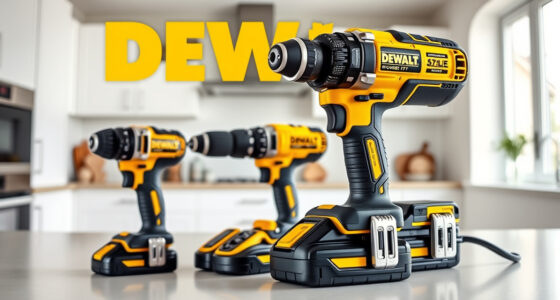
If your DEWALT power tool, such as the 20V MAX Cordless Drill and Impact Driver, keeps overheating during use, it can be frustrating and may even cause damage to the tool. Overheating often results from prolonged use, insufficient cooling, or internal electrical issues. Fortunately, many overheating problems can be resolved with proper troubleshooting and maintenance. This guide walks you through the essential steps to diagnose and fix overheating, ensuring your DEWALT tool runs smoothly and safely for your projects.

Get garden gear delivered free with Prime
- Fast, free delivery on millions of items
- Prime Video, Amazon Music and more included
- Member-only deals all year
Before diving into repairs, always prioritize safety: disconnect the tool from the battery or power source, wear protective gear, and work in a well-ventilated area. Follow each step carefully and consult the manufacturer’s warranty terms if your tool is under coverage.
Key Takeaways
| Overheating Causes | Prolonged use, poor ventilation, or internal faults. |
| Cooling Tips | Allow the tool to cool down between uses and keep vents clean. |
| Battery Management | Use fully charged batteries and avoid high-drain tasks. |
| Maintenance | Regularly clean vents and check for damaged parts. |
| Professional Help | Seek service if overheating persists after troubleshooting. |
Step 1: Disconnect and Cool Down the Tool
- Immediately turn off the tool and remove the battery to prevent further heat buildup.
- Place the tool in a cool, dry area to allow it to cool naturally. Avoid exposing it to direct sunlight or heat sources.
- Wait at least 30 minutes before inspecting or attempting any further troubleshooting.
Step 2: Clean Vents and Check for Blockages
Over time, dust, debris, and sawdust can clog the ventilation openings, trapping heat inside. Use compressed air or a soft brush to carefully clean all air vents on the tool. Ensure no debris remains that could impede airflow.
Inspect the vents for any damage or cracks. Damaged vents should be replaced to maintain proper cooling.
Step 3: Inspect and Manage the Battery
- Ensure you are using batteries that are fully charged, as low or faulty batteries can cause the tool to overheat during high current draw.
- Remove the battery and check for signs of swelling, corrosion, or damage. Replace if necessary.
- Use the 20V MAX 5 Ah Lithium-Ion Battery 2-Pack for consistent performance and better heat management.
Step 4: Reduce Load and Use Proper Technique
Prolonged or excessive force during drilling or driving creates heat. Use the tool at moderate speeds and avoid forcing it through tough materials. Take breaks during extended use to allow cooling.
If you’re working on a high-resistance material, consider switching to a lower setting or a different bit designed for that material to reduce strain and heat generation.
Step 5: Perform Regular Maintenance and Check Internal Components
Regular maintenance extends your tool’s lifespan. Check for worn or damaged brushes, which can cause electrical faults leading to overheating. If you’re comfortable, replace brushes or have a professional do it.
Keep internal components clean and free of dust. If overheating persists despite these steps, consider professional servicing to inspect the motor and internal wiring.
Additional Tips and Warnings
- Never operate the tool continuously for extended periods beyond recommended duty cycles.
- Always use genuine DEWALT batteries and accessories to ensure compatibility and safety.
- Be cautious when cleaning internal parts—if unsure, seek professional help.
- If the tool continues to overheat after troubleshooting, avoid further use until inspected by a qualified technician.
The Products in This Guide

DEWALT 20V MAX Cordless Drill and Impact Driver
- ✔ Battery Capacity: 5 Ah
- ✔ Tool Length: 7.6 inches
- ✔ Warranty: 3 years

DEWALT Drill Bit Set
- ✔ Number of bits: 14
- ✔ Tip design: Split point
- ✔ Coating: Rust-resistant
DEWALT 20V MAX Cordless Drill and Impact Driver
The DEWALT 20V MAX Cordless Drill and Impact Driver set is a versatile, compact tool ideal for various projects. If overheating occurs, following proper troubleshooting steps can restore safe operation and extend its lifespan.
Pros:
- Lightweight and ergonomic design
- Includes 2 batteries for longer work sessions
- Bright LED for visibility in dark spaces
- Variable speed control for precision
Cons:
- Overheating can occur with prolonged use
- Vents may clog if not maintained
- Battery management is crucial
Best for: Home improvement, DIY projects, and light to medium professional use
Not ideal for: Heavy-duty industrial tasks or continuous high-load operations
Bottom line: A reliable, versatile cordless drill set that benefits from proper maintenance to prevent overheating.
DEWALT Drill Bit Set
Pair your DEWALT drill with this 14-piece drill bit set featuring a 135-degree split point tip. It’s designed to reduce walking and resist breakage, making it ideal for various materials and prolonged use.
Pros:
- Durable High-Speed Steel construction
- Reduces walking during drilling
- Includes a variety of sizes
- Rust-resistant coating
Cons:
- Requires compatible drill chuck
- Not suitable for heavy industrial use
- Limited to drilling tasks, not cutting
Best for: General drilling in plastic, wood, and metal
Not ideal for: Heavy-duty or high-precision machining
Bottom line: A versatile and durable drill bit set enhances your DEWALT drill’s performance.
Frequently Asked Questions
Why does my DEWALT drill overheat so quickly?
Overheating can be caused by prolonged use without breaks, clogged vents, low-quality batteries, or operating on high load for extended periods. Regular maintenance and proper technique can prevent this.
How long should I wait before using my overheated DEWALT tool again?
Allow at least 30 minutes for the tool to cool down completely. Avoid using it while still hot to prevent damage.
Can I fix overheating issues myself?
Yes, many issues like cleaning vents, managing load, and replacing batteries can be addressed at home. However, internal electrical faults or motor problems should be handled by professionals.
What maintenance can prevent overheating?
Regularly clean air vents, inspect batteries and internal parts, avoid continuous operation, and use the correct accessories and settings for your project.
When should I seek professional repair?
If overheating persists after troubleshooting, or if internal components like brushes or wiring are damaged, it’s best to have a qualified technician inspect and repair your tool.
Keeping Your DEWALT Power Tool Cool and Efficient
Proper maintenance and cautious use are key to preventing overheating of your DEWALT power tools. By following the steps outlined above—such as cleaning vents, managing load, and ensuring good battery health—you can extend your tool’s lifespan and maintain optimal performance. Remember, safety always comes first; never operate a tool that is excessively hot or damaged. Regular check-ups and mindful operation will ensure your DEWALT tools serve you reliably for years to come.
Affiliate disclosure: As an Amazon Associate we earn from qualifying purchases. Prices and availability are accurate as of the time of publishing.
Halloween Picks

Max Fun 10-Foot Halloween Dragon and Pumpkin Inflatable Archway with LED Lights

Panefright Halloween Window Projector – Scary Projector for Spooky Decor

Kalolary 12ft Halloween Witch Haunted House Inflatable Archway
As an affiliate, we earn on qualifying purchases.