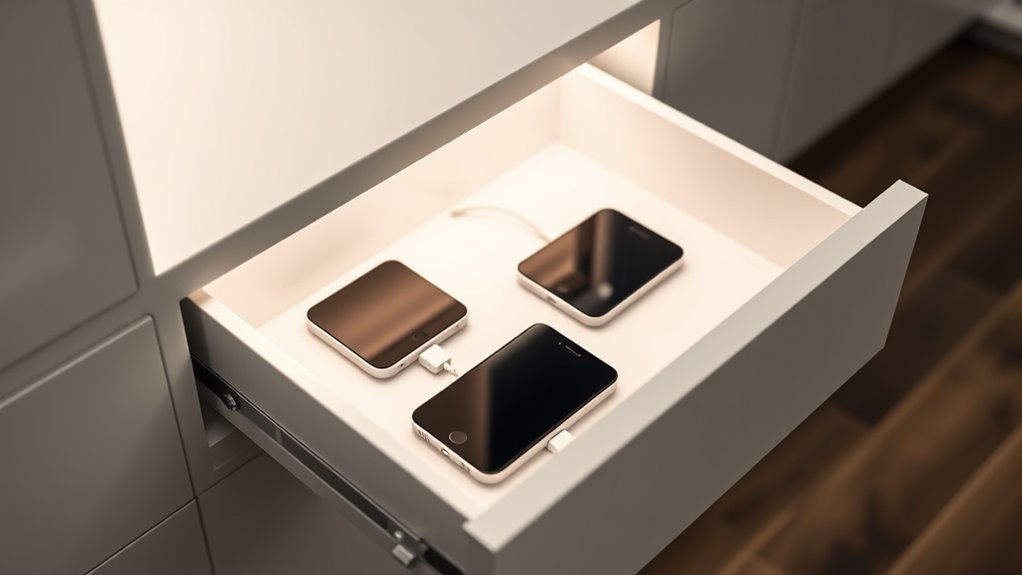

To build a minimal charging station drawer, choose a deep, clutter-free drawer that fits your space. Use cable clips and sleeves to keep wires neat, routing them along the back or sides. Install a power strip inside or nearby, ensuring it has enough outlets without overloading. Label cables for quick identification and opt for short or custom-length cords. Maintain your setup regularly for a sleek, functional look—continue exploring for more tips.

Get garden gear delivered free with Prime
- Fast, free delivery on millions of items
- Prime Video, Amazon Music and more included
- Member-only deals all year
Key Takeaways
- Choose a deep, minimal drawer that fits your devices and complements your space.
- Install a power strip inside or near the drawer with enough outlets for all gadgets.
- Use cable clips, sleeves, and labels to route and organize cords neatly and efficiently.
- Keep cables short and hidden to maintain a clean, clutter-free appearance.
- Regularly maintain and adjust the setup for optimal organization and aesthetic appeal.

Creating a minimal charging station drawer is an easy way to organize your devices and keep your space tidy. When you set up your drawer, the goal is to create a sleek, clutter-free area where all your gadgets can charge efficiently without tangling cords or wasting space. To do this effectively, you need good cable management and strategic power outlet placement. These elements are key to ensuring your charging station remains both functional and visually clean.
Start by choosing a drawer that’s deep enough to hold your devices comfortably. Clear out any clutter beforehand so you can focus on creating a dedicated space for charging. When planning your cable management, consider using simple solutions like cable clips, adhesive cord organizers, or even a cable sleeve. These tools help route wires neatly along the sides or back of the drawer, preventing them from tangling or cluttering the surface. Instead of letting cords hang loosely, guide them through designated paths so that they stay out of sight and free from stress or damage. Proper cable management not only keeps your drawer tidy but also extends the lifespan of your cables and devices.
Choose a deep drawer and use cable clips or sleeves to keep cords organized and out of sight.
Next, think about power outlet placement. If your drawer is inside a desk or near a wall socket, check whether existing outlets are conveniently located. If they’re far away, consider installing a power strip inside the drawer or nearby, ensuring it’s rated for the devices you plan to charge. When placing the power source, position it at the back or along the sides of the drawer to minimize visible cords and prevent clutter on the surface. This placement allows you to connect multiple devices easily and keeps cords out of sight, contributing to a minimal aesthetic. Also, make sure that the power outlet or strip has enough outlets to accommodate all your devices without overloading.
To enhance the minimal look, use short charging cables or even custom-length cords that fit perfectly inside the drawer. This reduces excess slack and keeps everything streamlined. Labeling each cable can also help you quickly identify devices, especially if you have several gadgets charging at once. Remember, the key to a successful minimal charging station drawer is balancing accessibility with a clean setup. Regularly check the cables and outlets to ensure everything remains organized and safe. Incorporating wall organization systems can further optimize space and keep cables neatly arranged.
With some thoughtful cable management and strategic outlet placement, your charging drawer becomes a sleek, efficient hub that keeps your devices powered and your space organized. It’s a simple upgrade that makes a big difference in how tidy and functional your area feels every day.
Frequently Asked Questions
What Tools Are Needed for Building the Drawer?
You’ll need a screwdriver to select the right screws for assembling your drawer, ensuring they hold securely. A drill can speed up screw insertion, especially if you’re working with multiple pieces. For a polished look, use finishing techniques like sanding and applying a varnish or paint. Having a measuring tape and square will help with precise alignment. These tools make building your minimal charging station drawer straightforward and professional.
Can I Customize the Drawer Size?
Yes, you can customize the drawer size. You should specify your desired dimensions when planning your project, allowing for custom drawer dimensions that fit your space perfectly. Consider adjustable compartment sizes to accommodate various devices and accessories. Using versatile materials and modular components makes customization easier, giving you the flexibility to tailor the drawer’s size and internal layout to meet your specific needs.
What Materials Are Best for Durability?
Durability demands depend on durable materials that deliver long-lasting components. Opt for hardwoods like oak or maple for strength and resilience, or consider metal options like steel for superior sturdiness. Plastic can be suitable if reinforced, but it often lacks the longevity of natural or metal materials. You should prioritize high-quality, durable materials that withstand daily use, ensuring your charging station remains functional and attractive for years to come.
How Long Does the Project Typically Take?
The project timeline varies based on your skill level, but you can typically complete a minimal charging station drawer in about 4 to 6 hours. If you’re experienced, it might take less time, while beginners should allow extra time for precision and troubleshooting. Keep in mind that your skill level influences how smoothly the project goes, so plan accordingly and take your time to guarantee a quality build.
Is There a Recommended Cable Management System?
Think of wire management like a well-tended garden, where everything stays neat and thriving. You should use cable organizers like clips, sleeves, or small trays to keep your cables tidy. Implementing cable organization helps prevent tangles and makes accessing devices quick. For a minimalist charging station drawer, choose simple, unobtrusive solutions that blend seamlessly, ensuring your workspace remains clean and efficient without clutter choking your setup.
Conclusion
Now, with your minimal charging station drawer, you’ve created a sleek, organized oasis for your devices—like a calm harbor amidst a storm of clutter. It’s simple, functional, and stylish, turning chaos into order with just a few thoughtful touches. Imagine your space as a well-tuned symphony, each cable and device harmonizing effortlessly. With this project, you’ve crafted more than a drawer—you’ve built a sanctuary where your gadgets rest peacefully, ready to serve at a moment’s notice.
Halloween Picks
halloween
As an affiliate, we earn on qualifying purchases.