If your DEWALT power tool isn’t charging properly, it can be frustrating and disrupt your work. Common issues often relate to the battery or charger, but with some careful troubleshooting, you can often resolve the problem yourself. This guide provides clear, safe steps to diagnose and fix charging problems for your DEWALT 20V MAX tools.

Get garden gear delivered free — and shop member deals
- Fast, free delivery on millions of items
- Access to Prime Big Deal Days deals on October 6–7
- Prime Video, Amazon Music and more included
Follow these instructions systematically to identify the cause and get your power tool back in action efficiently.
Key Takeaways
| Battery health | Poor battery condition can prevent charging; consider testing or replacing it. |
| Charger connection | Ensure the charger and power outlet are working properly. |
| Battery contacts | Dirty or corroded contacts can hinder charging; clean them carefully. |
| Overheating | Battery or charger overheating can temporarily stop charging; allow cooling. |
| Faulty charger or battery | Replacement may be necessary if hardware is defective. |
Step 1: Check the Power Source
- Ensure the outlet is functioning by plugging in another device.
- Verify the charger is properly connected to the power outlet.
- Test the charger with a different outlet if possible.
Step 2: Inspect the Charger and Battery
- Look for any visible damage or debris on the charger port and battery contacts.
- Clean contacts gently with a dry cloth or a soft brush to remove dirt or corrosion.
- Check if the charger LED indicators show normal operation (refer to your model’s manual).
Step 3: Test the Battery
If possible, try charging a different compatible battery to see if the issue persists. Conversely, test your battery in another DEWALT charger if available. If the battery doesn’t charge in multiple chargers, it may be faulty and require replacement.
Step 4: Allow the Battery and Charger to Cool
If either component feels hot, unplug and let them cool down for at least 30 minutes before trying again. Overheating can temporarily disable charging functions.
Step 5: Consider Battery Replacement
If your battery is old or has been heavily used, it might not hold a charge anymore. Replacing with a new DEWALT 20V MAX Lithium-Ion Battery (such as the 5.0 Ah model) can restore charging capability and extend your tool’s runtime.
The Products in This Guide

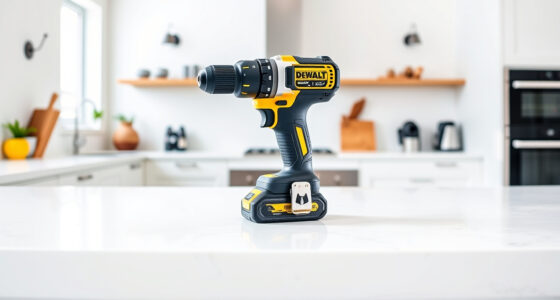
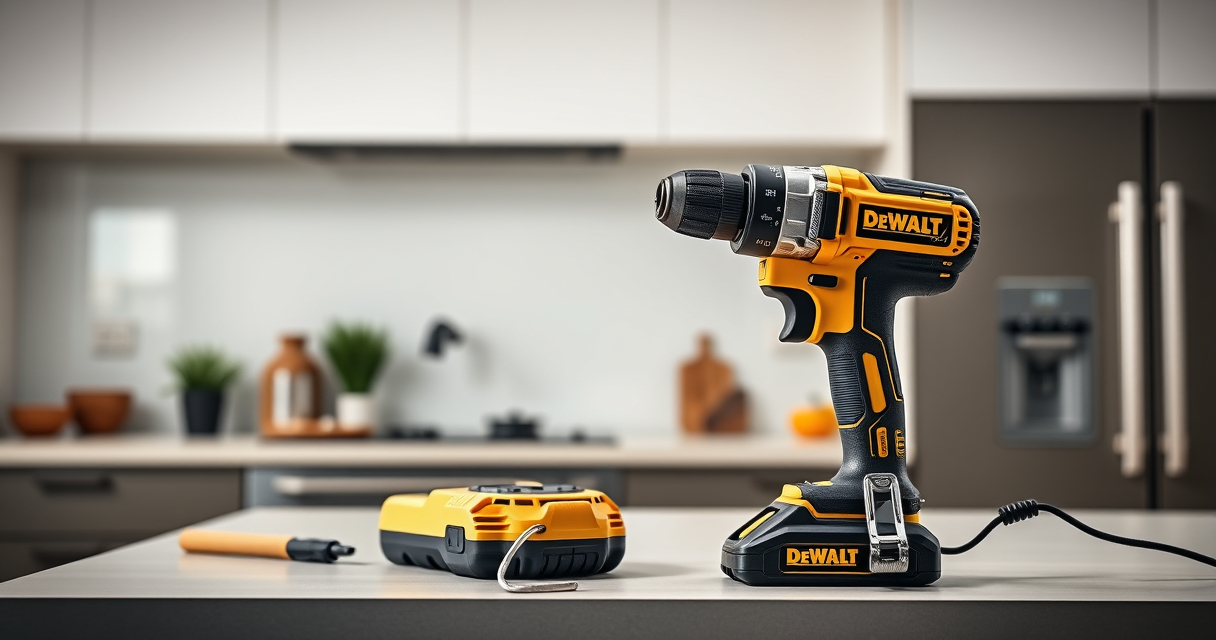
DEWALT 20V MAX Cordless Drill Driver Set
- ✔ Weight: 3.4 lbs
- ✔ Chuck size: 1/2 inch
- ✔ Speed options: 2-speed

DEWALT Drill Bit Set
- ✔ Number of pieces: 14
- ✔ Tip design: Split point
- ✔ Color coating: Black and gold
DEWALT 20V MAX Cordless Drill Driver Set
The DEWALT 20V MAX Cordless Drill Driver Set offers a compact, lightweight design with a brushless motor that delivers more run time. Its 2-speed transmission and LED light make it versatile for various tasks, making it a dependable choice for DIYers and professionals alike.
Pros:
- Brushless motor for efficiency
- Lightweight and ergonomic design
- LED light for visibility
- Includes 2.0 Ah battery and charger
Cons:
- Battery capacity may limit continuous use
- Charging issues can arise if contacts are dirty
- Not ideal for heavy-duty industrial use
Best for: General-purpose drilling and fastening in tight spaces
Not ideal for: Heavy-duty industrial applications or prolonged use without battery replacement
Bottom line: A versatile, reliable cordless drill perfect for most household and professional tasks.
DEWALT Drill Bit Set
The DEWALT Drill Bit Set with 135-degree split point tips offers durability and precision across a range of materials. Its high-speed steel construction and anti-rust coating make it a reliable addition to your toolkit.
Pros:
- Wide range of sizes
- Split point design reduces walking
- Rust-resistant coating
- Suitable for plastic, wood, and metal
Cons:
- May be overkill for very light tasks
- Limited to drilling rather than heavy impact applications
Best for: General drilling tasks in various materials
Not ideal for: Heavy-duty hammer drilling or industrial use
Bottom line: A versatile drill bit set that enhances drilling accuracy and durability.
Frequently Asked Questions
Why isn’t my DEWALT battery charging?
Common causes include dirty contacts, overheating, a faulty charger, or a worn-out battery. Follow the troubleshooting steps to identify the issue.
How do I clean the battery contacts?
Use a dry cloth or a soft brush to gently remove dirt or corrosion from the contacts. Avoid using liquids or abrasive materials.
Can I leave my battery on the charger overnight?
Yes, DEWALT chargers are designed to prevent overcharging, but it’s best to disconnect after the battery is fully charged to preserve battery life.
When should I replace my DEWALT battery?
If the battery no longer holds a charge or shows signs of damage or corrosion, replacing it with a new compatible battery will restore performance.
Keeping Your DEWALT Power Tools Charging Ready
Proper maintenance and troubleshooting can resolve most charging issues with your DEWALT power tools. Regularly inspecting contacts, avoiding overheating, and replacing aging batteries will keep your tools performing at their best. If problems persist after troubleshooting, replacing the battery or charger may be the most practical solution to ensure continued productivity.
Affiliate disclosure: As an Amazon Associate we earn from qualifying purchases. Prices and availability are accurate as of the time of publishing.
Fall Picks
fall essentials
As an affiliate, we earn on qualifying purchases.