
TL;DR

Get garden gear delivered free — and shop member deals
- Fast, free delivery on millions of items
- Access to Prime Big Deal Days deals on October 6–7
- Prime Video, Amazon Music and more included
The build-vs-buy debate for AI workstations has shifted. Today, prebuilt systems often match or beat DIY on cost and speed thanks to component shortages and bulk buying, but building offers deep customization and control. Choose based on your priorities and workload.
Imagine cracking open your new AI workstation and feeling that rush of anticipation — but then realizing it took weeks to source parts, troubleshoot compatibility, and tune everything just right. Now, ask yourself: is building that machine really worth the hassle, or is a prebuilt just as good — if not better?
With AI workloads booming and hardware shortages persisting, the old rule that building is always cheaper is breaking apart. In 2026, many prebuilt systems come with validation, warranties, and optimized thermal management baked in — often at a comparable or lower price than DIY. This shift makes the decision far more nuanced.
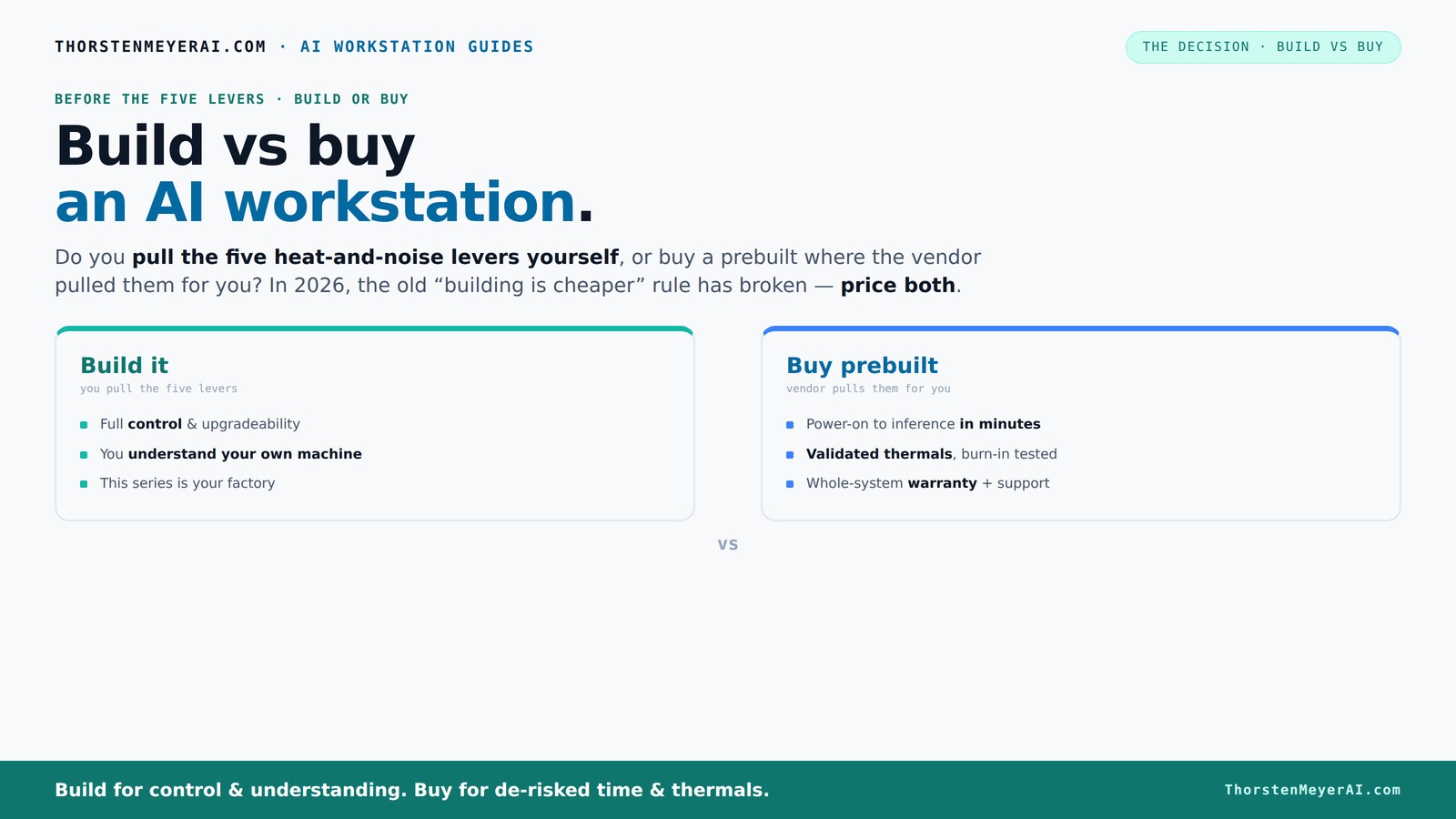
This guide dives into the real-world tradeoffs, helping you figure out whether to pull the levers yourself or hand the wheel to a vendor. We’ll explore cost, performance, support, and upgradeability — all through the lens of what your workload truly demands.Build vs buy
an AI workstation.
The real question behind this whole series: do you pull the five heat-and-noise levers yourself, or buy a prebuilt where the vendor pulled them for you? And in 2026, the old “building is cheaper” rule has broken. Match your situation in Part 3.
Key Takeaways
- Component shortages and bulk buying in 2026 often make prebuilt AI workstations cost as much or less than DIY builds.
- Prebuilts save time with plug-and-play setup, validated thermals, and comprehensive support, reducing operational risks.
- Building your own system offers deeper customization, upgrade paths, and long-term control, but requires time, expertise, and effort.
- Support and warranties are critical — vendors like Lambda provide extensive coverage, while DIY shifts that risk to you.
- Decide based on your workload, technical skill, and how much control or speed you need.
As an affiliate, we earn on qualifying purchases.
Why the old rule 'build is cheaper' no longer applies in 2026
Building your own AI workstation used to be the cheap, cheerful choice. But recent years changed the game. Component shortages and high demand for GPUs, RAM, and SSDs have driven prices up — sometimes by over 20% — making DIY more expensive than ever before.
For example, a typical high-end GPU like the NVIDIA RTX 4090 used to cost around $1,300. Today, it often sells for $1,700 or more due to scarcity. Meanwhile, large vendors bought these parts in bulk early on, allowing them to offer systems at prices that are hard to beat — sometimes even under the cost of individual parts.
So, the common wisdom that building your own machine saves money is breaking down. Now, it’s essential to compare costs for your exact configuration, factoring in not just parts but also the time, troubleshooting, and potential delays involved. The implications are significant: what once was a straightforward cost-saving measure now involves weighing the value of your time and the certainty of delivery against potential savings. The tradeoff becomes less about initial expense and more about overall efficiency and risk management.
The heat and noise control: who pulls the levers?
Thermal management in AI workstations is a puzzle. A powerful GPU under load can sound like a jet engine, and excess heat can throttle performance. The key question: do you pull the levers yourself or rely on the vendor to do it for you?
Buy a prebuilt → the vendor handles all the thermal tuning, fan curves, and cooling solutions. Many top-tier manufacturers run extensive burn-in testing, ensuring your system stays cool and quiet under load. For example, BIZON advertises systems engineered for "up to 30% lower noise and temperature," validated before shipping. This means that the vendor’s engineers have optimized the thermal design for maximum efficiency, reducing the need for you to tweak or troubleshoot cooling issues later. It’s a tradeoff: you gain convenience and reliability but lose some granular control.
Build it yourself → you choose your fans, coolers, and airflow setup. You learn how to undervolt GPUs (like this guide on undervolt GPU) and optimize case airflow (see recommended cases), giving you full control. This approach allows you to fine-tune your system for optimal noise levels and thermal performance tailored to your specific workload and environment. However, it requires a deeper understanding of thermal dynamics, and missteps can lead to overheating or excessive noise, which could negate the benefits of customization. The implication is that thermal management is a critical factor that influences system stability, longevity, and user experience—deciding whether you want to delegate this to experts or take it on yourself.
Defining Your Priorities: Build or Buy?
Before making your decision, it's crucial to evaluate what matters most for your workload and operational needs. Use this simple framework:
- Speed and convenience: If getting up and running quickly is your priority, prebuilt systems are your best bet. They come pre-validated, tested, and ready to deploy, saving you days or weeks of assembly and troubleshooting.
- Cost efficiency over time: While initial costs are important, consider total cost of ownership. If you’re comfortable with assembling and maintaining your system, DIY could save money in the long run, especially if you plan to upgrade components over time.
- Control and customization: Do you need a system tailored to very specific workloads or future expansion? Building offers granular control over components, airflow, cooling, and software configuration.
- Support and warranty: Consider the reliability of support. Vendors like Lambda and BIZON offer extensive warranties and support, which can be invaluable for mission-critical workloads. DIY shifts the support burden onto you or your team.
Frequently Asked Questions
Is a prebuilt AI workstation worth it?
Yes. If you need quick deployment, reliable support, and validated thermal performance, a prebuilt is often the best choice. It reduces hassle and risk, especially for time-sensitive projects.
Is it cheaper to build or buy for AI workloads?
It’s not always cheaper anymore. Due to component shortages and bulk buying, prebuilts often match or beat DIY costs in 2026. Always compare prices for your specific config before deciding.
What performance do I lose by buying prebuilt?
In most cases, you don’t lose performance if the vendor validates thermal management and cooling. But DIY can offer marginal gains if you fine-tune your system — at the cost of time and effort.
How much time do I save by buying instead of building?
Prebuilts are ready in minutes to hours, letting you start your AI work immediately. Building your own can take days or weeks, especially if parts are delayed or troubleshooting is needed.
Can a prebuilt workstation be upgraded later?
Yes, but limitations exist. Proprietary cases or motherboard choices can restrict upgrades. Check with the vendor if future expansion is a priority for you.
Conclusion
In 2026, the choice between building and buying an AI workstation isn’t just about price — it’s about control, speed, and risk. If time and support matter most, a prebuilt often makes smarter sense. But if you crave customization and long-term flexibility, building your own still holds appeal.
Think about what your workload demands and how much effort you want to invest. The right answer depends on your unique needs — not just market trends.
Fall Picks
fall essentials
As an affiliate, we earn on qualifying purchases.