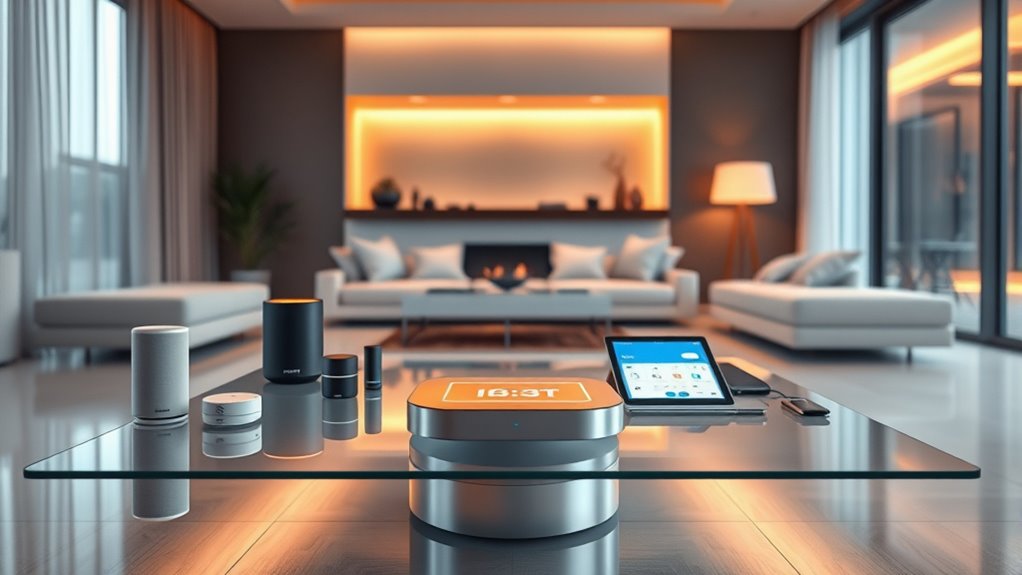

Choosing a smart hub to control your connected home involves balancing compatibility, ease of use, and advanced automation features. The Amazon Echo Hub 8” stands out for its user-friendly Alexa integration, making it ideal for beginners. For those seeking extensive device support, the Aqara Smart Home Hub M3 offers broad protocol compatibility with Matter, Zigbee, Thread, and more. However, buyers face tradeoffs between affordability, local control, and ecosystem integration. Continue reading for a detailed breakdown that helps clarify these options and identify the best fit for your home.

Get garden gear delivered free with Prime
- Fast, free delivery on millions of items
- Prime Video, Amazon Music and more included
- Member-only deals all year
Complete the kit


Key Takeaways
- Compatibility with multiple protocols like Zigbee, Z-Wave, and Thread is a key factor, with hubs like amazon.com/dp/B0CWLHSKYC?tag=homegardenglow-20&ascsubtag=dc-324111″ target=”_blank” rel=”nofollow sponsored noopener”>Aqara M3 excelling here.
- Ease of use and setup remain essential for most buyers, favoring products like Amazon Echo Hubs with integrated voice assistants.
- Local control hubs such as Hubitat Elevation prioritize privacy and reliability over cloud dependence, appealing to tech-savvy users.
- Price varies significantly; premium hubs often include advanced automation, while budget options focus on core device support.
- Ecosystem integration, especially with voice assistants and smart device brands, heavily influences user experience and choice.
| SwitchBot Hub 2 (2nd Gen) – WiFi Thermometer, Hygrometer, IR Remote, Smart Home Hub |  | Best Overall for Versatile Smart Control and Ecosystem Compatibility | Accuracy: ±1.8% RH / ±0.36°F | Connectivity: Wi-Fi (2.4GHz) | Supports: Matter, Alexa, Google Home, Apple Home | VIEW ON AMAZON | See Our Full Breakdown |
| Amazon Echo Hub 8” Smart Home Control Panel with Alexa (Refurbished) |  | Best for Centralized Touch and Voice Control with a Visual Dashboard | Display Size: 8 inches | Connectivity: WiFi, Bluetooth, Zigbee, Matter | Compatibility: Alexa-compatible devices, smart locks, thermostats, cameras | VIEW ON AMAZON | See Our Full Breakdown |
| Aqara Smart Home Hub M3 with Matter, Zigbee, Thread, Wi-Fi, PoE, IR, Apple HomeKit, Alexa, SmartThings, Home Assistant |  | Best for Multi-Protocol Compatibility and Local Automation | Protocols Supported: Zigbee, Thread, Matter | Device Capacity: 127 Zigbee, 127 Thread | Connectivity: Wi-Fi 2.4/5 GHz, PoE | VIEW ON AMAZON | See Our Full Breakdown |
| Home Assistant Green Smart Home Hub with Advanced Automation |  | Best for Customizable, Local Control and Automation | Processor: Quad-core | Storage: 32GB | RAM: 4GB | VIEW ON AMAZON | See Our Full Breakdown |
| Samsung SmartThings Hub 3rd Generation |  | Best for Broad Compatibility and Automation Ecosystem | Compatibility: Alexa, Google Home | Protocols: Zigbee, Z-Wave, Cloud to Cloud | Color: White | VIEW ON AMAZON | See Our Full Breakdown |
| Aeotec Smart Home Hub, Works as a SmartThings Hub, Z-Wave, Zigbee, Matter Gateway, Compatible with Alexa, Google Assistant, WiFi |  | Best Overall Smart Home Hub for Versatility and Protocol Support | Connectivity: Wi-Fi, Ethernet | Protocols: Z-Wave, Zigbee, Matter | Compatibility: Alexa, Google Assistant, SmartThings | VIEW ON AMAZON | See Our Full Breakdown |
| Homey Bridge | Smart Home Hub for Home Automation with Z-Wave Plus, Zigbee, Wi-Fi, BLE & Infrared |  | Best for Broad Protocol Integration and Privacy-Focused Automation | Connectivity: Z-Wave Plus, Zigbee, Wi-Fi, BLE, Infrared | Compatibility: Amazon Alexa, Google Home, Siri Shortcuts | Includes: Homey Bridge, 3 months Homey Premium | VIEW ON AMAZON | See Our Full Breakdown |
| Amazon Echo Hub (newest model), 8-inch Smart Home Control Panel with Alexa+ |  | Best for Visual Control and User-Friendly Interfaces | Display Size: 8 inches | Compatibility: Alexa, Ring, Zigbee, Matter, Sidewalk, Thread | Control Features: Device management, camera viewing, routines, security | VIEW ON AMAZON | See Our Full Breakdown |
| Philips Hue Bridge |  | Best for Dedicated Lighting Control and Automation | Unit Count: 1 | Compatibility: Works with Matter | Control Range: Remote control via internet | VIEW ON AMAZON | See Our Full Breakdown |
| Hubitat Elevation C-8 Pro Smart Home Hub – Local Control & Automation |  | Best for Privacy-Focused, Local-Only Automation | Protocols Supported: Matter 1.5, Z-Wave 800 LR, Zigbee 3.0, Bluetooth | Control Type: Local | Automation: AI-powered, rule-based | VIEW ON AMAZON | See Our Full Breakdown |
| smart hubs to control your connected home | Connectivity | Compatibility |
|---|---|---|
| SwitchBot Hub 2 | Wi-Fi (2.4GHz) | — |
| Amazon Echo Hub 8” Smart Home | WiFi, Bluetooth, Zigbee, Matter | Alexa-compatible devices, smart locks, thermostats, cameras |
| Aqara Smart Home Hub M3 with M | Wi-Fi 2.4/5 GHz, PoE | — |
| Home Assistant Green Smart Hom | USB expandability for Z-Wave, Zigbee, Thread | — |
| Samsung SmartThings Hub 3rd Ge | — | Alexa, Google Home |
| Aeotec Smart Home Hub | Wi-Fi, Ethernet | Alexa, Google Assistant, SmartThings |
| Homey Bridge | Smart Home Hub | Z-Wave Plus, Zigbee, Wi-Fi, BLE, Infrared | Amazon Alexa, Google Home, Siri Shortcuts |
| Amazon Echo Hub | — | Alexa, Ring, Zigbee, Matter, Sidewalk, Thread |
| Philips Hue Bridge | Zigbee | Works with Matter |
| Hubitat Elevation C-8 Pro Smar | — | — |
More Details on Our Top Picks
SwitchBot Hub 2 (2nd Gen) – WiFi Thermometer, Hygrometer, IR Remote, Smart Home Hub
The SwitchBot Hub 2 stands out for combining environmental monitoring with IR control, making it a highly adaptable hub for those who want a single device managing temperature, humidity, and remote appliances. Its support for Matter, Alexa, Google Home, and Apple Home broadens compatibility, especially compared to dedicated hubs like the Samsung SmartThings Hub, which relies primarily on Zigbee and Z-Wave. However, its reliance on 2.4GHz Wi-Fi and the need for network connectivity can be limiting in congested environments or if Wi-Fi drops. The inclusion of smart buttons simplifies automation without complex setups, but some users may find the configuration process cumbersome. Overall, this hub is perfect for users seeking a central, multi-function device that integrates environmental sensors with remote control capabilities, though it requires a stable Wi-Fi network.
Pros:- Monitors temperature, humidity, and light with high accuracy
- Supports multiple smart home ecosystems and voice assistants
- Includes smart buttons for easy automation setup
Cons:- Requires Wi-Fi connection for full functionality
- Limited to 2.4GHz Wi-Fi networks
Best for: Tech-savvy homeowners who want an all-in-one environmental and IR control hub compatible with multiple ecosystems
Not ideal for: Users with unreliable Wi-Fi or those preferring a purely Zigbee/Z-Wave dedicated hub without Wi-Fi reliance
- Accuracy:±1.8% RH / ±0.36°F
- Connectivity:Wi-Fi (2.4GHz)
- Supports:Matter, Alexa, Google Home, Apple Home
- Includes:2 smart buttons
- Sensors:Light sensor
Our verdict“This hub offers a flexible, multi-purpose solution ideal for users wanting environmental monitoring and remote control in one device, provided Wi-Fi stability is assured.”
Amazon Echo Hub 8” Smart Home Control Panel with Alexa (Refurbished)
The Amazon Echo Hub 8” is designed for those who want a dedicated, wall-mounted control panel with a large touchscreen to oversee their smart home ecosystem. Its support for WiFi, Zigbee, Matter, and Thread makes it highly versatile compared to the SmartThings Hub, which primarily focuses on Zigbee and Z-Wave. However, being a refurbished device, it may lack some of the latest hardware refinements or come with packaging that isn’t pristine. Its customizable dashboard and voice control via Alexa make it accessible for users who prefer a visual interface rather than just app-based control. Still, it requires a separate purchase for mounting accessories and power source, which could add complexity. This model makes the most sense for users seeking a centralized, interactive home control screen with a sleek design, assuming they are comfortable with Alexa and the additional setup steps.
Pros:- Easy to install with multiple mounting options
- Supports a wide range of devices and protocols
- Provides a centralized, visual dashboard for smart home control
Cons:- Refurbished units may have inconsistent quality
- Requires separate purchase for mounting and advanced power options
Best for: Homeowners wanting a dedicated, large-screen control panel with integrated Alexa voice commands
Not ideal for: People seeking a purely app-based or budget-friendly control solution, or those preferring a non-refurbished device
- Display Size:8 inches
- Connectivity:WiFi, Bluetooth, Zigbee, Matter
- Compatibility:Alexa-compatible devices, smart locks, thermostats, cameras
- Power Options:Wall mount, in-wall, Ethernet (sold separately)
- Materials:Made from 27% recycled materials
Our verdict“This control panel is best suited for users wanting a visual, centralized hub with voice support, as long as they accept the potential for refurbished quality issues.”
Aqara Smart Home Hub M3 with Matter, Zigbee, Thread, Wi-Fi, PoE, IR, Apple HomeKit, Alexa, SmartThings, Home Assistant
The Aqara M3 Hub excels at supporting a wide range of protocols, including Zigbee, Thread, and Matter, making it ideal for users with diverse device ecosystems. Its ability to connect up to 127 Zigbee and 127 Thread devices surpasses many competitors like the Home Assistant Green, which focuses more on local control than protocol diversity. The inclusion of a 360° IR blaster adds control over traditional remotes, broadening its utility. While the need for placement within 6 to 19 feet of the router can be restrictive and the PoE adapter is sold separately, this hub’s flexibility in placement and local automation focus make it a compelling choice. It’s best for users who want broad device compatibility and local control but are prepared to handle some extra setup steps.
Pros:- Supports multiple protocols including Zigbee, Thread, and Matter
- Local control with encrypted storage for privacy
- Includes a 360° IR blaster for remote control
Cons:- Placement near router is necessary for optimal performance
- PoE power adapter not included
Best for: Advanced users with multiple protocols and a preference for local automation, especially those integrating Zigbee, Thread, and IR devices
Not ideal for: Beginners or users seeking plug-and-play solutions, due to setup complexity and additional purchase requirements
- Protocols Supported:Zigbee, Thread, Matter
- Device Capacity:127 Zigbee, 127 Thread
- Connectivity:Wi-Fi 2.4/5 GHz, PoE
- Storage:8GB encrypted local storage
- IR Blaster:360° with feedback and learning
Our verdict“This hub is best for tech-savvy users seeking a multi-protocol, privacy-focused control center with local automation capabilities.”
Home Assistant Green Smart Home Hub with Advanced Automation
The Home Assistant Green provides a streamlined, fanless design tailored for users committed to local automation. Its quad-core processor and 32GB storage support complex routines without relying on cloud services, contrasting with cloud-dependent hubs like the Samsung SmartThings Hub. While initial setup requires Ethernet, its support for Z-Wave, Zigbee, and Thread via USB expansion gives it unmatched flexibility for a DIY-savvy audience. The silent operation and focus on data privacy make it attractive for security-conscious users. However, this approach means it’s less suitable for those seeking plug-and-play simplicity or ecosystem breadth beyond Home Assistant’s ecosystem. This hub is ideal for users who prioritize local control, customization, and data security over out-of-the-box compatibility.
Pros:- Supports multiple protocols with USB expandability
- Keeps all automation and data local and secure
- Fanless and quiet operation
Cons:- Requires Ethernet connection for initial setup
- Limited to Home Assistant ecosystem
Best for: Dedicated smart home enthusiasts comfortable with DIY setup seeking local, secure automation
Not ideal for: Casual users or those preferring a smartphone app-only ecosystem without technical setup
- Processor:Quad-core
- Storage:32GB
- RAM:4GB
- Power Consumption:A few watts
- Connectivity:USB expandability for Z-Wave, Zigbee, Thread
Our verdict“This hub is perfect for knowledgeable users who want complete control and security, willing to handle initial setup complexity.”
Samsung SmartThings Hub 3rd Generation
The Samsung SmartThings Hub 3rd Generation is a familiar choice for those who want broad device compatibility via Zigbee and Z-Wave. Its straightforward integration with the SmartThings app and support for popular voice assistants make automation accessible, especially for users already invested in the Samsung ecosystem. Compared to hubs like the Aqara M3 with multiple protocols, the SmartThings Hub relies more on cloud-to-cloud integrations, which can introduce latency or dependency on internet connectivity. Its setup can be complex for beginners, and it may require compatible devices to realize its full potential. This makes it best for homeowners looking for a trusted, widely supported hub that can handle a variety of devices through a common platform, despite some setup and cloud reliance.
Pros:- Supports multiple protocols for device compatibility
- Allows automation via a user-friendly app and voice commands
- Works with Alexa and Google Assistant
Cons:- Dependent on cloud services for many functions
- Setup can be complex for newcomers
Best for: Homeowners wanting a reliable, widely supported hub with cross-platform automation capabilities
Not ideal for: Users seeking local-only control or those with limited technical experience
- Compatibility:Alexa, Google Home
- Protocols:Zigbee, Z-Wave, Cloud to Cloud
- Color:White
Our verdict“This hub suits users seeking broad device support and cloud-based automation, with some tradeoffs in setup complexity and reliance on internet connectivity.”
Aeotec Smart Home Hub, Works as a SmartThings Hub, Z-Wave, Zigbee, Matter Gateway, Compatible with Alexa, Google Assistant, WiFi
This option stands out for supporting a broad array of protocols including Z-Wave, Zigbee, and Matter, making it ideal for users with diverse device ecosystems. Compared with the Hubitat Elevation C-8 Pro, it offers easier setup via Wi-Fi or Ethernet and seamless voice assistant integration, though it is primarily designed for North American markets. Its local automation capabilities boost reliability, but regional restrictions and the need for a smartphone app for management could be hurdles for some users. This hub makes the most sense for homeowners who want a flexible, easy-to-configure central controller that supports many protocols and voice commands without extensive technical setup.
Pros:- Supports multiple smart home protocols for wide device compatibility
- Easy setup with Wi-Fi or Ethernet connection
- Automations can run locally for better speed and reliability
- Compatible with popular voice assistants
Cons:- Designed primarily for North America, may have limited regional support
- Requires a smartphone app for setup and management
- Some features may require additional compatible devices
Best for: Homeowners with a variety of Z-Wave, Zigbee, and Matter devices seeking a flexible, user-friendly hub
Not ideal for: International users or those who prefer a native app-free experience; users with strictly local automations without internet reliance
- Connectivity:Wi-Fi, Ethernet
- Protocols:Z-Wave, Zigbee, Matter
- Compatibility:Alexa, Google Assistant, SmartThings
- Supported Regions:North America
Our verdict“This hub is best suited for home users who want broad protocol support and easy integration with voice assistants, especially in North American markets.”
Homey Bridge | Smart Home Hub for Home Automation with Z-Wave Plus, Zigbee, Wi-Fi, BLE & Infrared
The Homey Bridge excels at supporting a multitude of protocols, including Z-Wave Plus, Zigbee, Wi-Fi, BLE, and Infrared, making it ideal for users with complex device setups. It integrates seamlessly with Alexa, Google Assistant, and Siri Shortcuts, offering flexible voice control options. Compared to the Aeotec Hub, it includes a 3-month free trial of Homey Premium, which unlocks advanced automation features, but a subscription fee after the trial might be a barrier for some. Its privacy-centric design appeals to users wary of data profiling. This hub makes the most sense for tech-savvy homeowners seeking extensive protocol support combined with a focus on privacy and custom automations.
Pros:- Supports multiple protocols for broad compatibility
- Integrates with major voice assistants for easy control
- Privacy-focused design with no data profiling
- Includes free trial of advanced automation features
Cons:- Requires subscription for connecting more than five devices
- Some features depend on additional device purchases (e.g., voice assistants)
- Complex setup for less experienced users
Best for: Advanced users with diverse device ecosystems prioritizing privacy and extensive automation options
Not ideal for: Casual users or those unwilling to commit to a subscription; users who prefer simple setups with fewer protocols
- Connectivity:Z-Wave Plus, Zigbee, Wi-Fi, BLE, Infrared
- Compatibility:Amazon Alexa, Google Home, Siri Shortcuts
- Includes:Homey Bridge, 3 months Homey Premium
- Subscription:Homey Premium $2.99/month after trial
Our verdict“This hub is best for users who need extensive protocol support and value privacy, willing to invest in advanced automation features.”
Amazon Echo Hub (newest model), 8-inch Smart Home Control Panel with Alexa+
The Echo Hub features an 8-inch touchscreen, making it ideal for users who prefer a visual, customizable control panel. It supports a wide range of devices through Alexa, Zigbee, Matter, and more, allowing for centralized management of routines and security systems. Compared with the Philips Hue Bridge, which is focused solely on lighting, the Echo Hub offers broader device control and a more interactive interface. However, it requires separate purchases for mounts or accessories, and some features depend on additional subscriptions or devices. This pick makes the most sense for homeowners who want an intuitive, all-in-one device management display with privacy features and eco-friendly materials.
Pros:- Customizable dashboard for personalized control
- Compatible with a wide range of devices
- Built-in privacy controls and eco-friendly materials
- Large touchscreen for easy navigation
Cons:- Requires separate purchase for mounts and accessories
- Some features depend on additional subscriptions or devices
- No built-in camera or security system
Best for: Smart home enthusiasts who prefer visual dashboards and easy device management
Not ideal for: Users seeking a dedicated security hub or with limited space for a control panel
- Display Size:8 inches
- Compatibility:Alexa, Ring, Zigbee, Matter, Sidewalk, Thread
- Control Features:Device management, camera viewing, routines, security
- Privacy Features:Mic off button, privacy controls
- Materials:27% recycled materials
- Packaging:Wood fiber-based, recycled sources
Our verdict“This hub is ideal for users who want a stylish, visual interface to manage a broad range of smart home devices effortlessly.”
Philips Hue Bridge
The Philips Hue Bridge specializes in managing Hue smart lighting, supporting automations, remote access, and compatibility with Matter. It effectively controls up to 50 lights and accessories, providing reliable Zigbee connectivity ideal for both indoor and outdoor lighting setups. Compared with multi-protocol hubs like the Homey Bridge, it offers a streamlined experience specifically for Hue products, but its ecosystem limitations mean it’s less versatile for other device types. This makes the Hue Bridge an excellent choice for dedicated lighting enthusiasts who want reliable, scalable control over their lighting environment, especially if outdoor lights are involved.
Pros:- Enables full control and automation of Hue lights
- Supports out-of-home control via the internet
- Future-proof with updates and Matter support
- Reliable Zigbee connectivity
Cons:- Requires a Hue Bridge for outdoor lights and accessories
- Limited to Philips Hue ecosystem
- No support for non-Hue smart devices
Best for: Homeowners invested in Hue lighting seeking reliable automation and outdoor support
Not ideal for: Users with multi-brand ecosystems or those who need control beyond lighting
- Unit Count:1
- Compatibility:Works with Matter
- Control Range:Remote control via internet
- Connectivity:Zigbee
- Supports:Up to 50 lights and accessories
Our verdict“This hub is best for dedicated Hue lighting setups that require reliable automation and outdoor capabilities.”
Hubitat Elevation C-8 Pro Smart Home Hub – Local Control & Automation
The Hubitat Elevation C-8 Pro prioritizes local control, supporting protocols like Z-Wave 800, Zigbee 3.0, and Matter 1.5, making it ideal for users who want fast, reliable automations without relying on cloud services. Compared to the Aeotec Hub, it offers greater privacy and eliminates subscription fees, but the setup can be more complex for less technically inclined users. Its extensive protocol support and continuous free updates provide a future-proof platform, but automations require some manual configuration, and it lacks integrated voice control. This hub makes the most sense for tech-savvy homeowners dedicated to privacy and local automations.
Pros:- Local processing ensures fast, reliable automations
- Supports multiple protocols for broad device compatibility
- No subscription fees and free ongoing updates
- Supports advanced automation with rule-based logic
Cons:- Requires some technical knowledge to set up automations
- Limited to supported device protocols; no native voice assistant
- No built-in display or visual interface
Best for: Advanced users seeking reliable, local automations without cloud dependency
Not ideal for: Beginners or users preferring plug-and-play solutions with built-in voice assistants
- Protocols Supported:Matter 1.5, Z-Wave 800 LR, Zigbee 3.0, Bluetooth
- Control Type:Local
- Automation:AI-powered, rule-based
- Updates:Continuous free software updates
- Subscription:None required
Our verdict“This hub is perfect for users who prioritize privacy, local control, and advanced automation capabilities over ease of use.”
How We Picked
Our evaluation focused on performance, compatibility, usability, and value. We examined how well each hub supported a broad range of protocols, their ease of setup, and automation capabilities. Reliability and local processing were prioritized to identify hubs that offer consistent control even during internet outages. Value was assessed based on features relative to price, and ecosystem compatibility was crucial to ensure seamless integration with popular smart home devices. The ranking reflects a balance of these factors, prioritizing versatility for diverse user needs.| smart hubs to control your connected home | Compatibility |
|---|---|
| SwitchBot Hub 2 | — |
| Amazon Echo Hub 8” Smart Home | Alexa-compatible devices, smart locks, thermostats, cameras |
| Aqara Smart Home Hub M3 with M | — |
| Home Assistant Green Smart Hom | — |
| Samsung SmartThings Hub 3rd Ge | Alexa, Google Home |
| Aeotec Smart Home Hub | Alexa, Google Assistant, SmartThings |
| Homey Bridge | Smart Home Hub | Amazon Alexa, Google Home, Siri Shortcuts |
| Amazon Echo Hub | Alexa, Ring, Zigbee, Matter, Sidewalk, Thread |
| Philips Hue Bridge | Works with Matter |
| Hubitat Elevation C-8 Pro Smar | — |
Factors to Consider When Choosing Smart Hubs To Control Your Connected Home
Choosing the right smart hub depends on several factors that impact your home automation experience. Understanding compatibility, ease of use, privacy, and future-proofing can prevent costly mistakes and ensure your investment pays off. This guide highlights key considerations to help you select a hub that aligns with your technical comfort level and smart home goals.Compatibility With Protocols and Devices
One of the most critical factors is whether the hub supports the communication protocols used by your devices. Protocols like Zigbee, Z-Wave, Thread, and Wi-Fi enable different devices to communicate effectively. A hub like Aqara M3 supports multiple protocols, making it a versatile choice for growing smart homes. Failing to check protocol support can lead to device incompatibility, frustration, and additional costs for adapters or replacements.
Ease of Use and Setup
Some hubs prioritize straightforward setup with intuitive apps or voice assistants, which is ideal for beginners. Others cater to experienced users with advanced automation features but may require technical know-how. Consider whether you prefer a plug-and-play solution like the Amazon Echo Hub or a more customizable platform like Home Assistant Green. Simplicity can save time and reduce setup errors, but more complex hubs often unlock greater automation potential.
Privacy and Local Control
Hubs that process commands locally, such as Hubitat Elevation, offer increased privacy and reliability because they do not depend solely on cloud services. This is especially important if you prioritize data security or want to maintain control during internet outages. Conversely, cloud-dependent hubs may offer easier updates and integrations but could raise concerns about data privacy and latency issues.
Automation Capabilities and Expandability
Look for hubs that support complex automations, routines, and integrations with voice assistants. Hubs like Homey Bridge and Home Assistant Green excel here, allowing advanced scripting and device management. Consider your future needs—if expanding your smart home later, choose a hub that supports additional protocols and devices without needing replacements or complicated setups.
Price and Ecosystem Support
Budget constraints influence the choice—premium hubs offer extensive features but come at higher prices. Conversely, more affordable options like the Amazon Echo Hub provide solid core functionality with less complexity. Compatibility with your preferred ecosystem (Amazon Alexa, Google Assistant, Apple HomeKit) is also vital, as it impacts voice control and device integration. Weigh the cost against the features that truly matter for your setup.
Frequently Asked Questions
Can I use multiple smart hubs in my home?
Yes, using multiple hubs can expand device support and reduce network congestion, but it introduces complexity in management. Some hubs are designed to work alongside others, especially if they support different protocols. However, managing multiple hubs may require separate apps or interfaces, which could complicate automation routines. Ensure that the hubs you choose can integrate seamlessly or are compatible through common ecosystems like SmartThings or Home Assistant.
Is local control more reliable than cloud-based hubs?
Local control hubs tend to be more reliable during internet outages and offer better privacy since data remains within your home network. They often provide faster response times, especially for automation routines. Cloud-based hubs, however, simplify updates and device compatibility through remote servers but depend on a stable internet connection. Your choice should balance reliability needs with convenience and ease of setup.
Do I need a hub if my devices support Wi-Fi only?
Devices that rely solely on Wi-Fi can often connect directly without a central hub, simplifying setup and reducing costs. However, a hub can centralize control, improve automation capabilities, and reduce network clutter by managing multiple protocols. If you have a mix of Zigbee or Z-Wave devices, a hub becomes necessary to unify control. Consider your device ecosystem and automation ambitions when deciding.
Are more expensive hubs worth the extra cost?
Higher-priced hubs typically offer more advanced automation, broader protocol support, local processing, and better build quality. If you plan to expand your smart home extensively or need reliable automation with privacy considerations, investing in a premium hub can pay off. For basic setups, however, more affordable options like the Amazon Echo Hub may suffice, especially if you primarily use Wi-Fi devices or voice control.
How important is ecosystem compatibility when choosing a hub?
Compatibility with your existing smart home ecosystem influences ease of use and device support. For example, if you use Alexa, choosing a hub that integrates seamlessly with Amazon devices simplifies voice control and routines. Conversely, if you prefer Apple HomeKit, select a hub with native support for that ecosystem. Ensuring ecosystem compatibility reduces frustration and maximizes automation potential, making your smart home more responsive and cohesive.
Conclusion
For most users, the Amazon Echo Hub 8” offers a balanced mix of ease of use, voice integration, and affordability, making it ideal for beginners. Those seeking extensive device compatibility and future-proofing should consider the Aqara Smart Home Hub M3 or the Home Assistant Green if they value local control and customization. Homeowners prioritizing privacy and reliability might lean toward hubs like Hubitat Elevation, while advanced users wanting automation flexibility will find the Homey Bridge or SmartThings Hub more suited. Evaluate your current setup, automation ambitions, and budget to select the hub that will best serve your connected home in 2026.
As an affiliate, we earn on qualifying purchases.Fall yard work Picks
leaf blowers