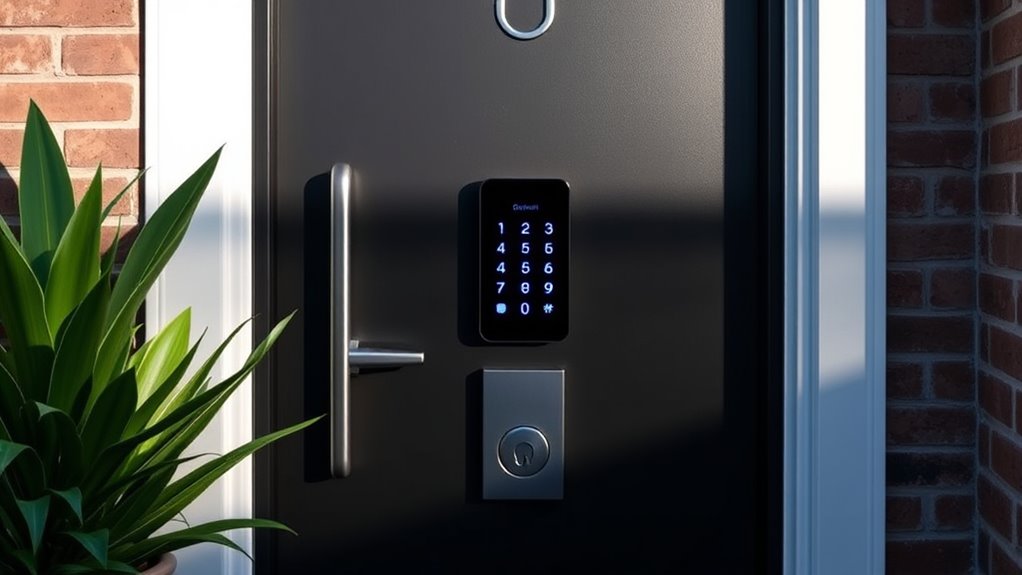

In this keyless entry door locks review, I rank the Schlage Encode WiFi Smart Deadbolt as the best overall for buyers who want remote access alongside keypad entry. The Schlage Camelot Keypad Deadbolt is a simpler pick for those who prefer dependable keypad access without built-in Wi-Fi, while the Philips WiFi Keypad Door Lock stands out for combining app control, fingerprint access, and a handle. The main tradeoff is between straightforward entry hardware and connected features that add remote control but may bring more setup and upkeep. Fingerprint readers can speed up entry, though they add another access method to maintain. Read on for the full breakdown and help matching a lock to your door, routine, and preferred backup plan.

Get garden gear delivered free with Prime
- Fast, free delivery on millions of items
- Prime Video, Amazon Music and more included
- Member-only deals all year
Complete the kit


Key Takeaways
- Schlage Encode is the clearest connected choice: Its built-in Wi-Fi reduces the need for a separate hub, while simpler Schlage keypad models suit buyers who do not need remote access.
- Keypad-only locks keep the decision simpler: The TEEHO TE001 and Schlage Camelot keypad deadbolts emphasize code entry rather than app features or biometric setup.
- Fingerprint options are not interchangeable: Models such as the TEEHO TE002, Ulecoce U68, Philips lock, and Veise KS02A add biometric entry, but buyers should weigh that convenience against added setup and more access methods to manage.
- Handle and knob sets affect the whole entry: The Schlage FE595 and several Veise or generic handle-and-deadbolt options may suit a door needing coordinated hardware, while a deadbolt-only model is a narrower replacement.
- Backup access deserves a place in the ranking: Key overrides are specified for some models, including the TEEHO TE002, but buyers should check each exact model’s backup method rather than assume all keyless locks work alike.
| TEEHO TE001 Keyless Entry Door Lock with Keypad – Smart Deadbolt Lock for Front Door in Oil-Rubbed Bronze |  | Best Value Keypad Deadbolt | Access codes: Up to 20 | One-time code: Yes | Auto-lock timing: 10–99 seconds | VIEW ON AMAZON | See Our Full Breakdown |
| Schlage Camelot Keypad Lock with Lever Handle, Satin Chrome, FE595 CAM 626 ACC |  | Best for a Durable Keypad-and-Lever Setup | Access method: Keypad | User codes: Up to 19 | Lock modes: Flexible lock mode | VIEW ON AMAZON | See Our Full Breakdown |
| TEEHO TE002 Fingerprint Door Lock – Keyless Entry Electronic Keypad Deadbolt with 2 Backup Keys – Auto Lock – Easy Installation – Matte Black |  | Best Budget Pick for Fingerprint Access | Unlock methods: Fingerprint, passcode, physical key, one-time PIN | Fingerprint storage: Up to 20 | Passcode storage: Up to 20 | VIEW ON AMAZON | See Our Full Breakdown |
| Ulecoce U68 Fingerprint Keypad Deadbolt with Knob Set, Matte Black | 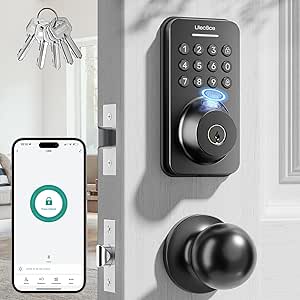 | Best for Flexible App-Managed Access | Unlock methods: Fingerprint, keypad passcode, app within 5 m, one-touch, physical key | Fingerprint capacity: Up to 512 sets | Auto-lock interval: 5–60 seconds | VIEW ON AMAZON | See Our Full Breakdown |
| Philips WiFi Keypad Door Lock with Handle, Built-in WiFi, APP Remote Control, Voice & Fingerprint Unlock, Auto Lock |  | Best for Built-In Wi-Fi and Remote Control | Connectivity: Built-in 2.4 GHz Wi-Fi | Control methods: App, voice, fingerprint, keypad | Battery life: Up to 6 months | VIEW ON AMAZON | See Our Full Breakdown |
| Veise Keyless Entry Door Lock, Electronic Keypad Deadbolt, Matte Black |  | Best Value for Weather Exposure | Material: Zinc alloy | Battery: 4 AA batteries, not included | Stated battery life: Up to 1 year | VIEW ON AMAZON | See Our Full Breakdown |
| Schlage Camelot Keypad Deadbolt, Satin Nickel |  | Best for Simple, Reliable Code Entry | Model: BE365VCAM619 | Finish and trim: Satin nickel, Camelot | Security grade: ANSI Grade 2 | VIEW ON AMAZON | See Our Full Breakdown |
| Schlage Encode WiFi Smart Deadbolt with Century Trim, Matte Black |  | Best for Remote Access | Model: BE489WBCEN622 | Finish and trim: Matte black, Century | Connectivity: Built-in WiFi | VIEW ON AMAZON | See Our Full Breakdown |
| Fingerprint Smart Door Lock with Handle & Keypad |  | Best for Multiple Unlock Methods | Unlock methods: Fingerprint, keypad, app, FOB, and key | Smart-home compatibility: Alexa and Google Assistant | Remote access: Available with optional WiFi Gateway | VIEW ON AMAZON | See Our Full Breakdown |
| Schlage Electronic Keypad Deadbolt Lock, Camelot Trim, Aged Bronze |  | Best Traditional Keypad in Aged Bronze | Trim and finish: Camelot, aged bronze | Control method: Application listed in product data | Backset compatibility: 2-3/8 in or 2-3/4 in | VIEW ON AMAZON | See Our Full Breakdown |
| Keypad Smart Door Knob Lock with Keyless Entry and Handle |  | Best for Simple, Flexible Code Access | Material: Aluminum alloy | Keypad: Backlit | Weather resistance: IP54 | VIEW ON AMAZON | See Our Full Breakdown |
| Veise KS02A Fingerprint Keyless Entry Door Lock, Auto Lock, Electronic Keypad Deadbolt for Front Door, Biometric, Anti-Peeping Password, Easy Install, Satin Nickel |  | Best for Fingerprint Entry | Fingerprint storage: Up to 20 fingerprints | Password storage: Up to 20 passwords | Auto-lock timer: 10 to 99 seconds | VIEW ON AMAZON | See Our Full Breakdown |
| Veise Keyless Entry Door Lock with 2 Lever Handles – Electronic Keypad Deadbolt, Satin Nickel |  | Best Complete Lever-Handle Set | Material: Zinc alloy | Finish: Satin Nickel | Included hardware: Keypad deadbolt and 2 lever handles | VIEW ON AMAZON | See Our Full Breakdown |
| Keypad Door Lock with Handle, Keyless Entry, Auto-Lock, and Backlit Keypad |  | Best for App-Free Operation | Passcodes: Up to 20 | Backup keys: 2 | Battery life: 8 to 12 months | VIEW ON AMAZON | See Our Full Breakdown |
| keyless entry door locks review | Battery life |
|---|---|
| TEEHO TE001 Keyless Entry Door | Up to 365 days |
| Schlage Camelot Keypad Lock wi | Up to 2 years |
| TEEHO TE002 Fingerprint Door L | Up to 365 days |
| Ulecoce U68 Fingerprint Keypad | — |
| Philips WiFi Keypad Door Lock | Up to 6 months |
| Veise Keyless Entry Door Lock | — |
| Schlage Camelot Keypad Deadbol | — |
| Schlage Encode WiFi Smart Dead | — |
| Fingerprint Smart Door Lock wi | — |
| Schlage Electronic Keypad Dead | — |
| Keypad Smart Door Knob Lock wi | — |
| Veise KS02A Fingerprint Keyles | Up to 365 days |
| Veise Keyless Entry Door Lock | Over 1 year |
| Keypad Door Lock with Handle | 8 to 12 months |
More Details on Our Top Picks
TEEHO TE001 Keyless Entry Door Lock with Keypad – Smart Deadbolt Lock for Front Door in Oil-Rubbed Bronze
The TEEHO TE001 keeps keyless entry straightforward: its keypad stores up to 20 access codes, and a one-time code gives a guest temporary access without sharing a regular household PIN. Automatic locking can be set from 10 to 99 seconds, which helps prevent a door from being left unsecured. Compared with the TEEHO TE002, this model skips fingerprint access, so entry depends on a code or key rather than a biometric reader. That simpler setup may suit buyers who want fewer access methods to manage, but it is less convenient when hands are full. Installation is described as screwdriver-only, and the stated battery life is up to a year. Check the door bore before buying: it fits 54 mm holes, not 38 mm ones, and the four AA batteries are not included.
Pros:- Stores up to 20 access codes and supports a one-time guest code.
- Automatic locking has an adjustable 10–99 second delay.
- Installation is described as requiring only a screwdriver.
- IP54 weather resistance and a low-battery indicator add practical outdoor-use support.
Cons:- Does not offer fingerprint or app-based access, unlike the TEEHO TE002 and Ulecoce U68.
- Requires four AA batteries, which are not included.
- Does not fit 38 mm door holes.
Best for: Households wanting a straightforward keypad deadbolt with separate family codes and temporary guest access, whose door has a standard 54 mm bore.
Not ideal for: Buyers who want fingerprint entry or a lock that fits a 38 mm door hole, and anyone who prefers batteries to be included.
- Access codes:Up to 20
- One-time code:Yes
- Auto-lock timing:10–99 seconds
- Battery life:Up to 365 days
- Batteries:4 AA batteries, not included
- Material:Aluminum alloy
- Weather resistance:IP54
- Door-hole compatibility:2-1/8 in (54 mm)
Our verdict“Choose the TEEHO TE001 for simple keypad access and guest codes, provided your door has the compatible 54 mm bore.”
Schlage Camelot Keypad Lock with Lever Handle, Satin Chrome, FE595 CAM 626 ACC
The Schlage Camelot FE595 pairs keypad entry with a lever handle, making it a practical choice when you want to replace both the lock and the handle rather than install a deadbolt alone. It supports up to 19 user codes and offers flexible lock modes, while its metal construction and stated lifetime mechanical and finish warranty give it a different emphasis from the feature-heavy Ulecoce U68. The Ulecoce adds fingerprint and app access; this Schlage instead keeps operation centered on the keypad and lever. That can make day-to-day use less dependent on an app, but buyers seeking remote access or biometrics should look elsewhere. The included 9V battery and battery-life claim of up to two years reduce setup friction, though battery replacement remains part of ownership.
Pros:- Combines keypad access and a lever handle in one set.
- Supports up to 19 user codes and flexible lock modes.
- Metal construction is suited to residential and light commercial use.
- Includes a 9V battery and lists a lifetime mechanical and finish warranty.
Cons:- Does not provide app control, fingerprint entry, or remote unlocking.
- Battery replacement is required, with stated life of up to two years.
- Its stated use is limited to residential and light commercial settings.
Best for: Homeowners who want a keypad lock integrated with a lever handle, several individual user codes, and a more traditional, app-free setup.
Not ideal for: Buyers who want fingerprint entry, remote app control, or smart-assistant features such as those offered by the Ulecoce U68.
- Access method:Keypad
- User codes:Up to 19
- Lock modes:Flexible lock mode
- Material:Metal
- Finish:Satin Chrome
- Battery:9V battery, included
- Battery life:Up to 2 years
- Warranty:3-year electronics; lifetime mechanical and finish
Our verdict“Pick the Schlage Camelot FE595 if you want a durable keypad-and-lever set without the added complexity of app or fingerprint controls.”
TEEHO TE002 Fingerprint Door Lock – Keyless Entry Electronic Keypad Deadbolt with 2 Backup Keys – Auto Lock – Easy Installation – Matte Black
The TEEHO TE002 adds a fingerprint reader to the keypad-and-key format, giving households three everyday ways to enter without relying on an app. It stores up to 20 fingerprints and 20 passcodes, with a one-time PIN for visitors and adjustable auto-lock timing. Compared with the keypad-only TEEHO TE001, the fingerprint option can speed up routine entry and avoid memorizing a code; compared with the Philips 4200 Series, it does not list built-in Wi-Fi or voice control. That keeps the access setup simpler, but rules out remote management. The lock is rated BHMA Grade 3 and IP54, and installation is described as not requiring drilling. Its fit is limited to standard U.S. doors with a 54 mm hole, and the four AA batteries are not supplied.
Pros:- Offers fingerprint, passcode, physical-key, and one-time PIN entry.
- Stores up to 20 fingerprints and 20 passcodes.
- Includes adjustable 10–99 second auto-lock and IP54 weather resistance.
- Lists BHMA Grade 3 certification and installation without drilling.
Cons:- Four AA batteries are not included and need periodic replacement.
- Compatibility is limited to standard U.S. doors with a 54 mm hole.
- Does not list Wi-Fi or remote app control, unlike the Philips 4200 Series.
Best for: Households that want fingerprint convenience alongside passcodes and physical keys, without needing app-based remote access.
Not ideal for: Buyers with nonstandard door dimensions or anyone who wants built-in Wi-Fi, voice assistant control, or remote access management.
- Unlock methods:Fingerprint, passcode, physical key, one-time PIN
- Fingerprint storage:Up to 20
- Passcode storage:Up to 20
- Auto-lock timing:10–99 seconds
- Battery life:Up to 365 days
- Batteries:4 AA batteries, not included
- Certification:BHMA Grade 3
- Weather resistance:IP54
- Door compatibility:Standard U.S. doors with 2-1/8 in (54 mm) holes
Our verdict“Choose the TEEHO TE002 if you want multiple local entry methods, especially fingerprint access, and do not need remote smart-home controls.”
Ulecoce U68 Fingerprint Keypad Deadbolt with Knob Set, Matte Black
The Ulecoce U68 is the most access-flexible option here: it combines fingerprint, keypad, app, one-touch, and physical-key entry, with app tools for temporary or scheduled codes and access logs. Its listed 512-fingerprint capacity is far beyond the TEEHO TE002’s 20, making it a better fit for a property with many users or frequent access changes. The tradeoff is that app unlocking is specified only within five meters, so this is not a built-in remote-access solution. Alexa and Google Assistant control also requires a separately sold gateway. In contrast, the Philips 4200 Series lists built-in Wi-Fi and remote app control, which is a clearer fit for off-site management. The U68 suits buyers who value local options and access records, but its smart features come with extra setup dependencies.
Pros:- Provides fingerprint, keypad, app, one-touch, and physical-key entry.
- Supports up to 512 fingerprints and temporary or scheduled access codes.
- App access logs help users track entry activity.
- Includes five backup keys and a three-year warranty.
Cons:- App-based unlocking is specified for use within five meters.
- Alexa and Google Assistant support requires a separately sold gateway.
- Remote smart features depend on app setup rather than built-in Wi-Fi.
Best for: Property owners or larger households managing many fingerprints, temporary codes, and access logs, who are comfortable with app features limited by range.
Not ideal for: Buyers who need dependable remote unlocking from outside the home or expect voice-assistant control without purchasing an additional gateway.
- Unlock methods:Fingerprint, keypad passcode, app within 5 m, one-touch, physical key
- Fingerprint capacity:Up to 512 sets
- Auto-lock interval:5–60 seconds
- Smart assistant compatibility:Alexa and Google Assistant with separately sold Ulecoce gateway
- Backup keys:5 included
- Door compatibility:Standard left- or right-hand doors
- Finish:Matte black
- Warranty:3 years
Our verdict“The Ulecoce U68 fits buyers who need high-capacity local access management and can accept the range and gateway limits on its smart features.”
Philips WiFi Keypad Door Lock with Handle, Built-in WiFi, APP Remote Control, Voice & Fingerprint Unlock, Auto Lock
The Philips 4200 Series stands apart for buyers who want remote management without adding a separate connectivity gateway: built-in 2.4 GHz Wi-Fi supports app control, and the lock also lists voice, fingerprint, and keypad entry. Its stated 0.3-second fingerprint response favors quick everyday entry, while customizable auto-lock can be set from 0 to 180 seconds. Compared with the Ulecoce U68, this Philips model lists built-in Wi-Fi and remote control, whereas Ulecoce app unlocking is specified within five meters and voice support requires an extra gateway. The cost of that broader connectivity is shorter stated battery life—up to six months versus up to a year for the TEEHO locks—and batteries are not included. Auto-lock must also be activated manually in the app, and the design is primarily for right-opening doors.
Pros:- Built-in 2.4 GHz Wi-Fi supports app-based remote control.
- Offers voice, fingerprint, and keypad entry.
- Fingerprint unlocking is specified at 0.3 seconds.
- Customizable auto-lock delay spans 0–180 seconds.
Cons:- Stated battery life is up to six months, shorter than the TEEHO models’ claims.
- Batteries are not included, and the lock requires standard alkaline batteries.
- Auto-lock must be activated manually in the app; design is primarily for right-opening doors.
Best for: Homeowners who want built-in Wi-Fi, remote app access, and voice control alongside keypad and fingerprint entry, with a right-opening door.
Not ideal for: Buyers seeking longer stated battery life, included batteries, or a lock suited to left-opening doors without checking compatibility.
- Connectivity:Built-in 2.4 GHz Wi-Fi
- Control methods:App, voice, fingerprint, keypad
- Battery life:Up to 6 months
- Auto-lock:Customizable 0–180 seconds
- Fingerprint speed:0.3 seconds
- Door thickness compatibility:1-3/8–1-3/4 in (38–50 mm)
- Included components:Handle set, mounting hardware, user manual
- Door handing:Designed primarily for right-opening doors
Our verdict“Choose the Philips 4200 Series if built-in Wi-Fi and remote access matter more to you than longer battery life or broad door-hand compatibility.”
Veise Keyless Entry Door Lock, Electronic Keypad Deadbolt, Matte Black
The Veise is a straightforward choice for buyers who want code entry and automatic locking without adding WiFi or app management. Its multiple access codes suit households that need to share entry, while anti-peeking password protection helps obscure a code from someone nearby. Compared with the Schlage Camelot Keypad Deadbolt, it offers a broader stated temperature range and IP54 weather resistance, but the Schlage has a stronger Grade 2 security classification and a longer stated battery life. The Veise is rated Grade 3 and runs on four AA batteries, which are not included, so plan for battery setup before installation. It fits common door thicknesses and is designed for DIY fitting, though keypad programming may take more patience than a simpler code-only setup.
Pros:- Multiple access codes support entry for household members or guests.
- Auto-lock reduces the chance of leaving the deadbolt unlocked.
- IP54 weather resistance and a wide stated operating temperature range suit exposed entry doors.
- DIY installation is supported with included hardware and tutorials.
Cons:- Four AA batteries are required and are not included.
- Grade 3 security rating is below the Grade 2 rating listed for the Schlage Camelot keypad model.
- Keypad setup may feel complicated for buyers who want a very simple code-lock routine.
Best for: Homeowners seeking a weather-resistant keypad deadbolt with multiple codes and auto-lock for a standard exterior door.
Not ideal for: Buyers prioritizing a higher stated security grade, longer battery life, or compatibility with nonstandard door sizes.
- Material:Zinc alloy
- Battery:4 AA batteries, not included
- Stated battery life:Up to 1 year
- Weather resistance:IP54
- Lock grade:BHMA/ANSI Grade 3
- Door thickness compatibility:1-3/8 in to 2 in
- Operating temperature:-35°F to 160°F
Our verdict“Choose the Veise if weather resistance and shared access codes matter more to you than a higher stated security grade or smart-home features.”
Schlage Camelot Keypad Deadbolt, Satin Nickel
This Schlage is the clearest fit for buyers who want keypad access without a connected app, WiFi setup, or touchscreen. Its backlit silicone-coated buttons are easier to use in low light, and the lock supports up to 19 user codes that can be added or removed as household needs change. Compared with the Veise keypad deadbolt, this model carries a Grade 2 security classification and lists battery life of up to three years, though its 9-volt battery differs from the more common AA setup. A physical key override provides another way in if keypad access is unavailable. The tradeoff is a more traditional arrangement: the inside uses a manual thumbturn, and there is no remote monitoring or automatic app control. I’d choose it for dependable local code access, not connected-home convenience.
Pros:- Backlit, silicone-coated keypad buttons improve visibility and are designed to resist wear.
- Stores up to 19 four-digit user codes.
- Grade 2 security classification and a physical key override provide practical reassurance.
- Replaces an existing deadbolt using a screwdriver, with no hardwiring.
Cons:- Uses a 9-volt battery rather than the AA batteries used by several alternatives.
- Inside operation depends on a manual thumbturn.
- Does not offer app-based remote access or monitoring like the Schlage Encode.
Best for: Households that want a durable, backlit keypad and several changeable codes without relying on WiFi or a smartphone app.
Not ideal for: Smart-home users who want remote locking, phone notifications, or app-managed access while away.
- Model:BE365VCAM619
- Finish and trim:Satin nickel, Camelot
- Security grade:ANSI Grade 2
- Keypad:Backlit, silicone-coated buttons
- User codes:Up to 19 four-digit codes
- Backup access:Key override
- Power and stated battery life:Included 9-volt battery; up to 3 years
- Installation:Replaces existing deadbolt; screwdriver required; no hardwiring
- Warranty:Limited lifetime mechanical; 1 year electronics
Our verdict“Pick this Schlage if you want straightforward code access and a physical key backup, but do not need remote smart-lock controls.”
Schlage Encode WiFi Smart Deadbolt with Century Trim, Matte Black
The Schlage Encode is the strongest match here for buyers who need to manage a door while away from home. Built-in WiFi connects the lock to the Schlage Home app for remote control, notifications, and management of up to 100 access codes. That gives it a clear advantage over the non-connected Schlage Camelot keypad deadbolt, which handles local codes but cannot provide app monitoring. The Encode also adds an alarm, auto-lock, and optional Alexa or Google Home voice control, plus a physical key backup. Its convenience comes with upkeep: the stated battery life is up to six months with typical use, shorter than the Camelot’s listed three years, and remote features depend on a secure WiFi network and the app. I’d favor it for frequent guest access or remote oversight, not for buyers seeking a low-maintenance keypad deadbolt.
Pros:- Built-in WiFi enables remote control and monitoring through the Schlage Home app.
- Supports up to 100 access codes and customizable notifications.
- Alarm, auto-lock, and optional Alexa and Google Home control add monitoring and convenience.
- Includes a physical backup key and installs with a screwdriver.
Cons:- Remote features require a secure WiFi network and the Schlage Home app.
- Stated battery life is up to six months with typical use, shorter than the non-connected Schlage Camelot keypad deadbolt.
- Door thickness compatibility is limited to 1-3/8 in to 1-3/4 in.
Best for: Homeowners, hosts, and caregivers who need to issue many access codes and manage or monitor entry remotely.
Not ideal for: Buyers without reliable WiFi, those who prefer no app dependency, or households seeking longer intervals between battery changes.
- Model:BE489WBCEN622
- Finish and trim:Matte black, Century
- Connectivity:Built-in WiFi
- Access codes:Up to 100
- Voice assistants:Alexa and Google Home
- Door thickness:1-3/8 in to 1-3/4 in
- Backset:2-3/8 in or 2-3/4 in
- Power and stated battery life:Four AA batteries; up to six months with typical use
- Backup access:One physical key
Our verdict“Choose the Encode if remote access and a large code roster justify WiFi dependence and more frequent battery changes.”
Fingerprint Smart Door Lock with Handle & Keypad
This handle-set lock suits households where a keypad alone is not convenient for everyone. It offers fingerprint, keypad, app, FOB, and key access, so family members can use different entry methods rather than sharing one routine. That flexibility separates it from the Schlage Camelot keypad deadbolt, which relies on codes and a key, and from the Schlage Encode, whose app features are built around WiFi. Here, remote access requires an optional WiFi Gateway; without it, the listed app option should not be mistaken for control from anywhere. The reversible handle and DIY installation may help when replacing a matching standard setup, but the product data warns of possible fit issues with non-standard doors. I’d shortlist it for families, rentals, or hosts who value varied credentials, while checking door compatibility and gateway needs before buying.
Pros:- Five listed entry methods accommodate different users and situations.
- Fingerprint access can avoid code sharing for regular household members.
- Reversible handle supports a range of door orientations.
- DIY installation is intended for most standard doors.
Cons:- Remote unlocking from anywhere requires an optional WiFi Gateway.
- Compatibility with non-standard doors may be limited.
- The product data does not specify battery type, battery life, or access-code capacity.
Best for: Families, rental hosts, or homes with children and older adults who benefit from choosing among fingerprint, code, FOB, app, and key entry.
Not ideal for: Buyers who need remote unlocking out of the box or have a non-standard door that may not fit the reversible handle.
- Unlock methods:Fingerprint, keypad, app, FOB, and key
- Smart-home compatibility:Alexa and Google Assistant
- Remote access:Available with optional WiFi Gateway
- Installation:DIY
- Handle:Reversible
- Door fit:Designed to fit most standard doors
- Listed use cases:Home, children, older adults, Airbnb, and rental properties
Our verdict“Choose this model when varied entry methods matter more than having remote access included without an extra gateway.”
Schlage Electronic Keypad Deadbolt Lock, Camelot Trim, Aged Bronze
This Schlage is a traditional keypad deadbolt for buyers who want illuminated code entry in an aged-bronze finish, without the remote functions of a connected lock. Its straightforward programming and installation make it a simpler alternative to the WiFi-enabled Schlage Encode, while the stated battery life of up to two years is longer than the Encode’s up-to-six-month figure. The supplied data lists Grade 2/AAA security in the product benefits, but does not detail the number of supported codes or a physical key override, so buyers who need those specifics should verify them before choosing. It fits listed standard door thicknesses and two common backsets. The compromises are limited scope—residential and light commercial use—and eventual battery replacement. This is a practical fit for a conventional entry door, not a substitute for remote access or detailed app-based activity monitoring.
Pros:- Illuminated keypad supports code entry in low-light conditions.
- Listed as easy to install and program.
- Stated battery life is up to two years.
- Grade 2/AAA security is listed in the product benefits.
Cons:- Does not list WiFi, remote access, or app-based monitoring.
- Battery replacement is required, with no battery type specified in the supplied data.
- The supplied specifications do not state code capacity or backup-key details.
Best for: Homeowners who want an illuminated keypad deadbolt in aged bronze for a standard residential or light commercial door.
Not ideal for: Buyers who need app-based remote control, detailed access notifications, or documented capacity for a large number of user codes.
- Trim and finish:Camelot, aged bronze
- Control method:Application listed in product data
- Backset compatibility:2-3/8 in or 2-3/4 in
- Door thickness:1-3/8 in to 1-3/4 in
- Stated battery life:Up to 2 years
- Security:Grade 2/AAA, as listed in product benefits
- Intended use:Residential and light commercial
- Warranty:Limited lifetime mechanical and finish; 3-year electronics
Our verdict“Pick this model for a conventional keypad deadbolt and aged-bronze finish, but choose the Schlage Encode if remote monitoring is a priority.”
Keypad Smart Door Knob Lock with Keyless Entry and Handle
This lock suits buyers who want keypad access without adding fingerprint hardware or relying on an app. Its 20 user codes and one-time guest codes make it practical for a household that regularly shares access, while the backlit keypad helps when arriving after dark. Compared with the Veise KS02A, it skips biometric entry, but its knob-and-handle format may be a better fit for doors where a deadbolt replacement is not the goal. The 5-to-99-second auto-lock range gives you some control over how quickly the door secures itself. Aluminum alloy construction and IP54 weather resistance support everyday use, though IP54 is not waterproof. You’ll also need to plan for battery changes and use the traditional key backup if power runs out.
Pros:- Stores up to 20 user codes and supports one-time guest codes
- Backlit keypad makes code entry easier in low light
- Adjustable auto-lock delay from 5 to 99 seconds
- Aluminum alloy body and IP54 weather resistance
Cons:- Requires periodic battery replacement
- IP54 protection does not make the lock waterproof
- Does not offer the fingerprint access available on the Veise KS02A
Best for: Households that want several personal and guest codes on a keypad knob lock, without fingerprint or app features
Not ideal for: Buyers who want biometric entry, app-based remote control, or a lock exposed to heavy rain and direct water
- Material:Aluminum alloy
- Keypad:Backlit
- Weather resistance:IP54
- Auto-lock timer:5 to 99 seconds
- User codes:Up to 20
- Guest access:One-time guest codes
- Backup access:Traditional key
Our verdict“Choose this knob-style lock if you want flexible keypad access and guest codes without biometric or app complexity.”
Veise KS02A Fingerprint Keyless Entry Door Lock, Auto Lock, Electronic Keypad Deadbolt for Front Door, Biometric, Anti-Peeping Password, Easy Install, Satin Nickel
The Veise KS02A is the clearest choice here for buyers who want to open a door without typing a code: it stores 20 fingerprints and lists recognition in as little as 0.2 seconds. It also keeps keypad passwords, one-time codes, and a mechanical key available, so fingerprint access is not the only route in. Compared with the keypad-only Keypad Smart Door Knob Lock with Keyless Entry and Handle, this deadbolt offers more ways to enter, but its setup and access options may be more than a code-focused household needs. The all-metal zinc alloy body, broad stated temperature range, and battery life of up to 365 days suit users seeking a robust residential or commercial option. Tradeoffs include four AA batteries not being included and an ANSI Grade 3 rating rather than a higher lock grade.
Pros:- Stores up to 20 fingerprints and 20 passwords
- Offers fingerprint, password, one-time code, and mechanical-key access
- Listed battery life is up to 365 days
- All-metal zinc alloy construction and a stated operating range from -31°F to 158°F
Cons:- Four AA batteries are not included
- Installation may be challenging for some buyers
- ANSI Grade 3 rating may not suit buyers prioritizing a higher lock grade
Best for: Households or small workplaces that want fingerprint access for frequent users plus codes and a mechanical backup
Not ideal for: Buyers seeking a higher-than-Grade-3 security rating, a knob-and-handle set, or a lock that arrives with batteries
- Fingerprint storage:Up to 20 fingerprints
- Password storage:Up to 20 passwords
- Auto-lock timer:10 to 99 seconds
- Battery life:Up to 365 days
- Battery type:4 AA alkaline batteries, not included
- Material:All-metal zinc alloy
- Temperature range:-31°F to 158°F
- Door thickness compatibility:1-3/8 to 2 inches (35 to 50 mm)
- Lock grade:ANSI Grade 3
Our verdict“Pick the KS02A if quick fingerprint entry matters more than the simpler keypad-only setup of the other locks.”
Veise Keyless Entry Door Lock with 2 Lever Handles – Electronic Keypad Deadbolt, Satin Nickel
This Veise bundle makes sense when replacing a deadbolt and matching lever handles together is the goal. Its two lever handles, keypad deadbolt, and physical-key backup create a more complete entry set than the standalone keypad knob from Keypad Smart Door Knob Lock with Keyless Entry and Handle. Permanent and one-time codes accommodate regular household members and occasional visitors, while one-touch locking and auto-lock reduce the chance of leaving the door unsecured. It also lists a three-minute lockout after ten failed attempts, adding a clear response to repeated incorrect codes. The tradeoff is a fairly standard feature set: it has no fingerprint access like the Veise KS02A, and its ANSI Grade 3 rating and U.S.-standard door fit may limit it for buyers seeking a higher-rated or less conventional installation.
Pros:- Includes two lever handles alongside the keypad deadbolt
- Supports permanent and one-time codes plus physical-key access
- Offers auto-lock and one-touch locking
- Locks out entry for three minutes after ten failed attempts
Cons:- Four AA batteries are not included
- ANSI Grade 3 rating may not meet buyers seeking a higher lock grade
- Designed for U.S. standard door sizes rather than a broad range of door formats
Best for: Homeowners replacing a deadbolt and both lever handles who want keypad codes, auto-lock, and a physical-key fallback
Not ideal for: Buyers who only need a deadbolt, want fingerprint access, or have a nonstandard door size outside the stated range
- Material:Zinc alloy
- Finish:Satin Nickel
- Included hardware:Keypad deadbolt and 2 lever handles
- Power:4 AA batteries, not included
- Battery life:Over 1 year
- Water resistance:IP54
- Failed-entry lockout:3 minutes after 10 failed attempts
- Lock grade:ANSI Grade 3
- Door thickness:1-3/8 to 2 inches
Our verdict“Choose this set when you want keypad deadbolt access and matching lever handles in one replacement package.”
Keypad Door Lock with Handle, Keyless Entry, Auto-Lock, and Backlit Keypad
This model is a good match for buyers who want keypad convenience without Wi-Fi, an app, or account setup. It supports up to 20 passcodes, temporary codes, two backup keys, and a passage mode for times when the door should stay unlocked. That makes it more adaptable than the more security-focused Veise Keyless Entry Door Lock with 2 Lever Handles, which specifies a failed-entry lockout but does not list passage mode. The backlit keypad helps with nighttime entry, and the stated installation time of about 15 minutes points to a DIY-friendly setup. The tradeoff is straightforward: access is limited to keypad codes and physical keys, unlike the fingerprint-equipped Veise KS02A. Four AA batteries are not included, and the stated 8-to-12-month battery life can vary with use.
Pros:- Stores up to 20 passcodes and supports temporary codes
- Passage mode can keep the door unlocked when needed
- Includes two physical backup keys
- Designed for DIY installation in approximately 15 minutes
Cons:- No app or Wi-Fi control
- Four AA batteries are not included
- Battery life is listed as 8 to 12 months and may vary with usage
Best for: Renters or homeowners who want DIY keypad access, temporary codes, and passage mode without Wi-Fi or app features
Not ideal for: Buyers who need fingerprint entry, remote app control, or longer stated battery life than 8 to 12 months
- Passcodes:Up to 20
- Backup keys:2
- Battery life:8 to 12 months
- Batteries:4 AA, not included
- Weather resistance:IP54
- Installation:Approximately 15 minutes
- Access features:Keypad codes and physical keys; no app or Wi-Fi
- Additional modes:Auto-lock and passage mode
Our verdict“Pick this lock if you want a straightforward keypad setup with passage mode and no connected-device requirements.”

How We Picked
I ranked these locks by how well their stated features answer common front-door needs: reliable ways to enter, practical backup access, useful automation, and a hardware format that fits the door being replaced. I gave more weight to clear, directly useful advantages than to long feature lists. Connectivity, fingerprint entry, keypad visibility, auto-lock, and included handles matter only when they solve a real access problem; they can also add setup, battery, or compatibility demands.
The order favors flexible options that combine useful access methods with a clear purpose, then separates simpler keypad locks from biometric, connected, and full-handle designs. I also considered how easy it is for a buyer to understand what the product replaces and which access methods it offers. Product details vary by exact model and configuration, so I treat unspecified features as unknown rather than assume they are included. Before buying, verify door measurements, handing, finish, and the model-specific backup method.
Factors to Consider When Choosing Keyless Entry Door Locks Review
Choosing a keyless lock is less about collecting the most features and more about picking the entry method and hardware your household will actually use. I would start with the door and the people who need access, then weigh connectivity and convenience against setup and backup needs.
Match the lock format to the hardware you need to replace
A deadbolt-only lock does not replace a separate knob or lever, while a handle-set model can change more of the door’s hardware at once. Before choosing, check whether your existing setup uses a separate deadbolt, a keyed entry knob, or a combined arrangement. Measure the bore hole, door thickness, backset, and spacing between the deadbolt and handle, then compare them with the manufacturer’s fit details. A mismatch can turn an otherwise suitable lock into a return or installation problem. Also check whether the handle is reversible or offered in the handing your door needs. Choose a complete set only when its included handle suits your door and preference; otherwise, a deadbolt replacement may be the cleaner fit.
Decide whether remote access solves a real problem
Built-in Wi-Fi can let an owner manage access away from home, but it is not necessary for ordinary keypad entry. Think about whether you need to let someone in while you are away, check lock status remotely, or manage codes from an app. If those tasks are rare, a keypad-only lock can avoid network setup and app maintenance. Connected models also depend on batteries and a working wireless connection for their remote functions, though local entry methods may remain available. Check the product’s app requirements, supported network band, and any account or service conditions before buying. Pay for connectivity when remote management changes your routine, not just because the feature is available.
Choose access methods around the people who use the door
A keypad is familiar to most household members and avoids carrying a physical key, while a fingerprint reader can make entry faster for someone with full hands. Biometrics may be less convenient for children, guests, or people whose fingerprints are not read consistently, so keep a dependable alternative in mind. Ask who will need codes, whether temporary access is useful, and how you will remove access when a guest no longer needs it. More access methods can reduce friction, but they also create more settings and routines to manage. A simple code lock is often easier for occasional users than a feature-rich biometric model. Pick the method the least tech-comfortable regular user can operate confidently.
Treat backup access as part of the security and convenience plan
Keyless entry does not mean a lock has no key override, and the included products do not all specify the same backup arrangement. Check the exact listing and manufacturer documentation for a physical key, emergency power option, or other recovery method. Consider what happens if the batteries run down while you are away from home, and keep spare batteries or the approved backup method accessible. Avoid storing a mechanical override key in an obvious spot near the door. If several household members share responsibility, agree on who maintains the backup and where it is kept. A clear recovery plan matters more than a backup feature you have never confirmed.
Balance auto-lock convenience against getting locked out
Auto-lock can reduce the chance of leaving a door unsecured, but a short timer may lock someone out if they step outside without a phone, code, or key. Think through daily traffic: children moving between the house and yard, deliveries, and people carrying groceries all affect whether automatic relocking feels helpful. Check whether the timer is adjustable and whether the lock provides a clear way to pause or manage the feature. For a frequently used side entrance, a longer delay or manual control may feel less disruptive. For a door that is often forgotten, automatic relocking may be worth the extra routine. Set the behavior only after everyone who uses the door understands it.
Compare total upkeep, not just the feature list
Every electronic lock needs battery attention, and connected or biometric features can add more settings to monitor than a basic keypad. Check the battery type, low-battery warnings, and the manufacturer’s guidance for replacement intervals rather than relying on a vague claim of long life. Consider exposure to weather and whether the lock’s stated rating suits the door’s location. A feature that saves time can lose its appeal if app access, fingerprint enrollment, or code changes become a recurring chore. Keep the manual and model number somewhere accessible for troubleshooting. The best fit is the one whose ongoing care your household will actually maintain.
Frequently Asked Questions
Should I choose the Schlage Encode or a keypad-only deadbolt?
I would choose the Encode if remote control or app-based access management is a regular need, since its built-in Wi-Fi is a stated distinction in this lineup. A keypad-only deadbolt is a more direct fit when household members mainly enter with codes and do not need to manage the lock from elsewhere. Connected features add network and app setup, so they can be unnecessary complexity for a door with a simple routine. Compare the exact access and backup methods for the models you are considering before deciding. The right choice depends on whether remote management saves you meaningful effort.
Is a fingerprint lock a better choice than a keypad lock for a family?
Not automatically: a fingerprint reader can make entry convenient, but a keypad is often easier to share with visitors and household members who do not want to enroll a fingerprint. Consider who uses the door most and whether the reader will be comfortable for children or guests. Fingerprint models in this roundup also vary in their other features, so do not treat biometric access as proof of Wi-Fi, a key override, or a particular handle format. Check the exact model’s backup entry method and setup instructions. A keypad-first lock may be the less demanding choice for a household with varied users.
Can I replace my existing deadbolt without changing the knob or lever?
Often, yes, if you choose a deadbolt-only model and its dimensions match your door. Several products in this roundup are deadbolt-focused, while others include a lever, knob, or handle set that may be intended to replace more hardware. Measure the existing cutouts and spacing before ordering, and confirm the new lock’s backset and door-thickness range. Do not assume a product title mentioning a handle means it fits your current arrangement without changes. When the existing handle is staying, a deadbolt-only design is usually the simpler starting point.
What should I do if the batteries fail or the lock stops responding?
Check the exact model’s instructions before buying so you know whether it includes a physical key override or another emergency entry method. The TEEHO TE002 listing specifically names two backup keys, but that detail should not be assumed for other models in this group. Keep the recommended battery type available and respond to low-battery alerts rather than waiting for the lock to stop working. For a connected lock, remember that loss of Wi-Fi can affect remote control even when local entry still works. A backup plan should be practical for the people who use the door, not just listed as a feature.
Does built-in Wi-Fi mean I can control every lock function remotely?
No; a Wi-Fi label alone does not tell you which actions an app supports. Check the product documentation for remote locking and unlocking, code management, status alerts, and any limits tied to the app or network. Also confirm whether the lock needs a particular Wi-Fi band or account setup. Remote features depend on the home’s connection and the lock’s power, so they should complement rather than replace a local entry method. If you mainly want to enter with a code, Wi-Fi may not add enough value to justify the extra setup.
Conclusion
For the broadest mix of local keypad use and connected control, I would start with the Schlage Encode WiFi Smart Deadbolt as the best overall. The TEEHO TE001 is my best value-style pick for buyers seeking a straightforward keypad deadbolt, while the Philips WiFi Keypad Door Lock is the best premium-style choice for shoppers drawn to a wider set of access methods and built-in Wi-Fi. Beginners who want a familiar, simpler setup may prefer a keypad-only Schlage Camelot deadbolt over a connected or fingerprint model. For biometric entry, compare the TEEHO TE002 and Veise KS02A against the Philips option, paying close attention to backup access and the exact hardware included. If you need to replace a full handle set rather than just a deadbolt, focus on the FE595, Veise lever set, or another handle-format model and verify fit before ordering.