
To guarantee your smart lock stays secure, always keep your firmware updated and choose strong, unique passwords for your app account. Control access remotely by generating temporary digital keys for guests, then revoke them when no longer needed. Regularly review activity logs to catch suspicious activity early. Use secure Wi-Fi networks and enable encryption features to protect data transmissions. Combining these practices with other security devices boosts your home’s safety—if you want to learn more, keep exploring these tips.

Get garden gear delivered free — and shop member deals
- Fast, free delivery on millions of items
- Access to Prime Big Deal Days deals on October 6–7
- Prime Video, Amazon Music and more included
Key Takeaways
- Regularly update firmware and app software to patch security vulnerabilities.
- Use strong, unique passwords for smart lock accounts and enable two-factor authentication.
- Review access logs frequently to monitor for suspicious activity or unauthorized entries.
- Revoke or disable digital keys immediately when they are no longer needed or if compromised.
- Integrate smart locks with other security devices like cameras and alarms for comprehensive protection.

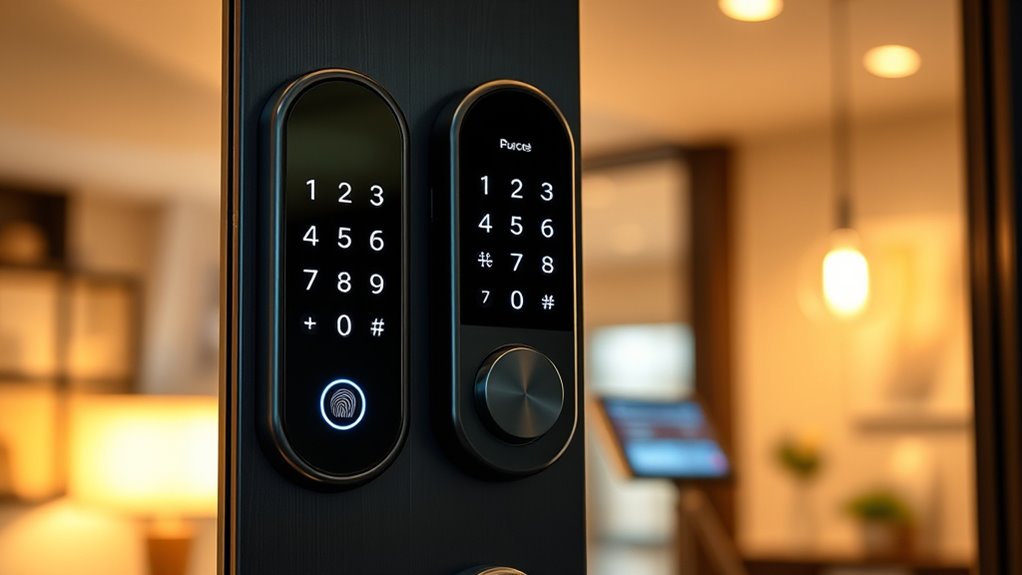
Are you looking for a more secure and convenient way to lock your doors? Smart locks offer an innovative solution that combines modern technology with everyday convenience. Unlike traditional locks, these devices allow you to control access remotely, often through smartphone apps. One of the biggest advantages is the ability to use digital keys, which eliminate the need for physical keys that can be lost or duplicated. Instead, you can generate unique digital keys for family members, friends, or even service providers, granting access only when necessary. This not only enhances security but also makes managing who enters your home much easier. Additionally, many smart locks keep detailed access logs, so you can see exactly who entered and when. This feature provides an extra layer of security, giving you peace of mind knowing that you can monitor activity at your doorstep from anywhere.
Using digital keys also means you can revoke access instantly if needed, such as when a guest leaves or if a service worker finishes their job. No more worrying about changing locks or hiding spare keys — simply disable the digital key remotely. Access logs serve as a record of all entries and exits, which can be invaluable if you need to track suspicious activity or verify that someone came and went at a specific time. This transparency is particularly useful for busy households or properties with multiple users. Plus, many smart locks allow you to set temporary access permissions, so guests or service providers can only enter during designated times. This flexibility ensures your home stays secure without inconveniencing trusted visitors. Incorporating advanced security features, such as encrypted data transmission, further enhances the protection of your smart lock system.
To maximize security, it’s vital to keep your smart lock’s firmware updated. Manufacturers often release updates that patch security vulnerabilities, so regular check-ins can prevent potential breaches. Strong, unique passwords for your app account also add an extra layer of protection. When using access logs, review them periodically to spot any unusual activity. If you notice something suspicious, you can act immediately, whether that’s changing your digital keys or contacting authorities. Remember, while smart locks are highly secure, they’re not infallible. Combining them with other security measures, like surveillance cameras and alarm systems, creates a thorough security setup.
As an affiliate, we earn on qualifying purchases.
Frequently Asked Questions
How Often Should I Update My Smart Lock Firmware?
You should update your smart lock firmware as soon as new security patches become available, ideally every few months. Regular firmware updates fix vulnerabilities and improve security, so staying current is essential. Check your lock’s app or manufacturer’s website regularly for updates. By doing this, you guarantee your smart lock remains protected against potential threats and exploits, keeping your home safe and secure.
Can Smart Locks Be Hacked Remotely?
Yes, smart locks can be hacked remotely if security isn’t tight enough. Hackers may exploit vulnerabilities in encryption protocols or weak passwords. To prevent hacking, guarantee your lock uses strong encryption protocols, keep firmware updated, and enable two-factor authentication if available. Regularly changing passwords and avoiding default codes also enhance hacking prevention. Staying vigilant helps protect your smart lock from remote threats.
What’s the Best Way to Share Access Securely?
Sharing access is like handing over the keys to a trusted friend. To do it securely, you should use guest access features and generate temporary codes for each visitor. Avoid sharing permanent codes or passwords. Set expiration dates for temporary codes and revoke access when no longer needed. This way, you maintain control of your smart lock and ensure only authorized guests can enter, protecting your home efficiently.
Are Smart Locks Compatible With All Smart Home Systems?
Smart locks aren’t compatible with all smart home systems, but many offer broad integration options. To guarantee compatibility, check the lock’s compatibility standards like Z-Wave or Zigbee, which are common in smart home networks. Before purchasing, verify that your existing system supports these standards and that the smart lock can seamlessly integrate. This way, you’ll enjoy smooth operation and enhanced security with your smart home ecosystem.
How Do I Troubleshoot Connectivity Issues?
You notice your smart lock isn’t responding, and it’s no coincidence—connectivity issues often stem from Wi-Fi stability or Bluetooth range. First, verify your Wi-Fi signal is strong and stable near the lock. Move your device closer to the lock to improve Bluetooth connection. Restart your router and lock, and update the lock’s firmware. These simple steps fix most connectivity problems, keeping your smart lock functioning smoothly.
Conclusion
Think of your smart lock as the guardian of your castle, standing vigilant at the gate. By following best security practices, you’re equipping this guardian with armor and a sharp eye, ready to fend off any intruders. Neglecting these tips leaves your fortress vulnerable, like a castle with unguarded walls. Stay proactive, update regularly, and use strong passwords—because in this digital kingdom, your vigilance keeps your home safe and sound.
Fall Picks
fall essentials
As an affiliate, we earn on qualifying purchases.