To improve your Wi-Fi in a large home, consider using a mesh network or Wi-Fi extender. Mesh systems create a seamless coverage grid with multiple nodes, reducing dead zones and providing faster, more reliable connections across multiple floors. Wi-Fi extenders can fill specific gaps, boosting your signal cost-effectively. Choosing the right solution depends on your home’s size and layout—keep exploring to discover the best way to get brilliant Wi-Fi everywhere.

Get garden gear delivered free with Prime
- Fast, free delivery on millions of items
- Prime Video, Amazon Music and more included
- Member-only deals all year
Key Takeaways
- Use a mesh Wi-Fi system for seamless, reliable coverage throughout large, multi-story homes.
- Place mesh nodes strategically to eliminate dead zones and ensure consistent internet access.
- Consider Wi-Fi extenders for targeted coverage gaps as a cost-effective, simple solution.
- Ensure proper placement of devices and update firmware to optimize performance.
- Choose between mesh and extenders based on home size, layout, and coverage needs for the best results.
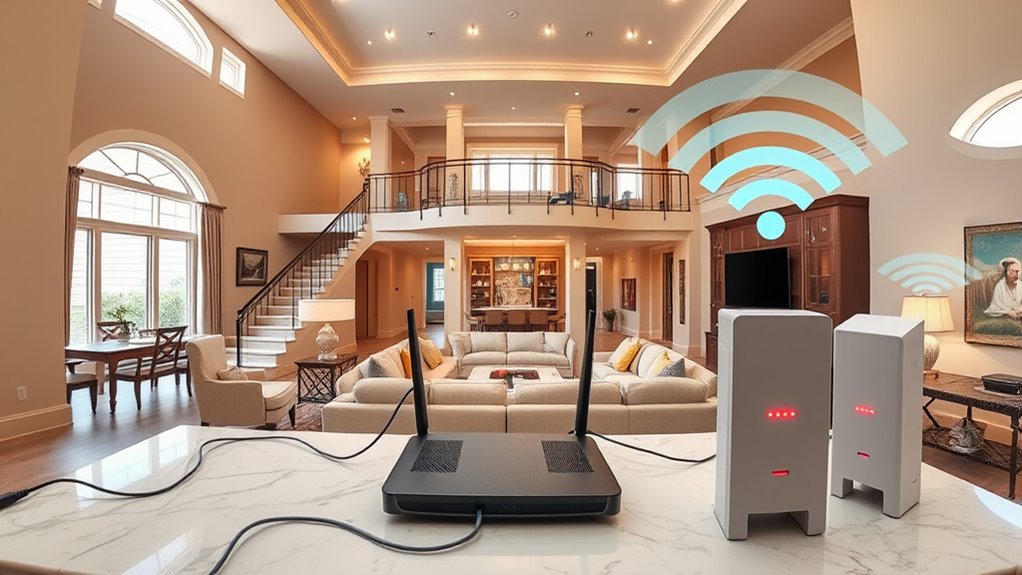
When you have a large home, extending your internet coverage becomes essential to guarantee all areas stay connected. Without proper setup, you might find yourself frustrated by dead zones or slow speeds in certain rooms. Luckily, there are effective ways to improve your Wi-Fi signal throughout your entire space. Two popular options are mesh networks and Wi-Fi extenders, each offering unique benefits that can help create a seamless online experience.
Mesh networks are designed specifically for larger homes. Instead of relying on a single router, they use multiple nodes that communicate with each other to blanket your entire home with Wi-Fi. When you set up a mesh system, you place a main node near your modem and additional nodes in different parts of your house. These nodes work together to form a unified network, providing consistent coverage without the need for complex configurations. The advantage of mesh networks is their ability to intelligently route your device’s connection to the strongest node, which means fewer interruptions and faster speeds. Plus, they’re easy to expand—if you move to a bigger space or find dead zones, adding another node is straightforward. Incorporating mesh networks can also help prevent issues related to Wi-Fi interference, ensuring a more reliable connection.
Mesh networks use multiple nodes for seamless Wi-Fi coverage in large homes.
Wi-Fi extenders are another practical solution, especially if you already have a router and want to boost its range. These devices pick up your existing Wi-Fi signal and rebroadcast it into areas with weak coverage. They’re generally simple to set up—just plug them into an outlet, connect to your network, and position them in a spot where your signal starts to weaken. While Wi-Fi extenders are often more affordable than mesh systems, they can sometimes create a separate network, which might require switching between networks on your devices. However, many modern extenders support seamless roaming, so your device automatically switches to the strongest signal as you move around your home.
Choosing between a mesh network and Wi-Fi extenders depends on your home’s size, layout, and your budget. Mesh systems tend to deliver a more integrated experience with fewer dead zones and smoother connectivity, making them ideal for large, multi-story homes. Wi-Fi extenders, on the other hand, can be a cost-effective way to fill specific gaps in coverage if you’re not ready to invest in a full mesh system.
Ultimately, the goal is to eliminate weak signals and dead zones, ensuring your internet connection is reliable everywhere. Whether you opt for a mesh network or Wi-Fi extenders, you’ll enjoy faster speeds, fewer interruptions, and the confidence that all parts of your home are connected.
mesh Wi-Fi system for large home
As an affiliate, we earn on qualifying purchases.
As an affiliate, we earn on qualifying purchases.
Frequently Asked Questions
How Do I Identify My Wi-Fi Dead Zones?
To identify your Wi-Fi dead zones, start by checking your device’s signal strength in different areas of your home. Move around with your device and note where the signal drops or becomes weak. Look for interference sources like thick walls, appliances, or other electronics that could disrupt the signal. This helps you pinpoint dead zones and plan to improve coverage, ensuring your internet stays strong everywhere.
What’S the Ideal Placement for Wi-Fi Extenders?
You wanna find the ideal placement for Wi-Fi extenders? Focus on router placement first; place your main router in a central, elevated spot for the best signal strength. Then, position extenders halfway between your router and dead zones, avoiding obstructions like thick walls or metal objects. Keep extenders in open areas to maximize coverage and guarantee a strong, consistent signal throughout your home.
Can I Use Multiple Routers Simultaneously?
Imagine your home as a sprawling kingdom, and multiple routers as powerful castles spreading your Wi-Fi empire. Yes, you can use multiple routers simultaneously, but proper router configurations matter. Make sure they support compatible wireless standards and are set to different channels to avoid interference. This way, you expand your internet’s reach, creating a seamless, fast connection across your entire domain—no more dead zones, just kingdom-wide coverage.
How Do I Secure Extended Wi-Fi Networks?
To safeguard your extended Wi-Fi networks, start by setting strong, unique passwords for each router. Enable router encryption like WPA3 or WPA2 to protect your data. Always update your router’s firmware to patch security vulnerabilities. Avoid using default passwords or open networks. Regularly change passwords and disable WPS if not needed. This guarantees your extended network stays private and safe from unauthorized access.
Are Mesh Networks Better Than Range Extenders?
Sure, choosing between mesh comparison and range extender pros might seem like splitting hairs, but it’s actually about quality. Mesh networks beat range extenders by providing seamless coverage and better performance, making your big home feel smaller. Range extenders are simpler and cheaper, but they often cause signal drops. So, if you want a reliable, consistent connection across your entire house, a mesh system is definitely the smarter choice.
Conclusion
By implementing these solutions, you can enjoy seamless internet throughout your big home. Imagine hosting a movie night in the basement, streaming in HD without a glitch. For example, Sarah installed mesh Wi-Fi, and now her family effortlessly connects in every room, from the attic to the backyard. With the right setup, you’ll never have to worry about dead zones or buffering again. Take action today, and transform your internet experience into one that’s fast and reliable everywhere.
Halloween Picks
halloween
As an affiliate, we earn on qualifying purchases.