
Before installing a smart lock, consider its security features like strong encryption, tamper alerts, and multiple access options such as PINs or biometrics. Check compatibility with your door’s type, thickness, and existing hardware, and guarantee it works with your smart home system. Think about connectivity reliability, power sources, and if professional installation is needed. Staying updated on firmware security is vital for ongoing safety. Keep these factors in mind to make a smart choice — you’ll find plenty of details ahead.

Get garden gear delivered free with Prime
- Fast, free delivery on millions of items
- Prime Video, Amazon Music and more included
- Member-only deals all year
Key Takeaways
- Verify door compatibility, including size, thickness, and strike plate requirements, to ensure proper installation.
- Assess security features like encryption, tamper alerts, and access options for maximum safety.
- Check connectivity needs and power sources, such as Wi-Fi, Bluetooth, batteries, or wiring.
- Consider installation complexity, potential costs, and whether professional help is necessary.
- Keep firmware and security features up to date to prevent vulnerabilities and hacking risks.
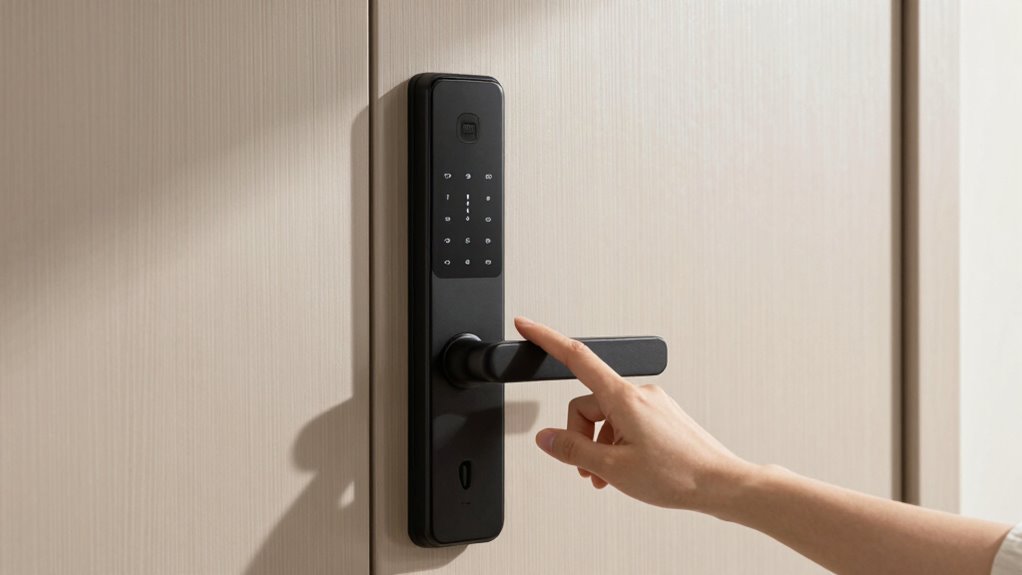
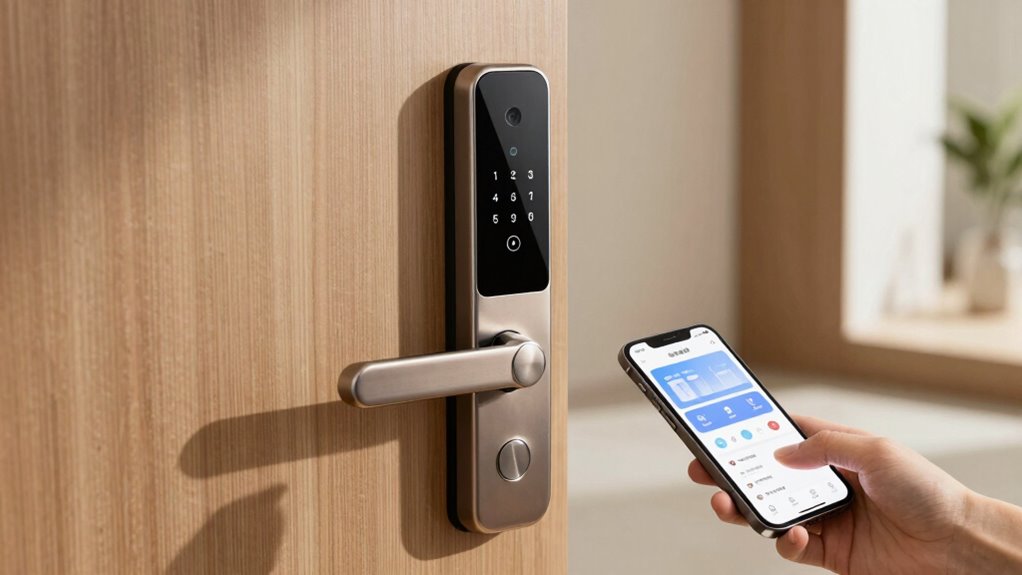
Installing a smart lock can be a great way to boost your home’s security and convenience, but it’s important to take into account several factors before making the switch. First and foremost, you should evaluate the security features offered by the smart lock. Look for models with strong encryption, tamper alerts, and multiple access options like PIN codes, biometric entry, or smartphone app control. These features can considerably enhance your home’s security by preventing unauthorized access and providing you with detailed activity logs. Be cautious, though, because not all smart locks have the same level of security. Some cheaper models may have vulnerabilities that hackers can exploit, so investing in reputable brands with proven security track records is a wise decision.
Another critical consideration is compatibility issues. Not all smart locks are compatible with every door type or existing hardware. Check your door’s thickness, deadbolt type, and whether your current lockset can support the smart lock you’re interested in. Some models require specific strike plates or additional adapters, which can complicate installation or increase costs. Additionally, make sure that your smartphone’s operating system is compatible with the lock’s app, and verify whether the lock integrates smoothly with your smart home ecosystem. If you use voice assistants like Alexa, Google Assistant, or Apple HomeKit, confirm that the smart lock supports these platforms to avoid frustration down the line.
Beyond compatibility, think about your home’s Wi-Fi or Bluetooth setup. Many smart locks rely on a stable internet connection or Bluetooth pairing for remote access and control. Weak or unreliable connectivity could hinder your ability to lock or unlock your door remotely, defeating some of the convenience benefits. If your Wi-Fi signal is weak near the door, you might need a Wi-Fi extender or a hub that improves connectivity. Also, consider the power source. Some smart locks operate on batteries, which will need regular replacement, while others might be wired directly into your home’s electrical system. Familiarize yourself with the maintenance requirements of your chosen model to avoid being locked out unexpectedly. Ensuring security features meet professional standards is crucial to prevent potential breaches and safeguard your home effectively. Moreover, researching security vulnerabilities and how manufacturers address them can provide extra peace of mind. Additionally, understanding the importance of regular firmware updates can help ensure your smart lock remains secure over time.
smart lock with biometric access
As an affiliate, we earn on qualifying purchases.
As an affiliate, we earn on qualifying purchases.
Frequently Asked Questions
Are Smart Locks Compatible With All Door Types?
Smart locks aren’t compatible with all door types. Your door material, like wood, metal, or fiberglass, influences compatibility, as some locks work better with certain surfaces. Also, consider the lock design—some models require specific thicknesses or mounting options. Before buying, check the manufacturer’s guidelines to guarantee your door’s material and design match the smart lock’s specifications, ensuring proper installation and reliable security.
How Secure Are Smart Locks Against Hacking?
Smart locks can be quite secure if they use strong encryption protocols; however, cybersecurity vulnerabilities do exist. Hackers might exploit weak passwords or outdated firmware, so it’s essential you keep your lock’s software updated and choose complex, unique passwords. Regularly monitoring your lock’s activity logs and enabling additional security features, like two-factor authentication, further enhances protection against hacking attempts.
Do Smart Locks Require Professional Installation?
You might think smart locks are so simple, you don’t need a professional—think again. While keyless entry and remote access make life easier, installing a smart lock often requires some technical know-how. A misstep could compromise security or disable features. So, unless you’re a DIY expert, it’s wise to hire a professional to guarantee your smart lock functions correctly, keeping your home safe and connected.
Can Smart Locks Be Used During Power Outages?
Yes, smart locks can be used during power outages if they have a battery backup. Most models include this feature, ensuring you can still lock or open your door when power’s out. Additionally, many smart locks offer emergency access options, like physical keys or keypad codes, so you can get in without electricity. Always check if your smart lock has these features before installation for uninterrupted access.
What Is the Warranty Period for Smart Locks?
The warranty period for smart locks typically ranges from one to three years, depending on the manufacturer. During this time, if you experience issues, you can depend on customer support for assistance. Keep in mind that battery life can impact your lock’s performance, so choosing a model with good battery longevity and accessible customer support guarantees you’re covered if problems arise. Always review warranty details before purchasing.
Conclusion
Before you take the leap into smart lock territory, remember that it’s not just about gadgets and convenience—it’s about safeguarding your castle’s heart. Think of your lock as a loyal gatekeeper, guarding treasures unseen. Weigh your options carefully, considering both technology and your daily routines. When you choose wisely, your smart lock becomes a steadfast sentinel, turning your home into a fortress where peace of mind is the crown, and security is the jewel that truly shines.
Fall yard work Picks
leaf blowers
As an affiliate, we earn on qualifying purchases.