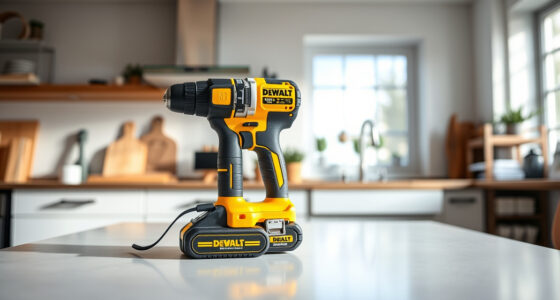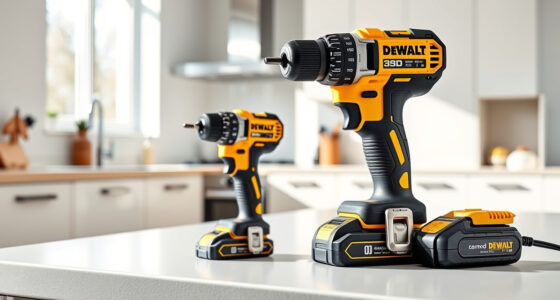

Maintaining your DEWALT XR Impact Driver is essential for ensuring it operates smoothly and lasts longer. Proper cleaning removes dust, debris, and grime that can impair function. In this guide, you’ll find practical, safe steps to clean your impact driver without damaging its components.
Before starting, gather the necessary cleaning tools and ensure the tool is unplugged or the batteries are removed to prevent accidental activation.
Key Takeaways
| Safety First | Always disconnect power sources before cleaning. |
| Use Proper Tools | Soft brushes, compressed air, and damp cloths are recommended. |
| Avoid Water Damage | Never submerge the impact driver or expose it to excessive moisture. |
| Regular Maintenance | Cleaning regularly keeps the tool functioning efficiently. |

DEWALT 20V MAX Cordless Drill and Impact Driver, Power Drill Brushless 2-Tool Power Tool Combo Kit, Includes 2 Batteries, Charger and Bag (DCK277D2)
- Compact Size: 7.6-inch lightweight design for tight spaces
- Ergonomic Grip: Comfortable, balanced control for extended use
- Bright LED Light: Illuminates work area with 20-second delay
As an affiliate, we earn on qualifying purchases.
Step 1: Prepare Your Workspace
- Ensure the impact driver is turned off and disconnected from any power source or batteries removed.
- Work in a well-lit, clean area with ample space for tools and cleaning supplies.
Step 2: Remove Dust and Debris
- Use a soft brush to gently sweep away dust from vents, crevices, and the body of the impact driver.
- Hold the tool upside down and tap lightly to dislodge dirt from hard-to-reach areas.
Step 3: Use Compressed Air
Hold a can of compressed air at a safe distance (about 6 inches) and blow out dust from vents and motor housing. Avoid using excessive force or direct spraying into sensitive components.
Step 4: Wipe the Exterior
- Lightly dampen a microfiber cloth with water or a mild cleaning solution.
- Wipe the entire exterior, avoiding any openings or vents.
- Dry immediately with a clean, dry cloth.
Step 5: Reassemble and Test
Once cleaned and dried, reinsert the batteries or reconnect the power source. Turn on the impact driver briefly to ensure it operates smoothly after cleaning.
The Products in This Guide

DEWALT 20V MAX Cordless Drill and Impact Driver
- ✔ Size: 7.6 inches
- ✔ Battery Capacity: 5Ah
- ✔ Warranty: 3 years

DEWALT Drill Bit Set
- ✔ Size Range: Various
- ✔ Durability: High-Speed Steel
- ✔ Application: General purpose
DEWALT 20V MAX Cordless Drill and Impact Driver
The DEWALT 20V MAX Cordless Drill and Impact Driver offers a compact, lightweight design with a brushless motor, making it ideal for tight spaces and prolonged use. Regular cleaning helps maintain its high performance and durability.
Pros:
- Lightweight and ergonomic
- Brushless motor for efficiency
- Includes 2 batteries and charger
- Bright LED for visibility
Cons:
- Battery life may vary with heavy use
- Requires occasional cleaning for optimal performance
Best for: DIY enthusiasts and professionals needing a reliable impact driver
Not ideal for: Users seeking a corded impact driver or with minimal maintenance preference
Bottom line: A highly capable impact driver that benefits from regular, careful cleaning to ensure longevity.
DEWALT Drill Bit Set
Pair your impact driver with this durable DEWALT drill bit set, featuring 14 high-speed steel bits with a 135-degree split point for precise drilling in plastic, wood, and metal.
Pros:
- Durable High-Speed Steel
- Includes 14 bits
- Reduces walking with split point
- Easy size identification
Cons:
- Bits may wear with heavy use
- Not suited for heavy-duty industrial tasks
Best for: Home workshops and DIY projects needing reliable bits
Not ideal for: Heavy industrial or commercial drilling
Bottom line: A versatile set of drill bits that complement your impact driver well.
Frequently Asked Questions
Can I use water to clean my impact driver?
No, water can damage the internal components. Use a damp cloth and compressed air for cleaning.
How often should I clean my impact driver?
Regular cleaning after every few uses or when you notice dust buildup will help maintain performance.
Is it safe to submerge my impact driver in cleaning solutions?
No, submerging the tool can cause internal damage. Always use dry or minimally damp cleaning methods.
What should I do if my impact driver isn’t turning on after cleaning?
Check the batteries or power connection, ensure they are charged and properly installed. If the problem persists, consult the warranty or a professional service.
Keeping Your Impact Driver in Prime Condition
Regularly cleaning your DEWALT XR Impact Driver ensures it remains reliable and efficient for all your projects. Follow these simple steps periodically, and your tool will continue to perform at its best for years to come. Remember, safety first—always disconnect power sources before cleaning.
Affiliate disclosure: As an Amazon Associate we earn from qualifying purchases. Prices and availability are accurate as of the time of publishing.