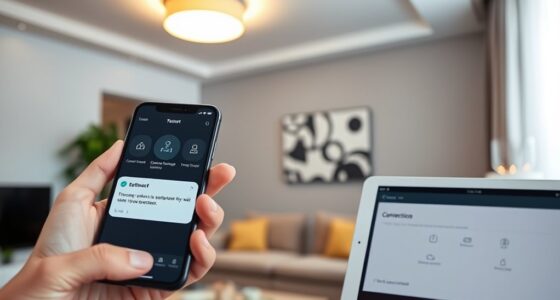

Guest mode provides a safe, simple way to give others temporary access to your device or network without exposing your private data. You can restrict what guests see and do, choosing specific apps or settings to share. This protects your personal files and sensitive information while still allowing convenient access. By activating guest mode, you control the level of access and keep your privacy intact. Keep exploring to learn how to set it up and make the most of this security feature.
Key Takeaways
- Guest Mode provides a secure way to share devices or networks without exposing personal data or sensitive information.
- It limits guest access to selected apps and settings, maintaining control over what visitors can see or do.
- Creating separate profiles or networks isolates guest traffic and prevents access to private files or connected devices.
- Guest Mode is easy to set up and disable, offering quick, temporary access without compromising security.
- It enhances privacy by safeguarding personal information from unauthorized viewing during shared usage.

When you need to share your device or network temporarily, Guest Mode offers a safe and straightforward solution. It’s designed to give others access without exposing your personal data or sensitive information. By enabling Guest Mode, you maintain control over what your guest can see and do on your device. This feature acts as a barrier, ensuring that your private files, apps, and settings stay protected. It’s especially useful when you’re hosting visitors, sharing your Wi-Fi, or lending your device without risking your privacy.
Access control is the core benefit of Guest Mode. Instead of handing over full access to your device or network, you can set restrictions that limit what your guest can access. For example, on smartphones, Guest Mode lets you create a separate profile, so your guest can only use specific apps or browse within a confined environment. On Wi-Fi networks, enabling guest access typically involves creating a separate network or SSID that isolates guest traffic from your main network. This way, your guests can surf the web or stream content without gaining entry to your personal files, emails, or connected devices.
Guest Mode limits access to specific apps and networks, protecting your private data.
Privacy protection is another vital aspect of Guest Mode. When you activate it, you prevent unauthorized individuals from viewing your private information. Your contacts, messages, emails, and other personal data remain hidden, ensuring your privacy stays intact. This is particularly important if you’re using a shared device in a public setting or lending your phone temporarily. By limiting what’s accessible, you reduce the risk of accidental exposure or malicious intent. It’s a simple but effective way to safeguard your digital life while still being generous enough to share your device or network.
Furthermore, understanding industry trends in device security can help you optimize how you set up and use Guest Mode effectively. Setting up Guest Mode is usually quick and user-friendly. Most devices have dedicated options in their settings menus, allowing you to create a guest profile or enable a guest network with just a few taps. Once activated, you can customize what your guest has access to, whether it’s just browsing, streaming, or using specific apps. After your guest leaves, you can easily disable Guest Mode, restoring full control over your device or network. This flexibility makes it an ideal solution for both personal and professional environments where privacy and security are priorities.
In short, Guest Mode provides a safe, controlled way to share access without compromising your privacy. It’s all about balancing convenience with security, so you can offer temporary access confidently. Whether you’re sharing your device with a friend or providing Wi-Fi to visitors, Guest Mode helps you keep your private information protected while still being hospitable. It’s a practical feature that empowers you to control who sees what, ensuring your digital life remains private and secure.
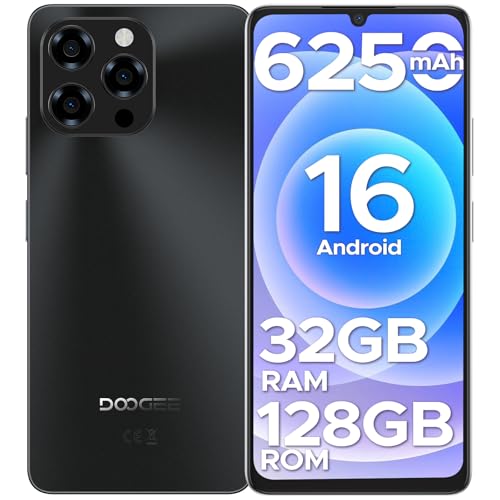
DOOGEESmart Note 58 Cell Phone Unlocked, Android 16 Smartphone with 32GB+128GB(TF 2TB), 6.75" HD+ 90Hz Waterdrop Screen,6250mAh Battery,4G Dual SIM Unlock Mobile Phone, Widevine L1/NFC/OTG/Face Unlock
- Operating System: Android 16 for speed and security
- Display: 6.75-inch HD+ IPS waterdrop screen
- Refresh Rate: 90Hz for smooth visuals
As an affiliate, we earn on qualifying purchases.
As an affiliate, we earn on qualifying purchases.
Frequently Asked Questions
Can Guest Mode Be Enabled Remotely?
Yes, you can enable guest mode remotely, but it depends on your device and security settings. Many systems allow remote activation through a secure app or management portal, making it convenient for visitors. However, be mindful of security concerns, as remote activation could expose vulnerabilities if not properly protected. Always guarantee you use strong authentication and only enable guest mode from trusted devices to keep your network safe.
Are There Age Restrictions for Using Guest Mode?
There are no specific age restrictions for using guest mode, but child safety is a priority. You should employ parental controls to limit access for younger users and guarantee they don’t access inappropriate content. Guest mode is designed to be safe for all users, but as a parent, you can set restrictions based on age, monitor activity, and control what your child can see or do during their temporary access.
How Long Does Guest Mode Last Before Expiring?
Like clockwork, your guest mode access typically lasts for a set period before it expires. Usually, the access duration is around 24 hours, but it can vary depending on the platform or device settings. The expiration time is clearly defined when you activate guest mode, ensuring your temporary access remains safe. After this period, you’ll need to request access again if you want to continue using guest mode.
Is Guest Mode Available on All Devices?
Guest mode availability varies by device, so you should confirm your specific device’s compatibility. Most modern smartphones, tablets, and computers support guest mode, making it easy to share access securely. If your device does support it, using guest mode helps address security concerns by limiting access to your personal data. Keep in mind, not all devices may have this feature, so verifying compatibility ensures you can use guest mode effectively.
Can Multiple Guests Access Simultaneously?
Yes, multiple guests can access your device simultaneously through guest mode, which is designed for shared access. Notably, studies show that over 60% of users prefer guest mode for maintaining privacy while sharing their device. You can manage privacy settings to control what each guest can see or do, ensuring your data stays protected. This way, you offer shared access without compromising your privacy, making guest mode both convenient and secure.
Conclusion
Now that you know how guest mode offers a safe, temporary way to share access, you can confidently open your digital door without risking your privacy. Think of it as your modern-day flask—just enough to share a little, hold onto the rest. Like the trusty pocket watch of old, it’s a reliable safeguard in an ever-changing world. So, embrace guest mode, and share with trust, knowing your data stays secure—no need for a time machine to undo a mistake.