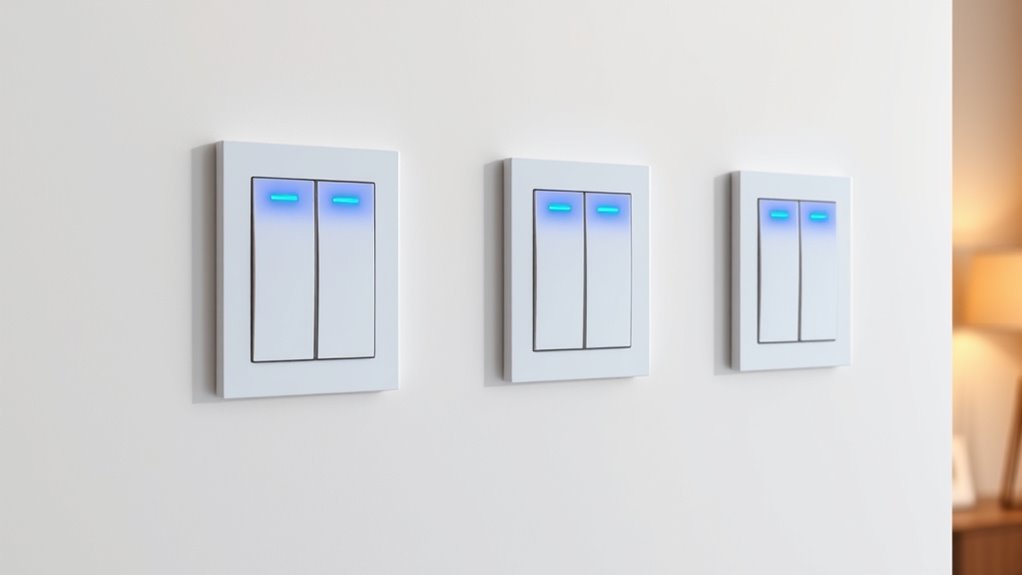

A smart light switch without a neutral wire can add app and voice control to older wiring, but compatibility depends on the switch, the lights, and the setup you want. My best overall pick is the Leviton Decora Smart No-Neutral Dimmer & Wi-Fi Bridge Kit, which pairs a purpose-built dimmer with its bridge. The GE Cync Smart On/Off Switch is a straightforward alternative for buyers who want switching rather than dimming, while the SONOFF ZBMINIL2 two-pack suits people already using a compatible Zigbee hub. The main tradeoffs are hub versus direct Wi-Fi, dimming versus simple on/off control, and single-pole versus multi-way wiring. Read on for how the 13 options differ and which type of installation each is meant to serve.

Get garden gear delivered free with Prime
- Fast, free delivery on millions of items
- Prime Video, Amazon Music and more included
- Member-only deals all year
Complete the kit


Key Takeaways
- The Leviton DNKIT-1RW ranks first because its no-neutral dimmer and Wi-Fi bridge are sold as a matched kit, reducing uncertainty about the control system compared with models that rely on a separate hub or ecosystem.
- Leviton’s DN6HD dimmer and DN15S on/off switch serve different jobs: pick the dimmer for compatible dimmable lighting and the DN15S when you only need switching.
- Hub-based options are not interchangeable: the Martin Jerry and SONOFF picks use Zigbee, while YoLink uses its own ecosystem; buyers should check for a compatible hub before choosing them.
- The lineup includes distinct wiring and control formats: the 2-gang MOES and RF433 2-gang models address multi-button needs, while the wireless 3-way pick targets a different installation problem than a standard single-pole switch.
- Not every no-neutral product is a full wall-switch replacement: the Aqara single-rocker switch and SONOFF ZBMINIL2 are compact options, but buyers should verify the intended mounting, wiring, and control setup before ordering.
| MOES Wi-Fi Double Smart Light Switch, Neutral or No-Neutral Wiring |  | Best for Two Fixtures | Switch type: Double light switch | Wiring: Neutral or no-neutral; capacitor required for no-neutral wiring | Wireless protocol: 2.4 GHz Wi-Fi | VIEW ON AMAZON | See Our Full Breakdown |
| Martin Jerry Zigbee Smart Light Switch, No Neutral, Single-Pole, 1-Pack |  | Best for Zigbee Homes | Model: RP-ZB-S01 | Wiring: No neutral; single-pole only | Connectivity: Zigbee 3.0 | VIEW ON AMAZON | See Our Full Breakdown |
| Smart Wi-Fi Light Switch, RF433, No Neutral Wire Required, Compatible with Alexa, Google Home, Smart Life App (2-Gang) |  | Best for Multiple Control Methods | Gang format: 2-gang | Wiring: No neutral wire required | Connectivity: Wi-Fi and RF433 listed | VIEW ON AMAZON | See Our Full Breakdown |
| YoLink FlexSwitch Smart Light Switch, No Neutral Wire, YS5709 |  | Best for Long-Range Hub Setups | Power source: 2 AA batteries | Battery life: Up to 2.5 years | Wireless protocol: YoLink proprietary LoRa-based protocol | VIEW ON AMAZON | See Our Full Breakdown |
| Smart Light Switch, Wireless 3-Way, No Neutral Required, Alexa & Google Assistant Compatible |  | Best for 3-Way Lighting | Wiring: No neutral required; 3-way circuit listed | Operating voltage: 120 V | Switch type: Push button | VIEW ON AMAZON | See Our Full Breakdown |
| Leviton Decora Smart No-Neutral Dimmer & Wi-Fi Bridge Kit (DNKIT-1RW) |  | Best Overall Starter Kit | Model: DNKIT-1RW | Voltage: 120 V | Wiring: Line, load, and ground; no neutral | VIEW ON AMAZON | See Our Full Breakdown |
| GE Cync Smart On/Off Light Switch, No Neutral Wire Required |  | Best for Simple App-Based Switching | Model: CSWONBLBWF1NN/ST1P | Operation: On/off, push-button control | Voltage: 120 V | VIEW ON AMAZON | See Our Full Breakdown |
| LSLIANGMEI Smart Wi-Fi Light Switch, 1-Gang, No Neutral Wire Required |  | Best for Multiple Control Methods | Gang: 1-gang | Voltage: 110 V | Neutral wire: Not required | VIEW ON AMAZON | See Our Full Breakdown |
| SONOFF ZBMINIL2 Zigbee Smart Light Switch (2-Pack), No Neutral Wire Required, Hub Required, Voice Control Compatible |  | Best Compact Retrofit Pair | Model: ZBMINIL2 | Pack quantity: 2 | Protocol: Zigbee 3.0 | VIEW ON AMAZON | See Our Full Breakdown |
| Leviton Decora Smart No-Neutral Dimmer Switch, DN6HD-1RW, White |  | Best for Leviton System Expansion | Model: DN6HD-1RW | Voltage: 120 V AC | Wiring: Line, load, and ground; no neutral | VIEW ON AMAZON | See Our Full Breakdown |
| MoesGo WiFi RF433 Smart Touch Light Switch, No Neutral Wire, White 1 Gang |  | Best for Direct Wi-Fi Control | Wiring: No neutral required; single live wire design | Circuit: 1-way, single-pole | Connectivity: 2.4 GHz Wi-Fi | VIEW ON AMAZON | See Our Full Breakdown |
| Leviton Decora Smart No-Neutral Switch, DN15S-1RW, White |  | Best for Leviton Ecosystems | Model: DN15S-1RW | Wiring: No neutral required; line, load, and ground required | Operating voltage: 120 V AC | VIEW ON AMAZON | See Our Full Breakdown |
| Aqara Smart Light Switch, No Neutral, Single Rocker |  | Best for Multi-Platform Zigbee Setups | Switch type: Single rocker | Wiring: No neutral required | Connectivity: Zigbee | VIEW ON AMAZON | See Our Full Breakdown |
| smart light switch no neutral wire | Wiring | Connectivity | Voice assistants |
|---|---|---|---|
| MOES Wi-Fi Double Smart Light | Neutral or no-neutral; capacitor required for no-neutral wiring | — | Alexa and Google Assistant |
| Martin Jerry Zigbee Smart Ligh | No neutral; single-pole only | Zigbee 3.0 | — |
| Smart Wi-Fi Light Switch | No neutral wire required | Wi-Fi and RF433 listed | Amazon Alexa and Google Assistant |
| YoLink FlexSwitch Smart Light | — | — | — |
| Smart Light Switch | No neutral required; 3-way circuit listed | Wi-Fi | Amazon Alexa and Google Assistant |
| Leviton Decora Smart No-Neutra | Line, load, and ground; no neutral | — | — |
| GE Cync Smart On/Off Light Swi | Ground required; neutral not required | 2.4 GHz Wi-Fi and Bluetooth | Amazon Alexa and Google Home |
| LSLIANGMEI Smart Wi-Fi Light S | — | Wi-Fi; RF433 support | — |
| SONOFF ZBMINIL2 Zigbee Smart L | No neutral wire required | — | — |
| Leviton Decora Smart No-Neutra | Line, load, and ground; no neutral | — | Amazon Alexa, Google Assistant, Apple Siri |
| MoesGo WiFi RF433 Smart Touch | No neutral required; single live wire design | 2.4 GHz Wi-Fi | Amazon Alexa and Google Assistant |
| Leviton Decora Smart No-Neutra | No neutral required; line, load, and ground required | Wi-Fi via required MLWSB bridge | Amazon Alexa, Google Assistant, and Apple Siri |
| Aqara Smart Light Switch | No neutral required | Zigbee | — |
More Details on Our Top Picks
MOES Wi-Fi Double Smart Light Switch, Neutral or No-Neutral Wiring
I’d choose the MOES double switch when two separate fixtures need smart control from one wall location. Its support for neutral or no-neutral wiring gives it more installation flexibility than the single-pole Martin Jerry Zigbee switch, and it connects directly to 2.4 GHz Wi-Fi without a hub. App, voice, and timer controls cover common routines without adding a separate control platform.
The tradeoff is that no-neutral wiring requires the included capacitor, so the installation is not as simple as the hub-free description might suggest. It also provides on/off control only: buyers who want dimming or to keep smart bulbs on the circuit should choose another setup. I’d skip it if the fixtures are on a 3-way circuit or the home relies on a hub rather than Wi-Fi.
Pros:- Controls two light fixtures from one switch location.
- Supports both neutral and no-neutral wiring, with the included capacitor for no-neutral setups.
- Works over 2.4 GHz Wi-Fi without requiring a hub.
- Offers app, voice, and timer control.
Cons:- No-neutral wiring requires installing the included capacitor.
- Does not support dimming or smart bulbs.
- Requires 2.4 GHz Wi-Fi and does not offer hub-based connectivity.
Best for: Homeowners who need app and voice control for two fixtures at one wall location and have compatible 2.4 GHz Wi-Fi.
Not ideal for: Buyers who need dimming, smart-bulb compatibility, 3-way wiring, or a no-neutral installation without fitting a capacitor.
- Switch type:Double light switch
- Wiring:Neutral or no-neutral; capacitor required for no-neutral wiring
- Wireless protocol:2.4 GHz Wi-Fi
- Hub required:No
- Control methods:App, remote, voice, and timer
- Voice assistants:Alexa and Google Assistant
- Mounting:Wall mount
Our verdict“Choose the MOES if you want hub-free smart on/off control for two fixtures and can accommodate its capacitor requirement for no-neutral wiring.”
Martin Jerry Zigbee Smart Light Switch, No Neutral, Single-Pole, 1-Pack
The Martin Jerry makes sense for buyers who already have a compatible Zigbee hub and want a no-neutral, single-pole switch with a familiar rocker format. Its adjustable night light adds a practical touch for hallways or bedrooms, while Alexa and Google Home support lets it join voice routines. Unlike the MOES Wi-Fi double switch, this is a one-circuit option built around a hub rather than direct Wi-Fi.
That Zigbee requirement is both its main distinction and its main limitation: it can fit a hub-based setup, but it is not a standalone smart switch. The single-pole-only wiring rules it out for 3-way circuits, and the faceplate is not included. Its 5 W minimum LED load may also restrict which low-wattage lighting setups are suitable, so I’d check the connected load before choosing it.
Pros:- Operates without a neutral wire.
- Uses Zigbee 3.0 and works with listed compatible hubs.
- Supports Alexa and Google Home voice control.
- Includes an adjustable-brightness night light.
Cons:- Requires a compatible Zigbee hub.
- Supports single-pole wiring only, not 3-way setups.
- Faceplate is not included, and the minimum LED load is 5 W.
Best for: Households with a compatible SmartThings, Hubitat, or SmartLife Zigbee hub that need a no-neutral switch for a single-pole light.
Not ideal for: Buyers without a compatible Zigbee hub, those wiring a 3-way circuit, or anyone who wants a faceplate included.
- Model:RP-ZB-S01
- Wiring:No neutral; single-pole only
- Connectivity:Zigbee 3.0
- Compatible hubs:Samsung SmartThings, Hubitat, and SmartLife
- Operating voltage:120 V AC, 60 Hz
- Minimum LED load:5 W
- Night light:Adjustable brightness
- Faceplate:Not included
Our verdict“Pick the Martin Jerry for a hub-based, single-pole installation where its rocker switch and adjustable night light are useful.”
Smart Wi-Fi Light Switch, RF433, No Neutral Wire Required, Compatible with Alexa, Google Home, Smart Life App (2-Gang)
This two-gang switch is aimed at buyers who want several ways to operate their lights: touch, app, voice, and RF433 remote. That range of controls gives it a different appeal from the Martin Jerry, which relies on a Zigbee hub, and the battery-powered YoLink FlexSwitch, which belongs to its own hub ecosystem. The advertised no-neutral wiring may suit older homes where a neutral is absent at the switch box.
Its product information is less specific about installation and system limits than the MOES double switch, so I’d verify the wiring layout and RF remote details before buying. App and voice features also depend on a working Wi-Fi connection, rather than offering the long-range LoRa approach of YoLink. The stated 10 A current limit narrows the loads it can control, and the supplied data does not establish dimming support or a clear hub requirement.
Pros:- Advertises no-neutral installation for homes without a neutral at the switch.
- Offers touch, app, voice, and RF433 remote control.
- Lists Alexa and Google Assistant compatibility.
- Two-gang format can serve two switch positions at one wall location.
Cons:- App and voice control require a Wi-Fi connection.
- The stated 10 A limit may exclude higher-current loads.
- Product data does not clearly establish dimming support or a hub requirement.
Best for: Buyers seeking a two-gang, no-neutral switch with touch, app, voice, and RF remote control for compatible lighting loads.
Not ideal for: Shoppers who need a clearly documented installation path, dimming, operation independent of Wi-Fi, or loads above the stated 10 A limit.
- Gang format:2-gang
- Wiring:No neutral wire required
- Connectivity:Wi-Fi and RF433 listed
- Operating voltage:110 V
- Control methods:Touch, app, manual, voice, and remote
- Voice assistants:Amazon Alexa and Google Assistant
- Color:White
Our verdict“Consider this two-gang option if you want several control methods and can confirm its wiring and load limits match your installation.”
YoLink FlexSwitch Smart Light Switch, No Neutral Wire, YS5709
The YoLink FlexSwitch differs from conventional Wi-Fi wall switches: it is battery-powered and communicates over YoLink’s LoRa-based network. Its listed range of up to 2,034 feet may suit larger properties or outbuildings where Wi-Fi coverage is a concern. Two AA batteries are listed for power, with battery life up to 2.5 years, and the switch adds scheduling, timers, device-to-device control, and over-temperature protection.
Those capabilities depend on the YoLink Hub for remote control, schedules, automation, and third-party integrations. That makes it a more ecosystem-specific choice than the hub-free MOES Wi-Fi switch, which is simpler for ordinary app-and-voice control. FlexSwitch is also listed as a 1-way circuit, so it is not a fix for every multi-location lighting setup. Choose it for range and YoLink routines, not for a standalone Wi-Fi replacement.
Pros:- Does not require a neutral wire and uses two AA batteries.
- Lists LoRa wireless range up to 2,034 feet.
- Supports scheduling, timers, and device-to-device control through the YoLink system.
- Includes over-temperature protection at 158°F (70°C).
Cons:- Requires a YoLink Hub for remote control and advanced smart features.
- Advanced functions depend on the YoLink ecosystem.
- Listed for 1-way circuits, limiting its fit for multi-location switching.
Best for: YoLink users who need a no-neutral, 1-way wall switch in a large property and value long-range device communication.
Not ideal for: Buyers who want direct Wi-Fi setup, do not want a YoLink Hub, or need a 3-way switch configuration.
- Power source:2 AA batteries
- Battery life:Up to 2.5 years
- Wireless protocol:YoLink proprietary LoRa-based protocol
- Wireless range:Up to 2,034 feet
- Circuit type:1-way
- Hub requirement:YoLink Hub required for remote control and advanced features
- Over-temperature protection:158°F (70°C)
- Operating voltage:120 V AC
Our verdict“Choose FlexSwitch if you already use YoLink and need long-range control; skip it if you want a hub-free Wi-Fi switch.”
Smart Light Switch, Wireless 3-Way, No Neutral Required, Alexa & Google Assistant Compatible
For a buyer whose main constraint is a 3-way lighting setup, this switch is the clearest fit in this group: it is listed for 3-way circuits and advertises no-neutral installation. It also offers Wi-Fi app and voice control with Alexa and Google Assistant, without a separate hub. Compared with the MOES double switch, which controls two fixtures from one location but does not list 3-way support, this option addresses a different wiring need.
The available product details leave some installation questions open, including how the wireless connector arrangement works in a particular circuit, so I’d confirm compatibility before buying. Its 600 W capacity sets a firm limit, and smart control depends on stable Wi-Fi. The listing describes a push-button switch, not a dimmer, so I would not choose it for adjustable brightness or assume it supports every 3-way wiring configuration.
Pros:- Listed for 3-way lighting circuits.
- Advertises no-neutral installation.
- Supports Alexa and Google Assistant voice control.
- Offers Wi-Fi app control without a separate hub.
Cons:- Limited to a stated 600 W capacity.
- App and voice features depend on a stable Wi-Fi connection.
- The product details do not fully explain the wireless connector and wiring requirements.
Best for: Homeowners replacing a switch in a compatible 3-way lighting circuit who want Wi-Fi app and voice control without a neutral wire.
Not ideal for: Buyers with loads above 600 W, those seeking dimming, or anyone unable to verify that the wireless 3-way arrangement matches their wiring.
- Wiring:No neutral required; 3-way circuit listed
- Operating voltage:120 V
- Switch type:Push button
- Connectivity:Wi-Fi
- Control methods:Voice and app
- Voice assistants:Amazon Alexa and Google Assistant
- Wattage capacity:600 W
- Mounting:Wall mount
Our verdict“Choose this switch for a compatible 3-way circuit when no-neutral, hub-free app and voice control matter more than dimming.”
Leviton Decora Smart No-Neutral Dimmer & Wi-Fi Bridge Kit (DNKIT-1RW)
This kit is my strongest all-in-one starting point for a no-neutral retrofit when dimming and broad voice-assistant support matter. The included plug-in bridge avoids adding another wired device to the wall, while supporting My Leviton control and Alexa, Google Assistant, and Apple HomeKit. Compared with the Leviton DN6HD-1RW, this bundle includes the bridge needed for smart connectivity, so there is less accessory shopping before setup. It also supports optional wire-free companions for multi-location control, a useful route when rewiring a 3-way circuit is impractical.
The tradeoff is that the bridge is still a required part of the system, not a direct-to-Wi-Fi switch, and its stated coverage is 2,500 square feet with a 25-device limit. I would skip it for 240V systems or homes where a bridge-free setup is the priority.
Pros:- Designed for wallboxes without a neutral wire; line, load, and ground are still required.
- Includes the plug-in bridge needed for smart features.
- Supports Alexa, Google Assistant, Apple HomeKit, and the My Leviton app.
- Offers full-range dimming and optional wire-free multi-location control.
Cons:- Smart operation depends on the included bridge, adding a device to the home network setup.
- Bridge coverage is specified at 2,500 square feet and supports up to 25 devices.
- Limited to 120V systems.
Best for: Homeowners with older 120V wiring who want dimming, major voice-assistant support, and a bridge included in the starter package.
Not ideal for: Buyers seeking a standalone Wi-Fi dimmer, 240V compatibility, or coverage beyond the bridge’s stated 2,500 square feet.
- Model:DNKIT-1RW
- Voltage:120 V
- Wiring:Line, load, and ground; no neutral
- Maximum LED/CFL load:300 W
- Maximum incandescent/MLV load:600 W
- Compatibility:Alexa, Google Assistant, Apple HomeKit, My Leviton
- Bridge capacity:Up to 25 devices; stated coverage 2,500 sq. ft.
Our verdict“Choose this kit if you want a no-neutral dimmer with its required bridge and broad assistant support in one package.”
GE Cync Smart On/Off Light Switch, No Neutral Wire Required
The GE Cync is the straightforward on/off pick for a single-pole circuit: it connects over 2.4 GHz Wi-Fi and Bluetooth without a neutral wire or separate hub. That makes its setup simpler on the accessory front than the Leviton DN6HD-1RW, which requires a separate bridge, though Leviton offers dimming and this GE switch does not. App scheduling and Alexa or Google Home voice control let buyers automate existing traditional bulbs without replacing them.
Its narrow circuit fit is the main compromise. This model is not compatible with three-way setups or traditional non-smart switches, and a ground wire is required, so “no neutral” does not mean wire-free installation. The product data also flags bulb compatibility as something to check in homes built before the 1980s. I would choose it for a simple one-location light, not a multi-location circuit or a dimming-focused room.
Pros:- Works without a neutral wire or separate hub.
- Provides app control and scheduling for traditional bulbs.
- Supports Amazon Alexa and Google Home.
- Uses 2.4 GHz Wi-Fi and Bluetooth connectivity.
Cons:- Requires a ground wire despite not requiring a neutral.
- Does not support three-way setups or traditional non-smart switches.
- Offers on/off control only, not dimming.
Best for: Homeowners with a grounded, single-pole wallbox who want app schedules and Alexa or Google Home control for existing bulbs.
Not ideal for: Buyers with three-way wiring, no ground wire, a need for dimming, or bulbs whose compatibility is uncertain in an older home.
- Model:CSWONBLBWF1NN/ST1P
- Operation:On/off, push-button control
- Voltage:120 V
- Circuit type:1-way
- Wiring:Ground required; neutral not required
- Connectivity:2.4 GHz Wi-Fi and Bluetooth
- Voice assistants:Amazon Alexa and Google Home
- Warranty:2-year limited
Our verdict“Pick the Cync if your circuit is single-pole and you want simple app and voice switching without a separate hub.”
LSLIANGMEI Smart Wi-Fi Light Switch, 1-Gang, No Neutral Wire Required
LSLIANGMEI stands out for control flexibility: the one-gang switch combines a touch panel, Smart Life or Tuya app control, Alexa and Google voice commands, and RF433 remote support. That gives it more control routes than the GE Cync on/off switch, which relies on its app and compatible assistants, while the GE’s product data is more explicit about its 120V single-pole circuit and ground-wire requirement. The tempered-glass face and LED indicators also make this a visually distinct wall control rather than a conventional push-button design.
The tradeoff is that the supplied specs give fewer installation and load details than the Leviton options, so I would verify electrical and bulb compatibility before buying. Its stated 110V operating voltage and IP20 protection rating also narrow where it fits; it is not a choice for damp or dusty locations. This suits buyers who value varied controls and a glass panel over a well-documented load range.
Pros:- Designed to operate without a neutral wire.
- Supports touch, app, voice, and RF433 remote control.
- Works with Smart Life, Tuya, Alexa, and Google Home.
- Uses a tempered-glass panel with LED indicators.
Cons:- The listed operating voltage is 110 V, so buyers should confirm supply compatibility.
- IP20 protection limits suitability to dry, indoor locations.
- Provided product data does not specify a supported lighting-load range.
Best for: Buyers fitting a one-gang no-neutral switch who want touch, app, voice, and RF433 control options with a glass face.
Not ideal for: Anyone needing clear load-capacity guidance, a switch for damp or dusty areas, or a product specified for a different supply voltage.
- Gang:1-gang
- Voltage:110 V
- Neutral wire:Not required
- Connectivity:Wi-Fi; RF433 support
- Control methods:Touch panel, app, voice, RF433 remote
- Compatible platforms:Smart Life, Tuya, Amazon Alexa, Google Home
- Materials:Tempered glass, ABS, PC
- Ingress protection:IP20
Our verdict“Choose this model if varied control methods and a glass touch panel matter more than detailed published load specifications.”
SONOFF ZBMINIL2 Zigbee Smart Light Switch (2-Pack), No Neutral Wire Required, Hub Required, Voice Control Compatible
These compact Zigbee modules are the space-saving choice for buyers who want two no-neutral controls and already have a compatible hub. At 1.55 × 1.25 × 0.72 inches, each module is much smaller than a full wall switch such as the GE Cync, which can help when fitting the control into a crowded box. Zigbee 3.0 also offers local control through a supported hub, so basic switching need not depend on an active internet connection. The product supports external switches and two-way control, making it a stronger fit for staircase or multi-location wiring than the GE Cync.
That flexibility depends on the hub: this is not a standalone Wi-Fi switch. Buyers also need to check bulb and load suitability; the listed minimum load is 3 W, and the module’s IP00 rating makes it unsuitable for wet or dusty spaces. I would favor it over the Leviton bridge kit only when compact size and an existing Zigbee ecosystem are higher priorities than a bundled control system.
Pros:- Very compact modules suit small mounting boxes.
- No neutral wire is required.
- Supports external switches and two-way control.
- Zigbee local control can operate without internet access when paired with a compatible hub.
Cons:- Requires a separate compatible Zigbee hub and does not work standalone.
- Bulb and load compatibility need checking; the stated minimum load is 3 W.
- IP00 protection makes it unsuitable for wet or dusty locations.
Best for: Homeowners with a compatible Zigbee hub who need compact no-neutral modules for two locations or a two-way lighting setup.
Not ideal for: Buyers without a Zigbee hub, those wanting a ready-to-use Wi-Fi wall switch, or anyone installing in wet or dusty environments.
- Model:ZBMINIL2
- Pack quantity:2
- Protocol:Zigbee 3.0
- Voltage:120 V
- Wiring:No neutral wire required
- Minimum load:3 W
- Dimensions:1.55 × 1.25 × 0.72 inches
- Compatible hubs:Alexa, Google Home, SmartThings, Home Assistant
Our verdict“Choose this two-pack if you already use a compatible Zigbee hub and need compact modules for no-neutral, multi-location lighting.”
Leviton Decora Smart No-Neutral Dimmer Switch, DN6HD-1RW, White
The DN6HD-1RW makes sense when you want Leviton’s no-neutral dimming hardware but are already prepared to supply the separate MLWSB bridge. It supports dimmable LED, CFL, incandescent, and MLV loads, giving it a broader stated load range than the GE Cync, which is on/off only. Optional wire-free companions can add multi-location control without running traveler wires, useful when changing a conventional 3-way arrangement is difficult.
Compared with the DNKIT-1RW starter kit, this switch is the add-on route rather than the bridge-included route. That can suit an existing Leviton setup, but buyers starting from scratch must account for the required bridge separately. It still needs line, load, and ground connections, and it is limited to 120V AC. I would choose it for a retrofit dimming project when the bridge is already in place; otherwise, the kit is the simpler entry point.
Pros:- Designed for installation without a neutral wire.
- Supports dimmable LED, CFL, incandescent, and MLV lighting.
- Offers app, voice, scheduling, and remote-control features through the required bridge.
- Optional wire-free companions enable multi-location control.
Cons:- Requires a separately sold MLWSB Wi-Fi Bridge for smart connectivity.
- Line, load, and ground wiring connections are still required.
- Limited to 120V AC.
Best for: Leviton smart-home owners adding a no-neutral dimmer to an existing bridge setup, especially where dimming or wire-free multi-location control is needed.
Not ideal for: First-time buyers who want the bridge included, anyone without line, load, and ground connections, or homes using 240V lighting.
- Model:DN6HD-1RW
- Voltage:120 V AC
- Wiring:Line, load, and ground; no neutral
- Maximum dimmable LED/CFL load:300 W
- Maximum incandescent/MLV load:600 W
- Required accessory:MLWSB Decora Smart Wi-Fi Bridge
- Voice assistants:Amazon Alexa, Google Assistant, Apple Siri
- Multi-location control:Optional DAWDC dimmer or DAWSC switch companion
Our verdict“Choose this dimmer as an expansion for a Leviton system with its bridge already available; otherwise, the DNKIT-1RW bundles the required bridge.”
MoesGo WiFi RF433 Smart Touch Light Switch, No Neutral Wire, White 1 Gang
The MoesGo is a straightforward pick for a single-pole light circuit without a neutral: its single-live-wire design avoids rewiring, and it connects over 2.4 GHz Wi-Fi without a hub. App control, schedules, and Alexa or Google voice commands cover the main smart-switch tasks without adding a separate bridge. Compared with the Aqara Single Rocker, MoesGo is simpler to add to a Wi-Fi setup, while Aqara offers Zigbee and a lower stated minimum load. The key fit check is the bulb load: MoesGo specifies a 5 W minimum, so low-wattage LEDs may not suit it. Its 2 A current rating and single-pole circuit also limit where it can be used, and it does not offer the broader bridge-based platform arrangement of the Leviton DN15S-1RW.
Pros:- No neutral wire or separate hub required
- Supports Smart Life and Tuya app control, schedules, and countdown timers
- Works with Alexa and Google Home voice control
- Touch controls provide local operation at the wall
Cons:- Requires a minimum 5 W load, which can rule out some low-wattage LED setups
- Limited to single-pole use and a stated 2 A current rating
- Works on 2.4 GHz Wi-Fi only
Best for: Homeowners replacing one single-pole switch who want app and voice control over 2.4 GHz Wi-Fi without buying a hub.
Not ideal for: Buyers with low-wattage LED loads under 5 W, multi-location wiring, or a preference for a switch with a stated broad load range.
- Wiring:No neutral required; single live wire design
- Circuit:1-way, single-pole
- Connectivity:2.4 GHz Wi-Fi
- Hub:Not required
- Minimum load:5 W
- Voice assistants:Amazon Alexa and Google Assistant
- Control:Touch, Smart Life app, Tuya app, voice, schedules, and countdown timer
Our verdict“Choose MoesGo for a hub-free, single-pole Wi-Fi upgrade, provided the connected lighting meets its 5 W minimum load.”
Leviton Decora Smart No-Neutral Switch, DN15S-1RW, White
The Leviton DN15S-1RW suits buyers who want a recognized wiring and control ecosystem for a no-neutral wallbox, but the bridge requirement changes the buying equation: remote and voice features depend on the MLWSB Wi-Fi Bridge, sold separately. That makes it less self-contained than the hub-free MoesGo WiFi RF433, yet a better fit for someone building around Leviton devices or planning wire-free multi-location control with the optional Anywhere Switch Companion. It supports Alexa, Google Assistant, and Siri once paired, and its stated load support covers lighting, ballast, and motor applications. Installation still requires line, load, and ground, so a box missing ground is not a match. The separate bridge and companion accessory add setup steps and cost, making this a less simple choice than a direct-Wi-Fi switch.
Pros:- Designed for switch boxes without neutral wiring
- Supports Alexa, Google Assistant, and Siri when paired with the required bridge
- Optional Anywhere Switch Companion enables wire-free multi-location control
- Supports a range of lighting, ballast, and motor loads
Cons:- Requires the MLWSB Wi-Fi Bridge, sold separately, for connected control
- Installation requires line, load, and ground connections
- Multi-location operation needs an additional optional companion switch
Best for: Homeowners with line, load, and ground available who already use Leviton smart products or want optional wire-free multi-location control.
Not ideal for: Buyers seeking a complete hub-free setup, or anyone whose wallbox lacks a ground connection.
- Model:DN15S-1RW
- Wiring:No neutral required; line, load, and ground required
- Operating voltage:120 V AC
- Connectivity:Wi-Fi via required MLWSB bridge
- Required accessory:MLWSB Decora Smart Wi-Fi Bridge, sold separately
- Voice assistants:Amazon Alexa, Google Assistant, and Apple Siri
- Multi-location control:Wire-free with optional DAWSC Anywhere Switch Companion
- Dimensions:1.4 × 1.7 × 4.13 in
- Certifications:CSA, FCC, NOM, UL
Our verdict“Pick the Leviton DN15S-1RW if Leviton ecosystem support and optional wire-free multi-location control matter more than a hub-free setup.”
Aqara Smart Light Switch, No Neutral, Single Rocker
Aqara’s single-rocker switch is the strongest fit here for buyers who value Zigbee automation and cross-platform support over a hub-free install. It works with Apple HomeKit, Google Assistant, Alexa, and SmartThings, and supports scenes, timers, and schedules through the Aqara Home app. That flexibility comes with a firm requirement: an Aqara hub is sold separately, so this is not as quick to add as the Wi-Fi-based MoesGo. Its stated 3 W minimum load is lower than MoesGo’s 5 W threshold, which may suit some smaller lighting loads, while the maximum varies by bulb type. A flame-retardant panel that cuts power at its high-temperature limit adds a safety measure. Check load compatibility and hub availability before choosing it.
Pros:- No neutral wire required
- Works with Apple HomeKit, Google Assistant, Alexa, and SmartThings
- Supports app control, scenes, schedules, and timers
- Flame-retardant panel cuts power if the switch reaches its high-temperature limit
Cons:- Requires a separately sold Aqara hub
- Maximum load depends on bulb type: 600 W incandescent or 200 W CFL/LED
- Hub setup also requires a compatible, secured 2.4 GHz Wi-Fi network
Best for: Smart-home users who already own, or plan to add, an Aqara hub and want Zigbee control across several major platforms.
Not ideal for: Buyers who want a switch that connects directly to Wi-Fi without a hub, or whose lighting load exceeds the stated bulb-specific limits.
- Switch type:Single rocker
- Wiring:No neutral required
- Connectivity:Zigbee
- Input voltage:120 V, 60 Hz
- Load:600 W incandescent; 200 W CFL/LED maximum; 3 W minimum
- Hub:Aqara hub required; sold separately
- Compatible platforms:Apple HomeKit, Google Assistant, Alexa, and SmartThings
- Safety material:V-0 grade flame-retardant panel with high-temperature power cutoff
- Dimensions:4.72 × 2.91 × 1.44 in
Our verdict“Choose Aqara for a hub-based Zigbee home with broad assistant support and a 3 W minimum load; skip it if you want direct Wi-Fi control.”

How We Picked
I ranked these switches by how clearly their listed design addresses no-neutral installations, then weighed the practical buying questions: control type, switch configuration, hub or bridge needs, and the likely complexity of setup. I favored options whose product information makes their role legible—such as a bundled bridge kit, a named Zigbee device, or a clearly specified dimmer—over listings where buyers may need to resolve more compatibility questions themselves.
The order also reflects fit rather than a single feature contest. A dimmer cannot replace an on/off switch when the bulbs are not dimmable, and a hub-dependent model is a poor match for someone seeking a direct Wi-Fi setup. I treated multi-gang and multi-way designs as specialized picks, not automatic upgrades, and considered whether each product offered a distinct reason to choose it. Before purchase, readers should confirm local wiring, load and bulb compatibility, hub requirements, and the exact switch configuration in the manufacturer’s documentation.
| smart light switch no neutral wire | Voice assistants |
|---|---|
| MOES Wi-Fi Double Smart Light | Alexa and Google Assistant |
| Martin Jerry Zigbee Smart Ligh | — |
| Smart Wi-Fi Light Switch | Amazon Alexa and Google Assistant |
| YoLink FlexSwitch Smart Light | — |
| Smart Light Switch | Amazon Alexa and Google Assistant |
| Leviton Decora Smart No-Neutra | — |
| GE Cync Smart On/Off Light Swi | Amazon Alexa and Google Home |
| LSLIANGMEI Smart Wi-Fi Light S | — |
| SONOFF ZBMINIL2 Zigbee Smart L | — |
| Leviton Decora Smart No-Neutra | Amazon Alexa, Google Assistant, Apple Siri |
| MoesGo WiFi RF433 Smart Touch | Amazon Alexa and Google Assistant |
| Leviton Decora Smart No-Neutra | Amazon Alexa, Google Assistant, and Apple Siri |
| Aqara Smart Light Switch | — |
Factors to Consider When Choosing Smart Light Switch No Neutral Wire
Choosing a no-neutral smart switch starts with the wiring and lighting already in the wall, not the app features on the box. These broader checks can prevent a device that technically supports no-neutral wiring from being wrong for your circuit or household.
Identify the Wiring and Switch Layout First
Turn off power at the breaker before inspecting a switch box, and use a qualified electrician if you are unsure how to identify the conductors. A no-neutral switch is intended for a particular wiring condition; do not assume that an unused-looking wire is irrelevant or that every old box lacks a neutral. Count the controls in the wall box and determine whether the circuit is single-pole, multi-way, or part of a multi-gang arrangement. Product names can use terms such as “3-way” differently, so compare the wiring diagram with your actual circuit. This check matters more than a shared smart-home platform because an incompatible circuit will not be fixed by an app or hub.
Choose Dimming Only If Your Lights Support It
A dimmer adds flexibility, but it also adds compatibility requirements. Confirm that the bulbs or fixtures are dimmable and that the switch maker lists them or their technology as supported; LED behavior can vary by bulb and load. If the lights only need remote on/off control, a non-dimming switch avoids paying for a control feature you cannot use and can sidestep dimmer-specific issues. Do not infer dimming support from the word “smart” or from voice-assistant compatibility. In this roundup, Leviton’s dimmer products and on/off products are separate choices for exactly this reason.
Compare Wi-Fi, Bridge, and Hub Requirements
Direct Wi-Fi can reduce extra hardware, while Zigbee and other hub-based approaches make a hub part of the system. A bundled bridge, as with the Leviton DNKIT-1RW, may make the required setup clearer than a switch sold on its own. By contrast, a Zigbee switch such as the SONOFF ZBMINIL2 needs a compatible hub, and “works with a hub” does not mean it works with every hub. Check whether the hub is included, which app manages the device, and whether your preferred voice assistant is supported through that specific setup. Counting the whole system—not just the wall control—helps avoid buying a switch that cannot join your existing home.
Match the Switch to the Number of Controls
Single-gang, double-gang, and multi-way describe different physical or circuit needs, not interchangeable feature levels. A two-gang model is relevant when you need to control two circuits from one wall position, but it may not fit a one-gang box or match the wall plate you have. A wireless 3-way product may address a multi-location control need through a different arrangement than replacing every existing switch. Check box dimensions, gang count, wall-plate fit, and the manufacturer’s instructions for your exact circuit. Buying by appearance or the word “3-way” alone can lead to a device that does not fit the job.
Check Bulb Load and Bypass Requirements
Some no-neutral switches may need a minimum load or a bypass component at the light, especially with certain LED setups. Read the installation instructions for any minimum and maximum load, supported bulb types, and whether a bypass is supplied or sold separately. A low-wattage LED fixture can behave differently from several incandescent bulbs, even on the same switch model. Do not assume that “no neutral required” means “no other wiring conditions apply.” If the documentation leaves the load requirements unclear, ask the manufacturer or an electrician before ordering.
Prioritize the Right Support and Setup Path
For a first smart-switch installation, clear wiring diagrams and a defined app or bridge path can matter more than advanced automation features. Buyers who already run a Zigbee network may find a hub-based option easier to place in their system, while someone without a hub may prefer a model with a stated direct or bundled setup. Check what happens if internet access is lost, whether local control is available, and how the switch behaves after a power interruption. Also confirm that the product’s stated assistant and app support applies to the exact model and region. This is where a small amount of setup research can save time after the switch is installed.
Frequently Asked Questions
Can I install a no-neutral smart switch in any older switch box?
No. A no-neutral model is designed for certain wiring conditions, but the circuit, load, and switch arrangement still need to match its instructions. Older homes can have different wiring layouts, and a box with no visible neutral does not by itself confirm compatibility. Check the product wiring diagram against your circuit with the power off, and consult an electrician if you cannot identify the conductors. Do not buy based only on the age of the home or the product title.
Should I choose a dimmer or an on/off switch for LED lights?
Choose a dimmer only when the LEDs and fixtures are marked dimmable and are compatible with the specific switch. A dimmer can add useful light-level control, but unsupported bulbs may flicker, fail to dim smoothly, or behave unpredictably. If you only need remote switching, an on/off model is the more direct choice. Check the switch maker’s load guidance and bulb compatibility information before installation rather than relying on the bulb’s general LED label.
Do I need to buy a separate hub for the switches in this roundup?
It depends on the model. Some options use a hub or bridge, and the SONOFF ZBMINIL2 listing explicitly calls for a hub; the Leviton DNKIT-1RW is sold as a bridge kit. Other products are presented as Wi-Fi models, but buyers should still confirm the app, network, and assistant requirements for the exact listing. Check whether any required hub is included and whether it supports the protocol used by the switch. A hub you already own is useful only if the manufacturer lists it as compatible.
Will a no-neutral smart switch work on a 3-way circuit?
Only if the specific product and its installation instructions support your circuit arrangement. A switch described as wireless 3-way may use a different setup from a conventional wired multi-way replacement, so the label alone is not enough. Confirm how many existing switches control the lights, what role the new device plays, and whether additional companion controls or wiring changes are required. If the diagrams do not match your setup, get advice from the manufacturer or an electrician before buying.
What should I check if my no-neutral switch behaves poorly with LED bulbs?
Start by checking that the bulbs are supported, the circuit load falls within the switch’s stated range, and any required bypass has been installed as directed. Low-load LED fixtures can be a particular challenge for some no-neutral designs. Also verify that a dimmer is not being paired with non-dimmable bulbs and that the wiring follows the model-specific diagram. If the problem persists, stop using the switch and ask the manufacturer or a qualified electrician to inspect the setup rather than trying unverified wiring changes.
Conclusion
For most buyers who want a clearly defined no-neutral dimming setup, my best overall choice is the Leviton DNKIT-1RW, with its dimmer and Wi-Fi bridge packaged together. The best value by function is the SONOFF ZBMINIL2 two-pack for households that already have a compatible Zigbee hub and need compact switching across more than one location. For a best premium-style choice focused on established wall-control formats, I’d look at Leviton’s DN6HD dimmer or DN15S on/off switch according to the lighting load; they are distinct products, not substitutes. The best beginner pick is the GE Cync on/off model for shoppers who want a simpler switching role without dimmer decisions, after confirming its setup requirements. For specific needs, choose the MOES or RF433 two-gang models for a two-control layout, the wireless 3-way option for a supported multi-location arrangement, or YoLink and Martin Jerry when their respective hub ecosystems fit your home. Match the wiring diagram, bulb load, and hub requirements before settling on any of them.